• Apple May Partner with TSMC ditching Samsung For A5 Production


    Apple has allegedly inked a deal with chipmaker Taiwan Semiconductor Manufacturing Co. to produce the A5 chip for the iPad 2, a move that is seen as a potential loss for Samsung.

    Apple is rumored to have entered a foundry agreement with TSMC to build the A5 processor, according to EETimes. In addition to powering the new iPad 2 set for release on Friday, Apple’s custom dual-core A5 processor is also expected to power the anticipated iPhone 5, expected to debut this summer.

    Apple is expected to spend $7.8 billion on components from Samsung alone in 2011, for parts including liquid crystal displays, processors and NAND flash memory chips in mobile devices including the iPhone and iPad. The deal would make Apple the largest customer of Samsung.

    The EETimes report said Apple is making the switch for three reasons, one of them being the fact that Samsung competes with both the iPhone and the iPad with its own devices.

    Apple, according to the source, will use TSMC for three reasons: 1. Samsung competes with the iPhone and iPad; 2. TSMC has the highest yielding 40-nm process in the foundry world; and 3. TSMC has the most 40-nm capacity.

  • ‘Google Instant’ Now Going Live on iOS


    As we showed you back in January, Google Instant is now live for all users on iOS and Android.

    Instant Previews provides a fast and interactive way to evaluate search results. Starting today, Google Instant Previews is available on mobile for Android (2.2+) and iOS (4.0+) devices across 38 languages. Similar to the desktop version of Instant Previews, you can visually compare search results from webpage snapshots, making it easier to choose the right result faster, especially when you have an idea of the content you’d like to see.

  • RIM To Bring BlackBerry Messaging To The App Store


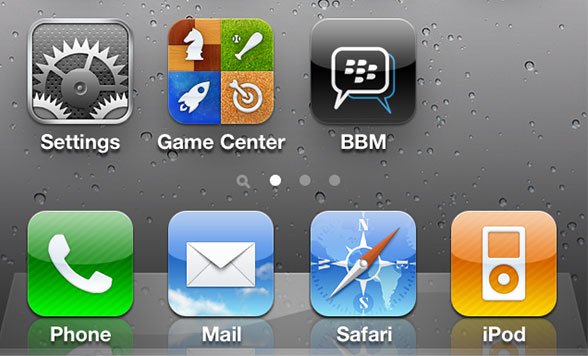
    Research In Motion is preparing to bring Blackberry Messenger to iOS through the App Store.

    RIM wants to own the messaging space, and that means being ubiquitous across all platforms. It’s a curious move: BlackBerry Messaging is one of the few reasons people still buy BlackBerry smartphones over an iOS or Android device.

    Ceding the messaging advantage to the competition? A curious move to say the least, especially since RIM is supposedly hopeful that their new BlackBerry tablet, the PlayBook, can help them get back some of their sales mojo. Does RIM see its future as being primarily in software over hardware? Are they already ceding victory to Apple and Google?

    [via: TUAW]

  • Play PS3 Games on iPhone, iPod Touch with everyAir


    New hackers and developers called “pandaelf” was able to find a way to play PS3 Games on your iPhone, iPod touch and iPad. With a little wrangling of simple hardware and everyAir, the developers have successfully made it possible to play PS3 games on any iOS device.

    Q&A:

    Q: What’s the overall picture for how this works?
    A: The trick is to connect a capture device and a USB mouse/keyboard device to the PS3. The capture device sends video data to the PC, and the USB keyboard/mouse sends the button presses. On the PC itself, you run a custom build of everyAir which understands custom gestures and pipes the input to the PC which then sends it to the PS3 via the input interpreter.

    Q: What were some of the hurdles?
    A: There are two problems to solve: sending the video signal to the iOS device and sending back input from the iOS device. Sending the video signal is solved by using an off the shelf capture device, and then sending back the input is a combination of a custom build of everyAir with an off the shelf mouse/keyboard device that connects to the PS3.

    Q: How do you send input to the PS3?
    A: Using one of those USB Keyboard/Mouse devices. For example, Eagle Eye (search for it on Amazon).

    Q: How do you get the video signal from the PS3 to the iOS device?
    A: We do this by using an off the shelf capture device. The capture device connects to the PC, TV, and to the PS3. The result is that a livestream of the PS3’s video signal ends up on the PC.

    Q: How do you connect to the PC from the iOS device?
    A: Using everyAir – our remote desktop application.

    Q: How does everyAir understand the game gestures?
    A: We’re using a custom build of everyAir, and it’s hardcoded to understand these gestures. Additionally, it knows how to pipe input to the mouse/kb device in a way that it expects.

    Q: Will this be publicly available?
    A: We plan to release a fully customizable version at some point in the future.

    As you read on the above quotation, till now there is no ETA for this cool idea, as usual I will let you informed with any updates, stay tuned.

    [via GadgetsDNA & pandaelves]