• iTunes 10.5 Released Prior to iOS 5.0


    iTunes 10.5

    iTunes 10.5

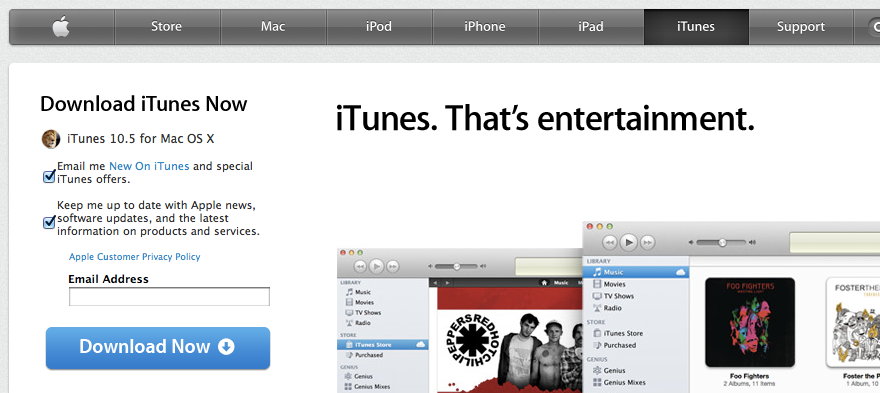
    Apple today released iTunes 10.5 for all platforms in advance of tomorrow’s release of iOS 5.0. Check out the release notes attached to this release is as follows:

    What’s new in iTunes 10.5

    • iTunes in the Cloud. iTunes now stores your music and TV purchases in iCloud and makes them available on your devices anywhere, any time, at no additional cost.
      • Automatic Downloads. Purchase music from any device or computer and automatically download a copy to your Mac and iOS devices.
      • Download Previous Purchases. Download your past music, TV, app, and book purchases again, at no additional cost. Previous purchases may be unavailable if they are no longer on the iTunes Store.
    • Sync with your iPhone, iPad, or iPod touch with iOS 5.
    • Wi-Fi Syncing. Automatically sync your iPhone, iPad, or iPod touch with iTunes any time they’re both on the same Wi-Fi network.

    SHA1:
    iTunes Windows 32 bit:1205cda4ce9a32db2fe02cf9f2cf2c0bf7d47bdb
    iTunes Windows 64 bit :ab400ad27a537613b3b5306ea026763a93d57fdf
    iTunes Mac:d6ecdd767b31b6c4661ef97a6a1a1234d2f695d1

    For information on the security content of this update, please visit: http://support.apple.com/kb/HT1222.


  • iOS 5 Golden Master GM iPhone, iPad, iPod Touch Download Links Repository


    Apple has released iOS 5 Golden Master version for iPhone, iPad and iPod Touch. GM version is similar to the public version. Download links are available below.

    iOS 5 was announced at World Wide Developer Conference this year. iOS 5 betas were intended for developers only but this GM is apparently, as reported by some,will not need devices UDIDs and so you can install it on your device at your risk.

    Download iOS 5 Golden Master Version:

  • Another iPhone Prototype Lost In A Bar


    As reported  by CNET, it appears Apple may have lost another unreleased iPhone model in a bar, this time at the Cava22 in San Francisco. The errant iPhone, which went missing in San Francisco’s Mission district in late July, sparked a scramble by Apple security to recover the device over the next few days, according to a source familiar with the investigation.

    You may recall last year’s loss of an iPhone 4 prototype, which was lost by an Apple employee and sold to Gizmodo. This year’s lost phone seems to have taken a more mundane path: it was taken from a Mexican restaurant and bar and may have been sold on Craigslist for $200. Still unclear are details about the device, what version of the iOS operating system it was running, and what it looks like.

    Apple electronically traced the phone to a two-floor, single-family home in San Francisco’s Bernal Heights neighborhood, according to the source.

    When San Francisco police and Apple’s investigators visited the house, they spoke with a man in his twenties who acknowledged being at Cava 22 on the night the device went missing. But he denied knowing anything about the phone. The man gave police permission to search the house, and they found nothing, the source said.

    iPhone 5 is expected to launch this September / early October.

  • LinkedIn Launches Updated iPhone & Android Apps, New HTML 5 Mobile Site


    LinkedIn has announced a new HTML 5 optimized page for mobile browsers and updated iPhone and Android apps with 2-10X speed increases.

    For the first time, we’ll be providing that experience not only in our iPhone and Android applications, but also in a brand new HTML5 experience for use in any modern mobile web browser.

    • Faster

    The new mobile apps are between two and ten times faster across all features, ranging from search to reading update stream.

    • Simpler

    The App completely re-organized around 4 key areas:

    • Updates: View updates from your network and top news from LinkedIn Today
    • Inbox: You can view your invitations and messages in one place
    • You: Access your profile, connections, share updates, and even more in the future
    • Groups & More: Browse and interact with your groups, as well as build your network through our People You May Know feature

    This not only makes it easier for members to accomplish tasks easily, but also makes it more intuitive to find what they are looking for when they download the app for the first time.

    • Better

    The other big change that we’ve implemented based on user feedback is that the mobile app experience now starts with the Update stream, one of the most frequently used areas of the current mobile app. We want to help our members be great at what they do and one way to do that is to help them stay up-to-date on news and information from their network, company, and industry that they can glean from their updates stream.