• How to Enable Multi-Touch Gestures in iOS 4.3.1 for iPhone 4, iPod Touch and iPad


    Remember the four and five finger multi-touch gestures shown off by Apple in the iOS 4.3 Beta for iPad. However, these features were only meant for the developers and never made it to the final public release of iOS 4.3.

    Now, there is a way to enable multitouch gestures in iOS 4.3.1. All you need is a jailbroken iPhone 4/3GS, iPod Touch or iPad running iOS 4.3.1 and some tweaking.

    We will be editing some plist files in this tutorial. Windows users can use plist editor while Mac users can use TextWrangler. If you have Xcode installed then no need for an additional application. I’ll be using iFile app which is available on Cydia.

    There is a simple tweak available in Cydia which you can simply search for and run check it out here

    Instructions:

    Step 1:

    Navigate to Root > var > mobile > Library > Preferences > com.apple.springboard.plist

    Copy this file to your computer and add the following two lines of code:

    <key>SBUseSystemGestures</key>
    <true/>

    Step 2:

    Navigate to Root > System > Library > CoreServices > SpringBoard.app > N90AP.plist

    Update: N90AP.plist exists on iPhone 4 only. The corresponding file for iPhone 3GS is N88AP.plist, iPod Touch is N81AP.plist and for iPad K48AP.plist. Usually, there’s just one of this file’s kind in the specified folder, so it should not be very difficult to identify.

    Add the following two lines:

    <key>multitasking-gestures</key>
    <true/>

    That’s it. We’re done. After you have saved these edit files put them back in their locations and restart or respring your iOS device for the changes to take effect.

    You can now do the following three gestures using four fingers, though in my opinion the iPhone or iPod Touch screens are too small for these many fingers.

    • Pinch to home screen
    • Swipe up for Multitasking bar
    • Swipe left/right to switch apps.
  • iPhone 4 Survives 1,000-Foot Drop Without a Scratch


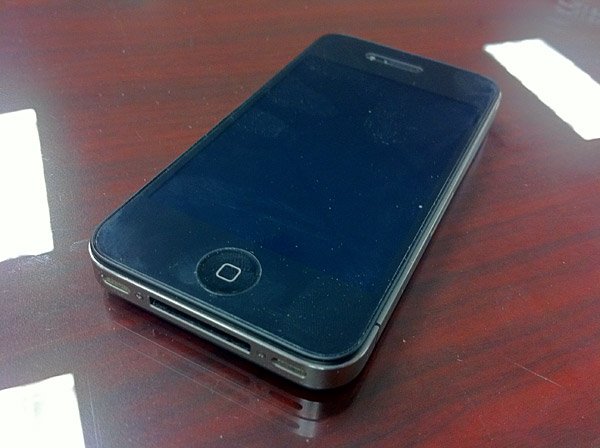
    U.S. Air Force Combat Controller Ron Walker says he dropped his iPhone 4 at the time Walker was leaning out of a US Air Force plane door while preparing for a static line jump from 1,000 feet.

    Walker says he used the Find My iPhone app, and found his iPhone at the base of a tree in a forest. The phone was unscratched and worked fine, according to Walker.

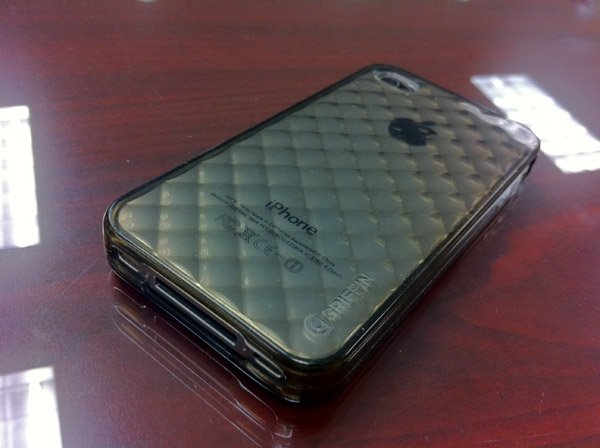
    The phone had a Griffin Motif case, and no other protection.

    This interesting story via iLounge

  • iOS 4.3.1 Coming in a Week or Two with Multiple Fixes


    According to BGR, who has a good track record regarding Apple rumors, that Apple is about to release iOS 4.3.1 within one to two weeks. Let’s check out the expected updates on iOS 4.3.1.

    • Baseband updates for the 3GS and iPad (original)
    • Fixed memory hang that results in memory corruption when reading large files from USIM filesystem
    • Fixed problem with NTLM authentication in apps and on websites
    • Fixed issue with the Springboard and 3rd party apps not recognizing the gyroscope on the iPad 2
    • Fixed iPad 2 jailbreak vulnerability

    Now, I think Stefan Essar, the guy behind the iPad 2 upcoming jailbreak, shall hold back his jailbreak schedule to save his exploit for iOS 4.3.1.

  • Untethered Jailbreak To Be Postponed Until Apple Releases iOS 4.3.1


    After the successful iOS 4.3 Untethered Jailbreak (video below), the hacker behind the exploit seemingly will hold his jailbreak until Apple releases iOS 4.3.1.

    With Apple already baking 4.3.1 the first one releasing an iOS 4.3 jailbreak will pretty much burn the exploit 😛

    Well Apple should release 4.3.1 very soon, because tomorrow everybody knows that @0xcharlie popped an iPhone 4 at #pwn2own through Safari.

    The hacker expected that Apple will release iOS 4.3.1 specially after the hackers (at Pwn2Own contest) has successfully hacked iPhone 4 via vulnerability which found in Mobile Safari running iOS 4.2.1.

    [Tweets [1], [2]]