• iTunes 10.5 Released Prior to iOS 5.0


    iTunes 10.5

    iTunes 10.5

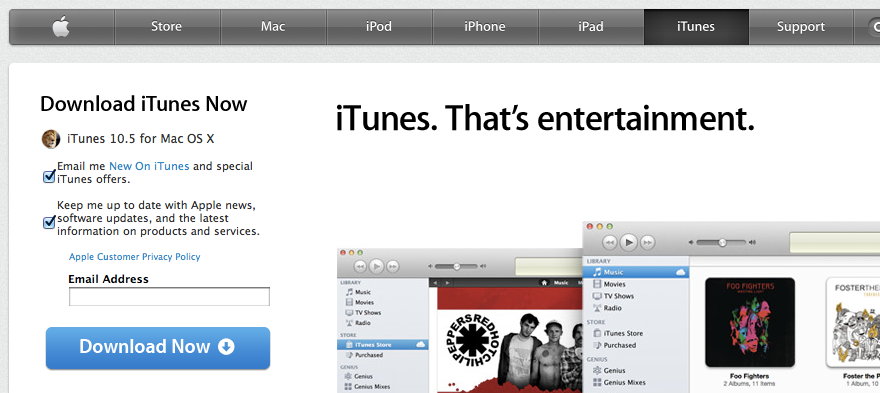
    Apple today released iTunes 10.5 for all platforms in advance of tomorrow’s release of iOS 5.0. Check out the release notes attached to this release is as follows:

    What’s new in iTunes 10.5

    • iTunes in the Cloud. iTunes now stores your music and TV purchases in iCloud and makes them available on your devices anywhere, any time, at no additional cost.
      • Automatic Downloads. Purchase music from any device or computer and automatically download a copy to your Mac and iOS devices.
      • Download Previous Purchases. Download your past music, TV, app, and book purchases again, at no additional cost. Previous purchases may be unavailable if they are no longer on the iTunes Store.
    • Sync with your iPhone, iPad, or iPod touch with iOS 5.
    • Wi-Fi Syncing. Automatically sync your iPhone, iPad, or iPod touch with iTunes any time they’re both on the same Wi-Fi network.

    SHA1:
    iTunes Windows 32 bit:1205cda4ce9a32db2fe02cf9f2cf2c0bf7d47bdb
    iTunes Windows 64 bit :ab400ad27a537613b3b5306ea026763a93d57fdf
    iTunes Mac:d6ecdd767b31b6c4661ef97a6a1a1234d2f695d1

    For information on the security content of this update, please visit: http://support.apple.com/kb/HT1222.


  • List of iOS 5 Voice Commands for Siri


    Curious about the iPhone 4S‘s new voice assistant feature, Siri?

    Here is a set of example phrases tracked down by TUAW that Siri voice assistant is capable of understanding, ordered by interaction category, along with Apple-supplied examples of using each category.

    Address Book

    Querying Contacts

    • What’s Michael’s address?
    • What is Susan Park’s phone number?
    • When is my wife’s birthday?
    • Show Jennifer’s home email address

    Finding Contacts

    • Show Jason Russell
    • Find people named Park
    • Who is Michael Manning?

    Relationships

    • My mom is Susan Park
    • Michael Manning is my brother
    • Call my brother at work

    Calendars

    Adding Events

    • Set up a meeting at 9
    • Set up a meeting with Michael at 9
    • Meet with Lisa at noon
    • Set up a meeting about hiring tomorrow at 9am
    • New appointment with Susan Park Friday at 3
    • Schedule a planning meeting at 8:30 today in the boardroom

    Changing events

    • Move my 3pm meeting to 4:30
    • Reschedule my appointment with Dr. Manning to next Monday at 9am
    • Add Lisa to my meeting with Jason
    • Cancel the budget review meeting

    Asking about events

    • What does the rest of my day look like?
    • What’s on my calendar for Friday?
    • When is my next appointment?
    • When am I meeting with Michael?
    • Where is my next meeting?

    Alarms

    Setting Alarms

    • Wake me up tomorrow at 7am
    • Set an alarm for 6:30am
    • Wake me up in 8 hours
    • Change my 6:30 alarm to 6:45
    • Turn off my 6:30 alarm
    • Delete my 7:30 alarm

    Checking the Clock

    • What time is it?
    • What time is it in Berlin?
    • What is today’s date?
    • What’s the date this Saturday?

    Using a Timer

    • Set the timer for ten minutes
    • Show the timer
    • Pause the timer
    • Resume
    • Reset the timer
    • Stop it

    Email

    Sending Messages

    • Email Lisa about the trip
    • Email Jennifer about the change in plans
    • New email to Susan Park
    • Mail Dad about the rent check
    • Email Dr. Manning and say I got the forms, thanks
    • Mail Lisa and Jason about the party and say I had a great time

    Checking Messages

    • Check email
    • Any new email from Michael today?
    • Show new mail about the lease
    • Show the email from Lisa yesterday

    Responding to Messages

    • Reply Dear Susan sorry about the late payment
    • Call him at work

    Friends

    Checking Up on Friends

    • Where’s Jason?
    • Where is my sister?
    • Is my wife at home?
    • Where are all my friends?
    • Who is here?
    • Who is near me?

    Maps

    Directions

    • How do I get home?
    • Show 1 Infinite Loop Cupertino California
    • Directions to my dad’s work

    Local Businesses

    • Find coffee near me
    • Where is Starbucks?
    • Find some burger joints in Baltimore
    • Find a gas station within walking distance
    • Good Mexican restaurants around here

    Messages

    Sending Texts

    • Tell Susan I’ll be right there
    • Send a message to Jason Russell
    • Send a message to Lisa saying how about tomorrow
    • Tell Jennifer the show was great
    • Send a message to Susan on her mobile saying I’ll be late
    • Send a message to 408 555 1212
    • Text Jason and Lisa where are you?

    Reading Texts

    • Read my new messages
    • Read it again

    Replying to Texts

    • Reply that’s great news
    • Tell him I’ll be there in 10 minutes
    • Call her

    Music

    Playback

    • Play The Light of the Sun
    • Play Trouble
    • Play Taking Back Sunday shuffled
    • Play Alicia Keys
    • Play some blues
    • Play my party mix
    • Shuffle my roadtrip playlist
    • Play
    • Pause
    • Skip

    Notes

    Creating and finding notes

    • Note that I spent $12 on lunch
    • Note: check out that new Alicia Keys album
    • Find my restaurant note
    • Create a reading list note
    • Add Tom Sawyer to my reading list note

    Phone

    Phone calls

    • Call Jason
    • Call Jennifer Wright mobile
    • Call Susan on her work phone
    • Call 408 555 1212
    • Call home
    • FaceTime Lisa

    Reminders

    Requesting reminders

    • Remind me to call mom
    • Remind me to call my mom when I get home
    • Remember to take an umbrella
    • Remind me take my medicine at 6am tomorrow
    • Remind me to pick up flowers when I leave here
    • Remind me when I leave to call Jason
    • Remind me to finish the report by 6

    Stocks

    Checking Stocks

    • What’s Apple’s stock price?
    • What is Apple’s PE ratio?
    • What did Yahoo close at today?
    • How is the Nikkei doing?
    • How are the markets doing?
    • What is the Dow at?


    Weather

    Checking the Forecast

    • What’s the weather for today?
    • What’s the weather for tomorrow?
    • Will it rain in Cupertino this week?
    • Check next week’s forecast for Burlington
    • What’s the forecast for this evening?
    • How’s the weather in Tampa right now?
    • How hot will it be in Palm Springs this weekend?
    • What’s the high for Anchorage on Thursday?
    • What’s the temperature outside?
    • How windy is it out there?
    • When is sunrise in Paris?

    Websearch

    Looking up information

    • Search the web for Bora Bora
    • Search for vegetarian pasta recipes
    • Search the web for best cable plans
    • Google the war of 1812
    • Search Wikipedia for Abraham Lincoln
    • Search for news about the World Cup
    • Bing Alicia Keys


    Using Wolfram Alpha

    • How many calories in a bagel?
    • What is an 18% tip on $86.74 for four people?
    • Who’s buried in Grant’s tomb?
    • How long do dogs live?
    • What is the Gossamer Condor?
    • What’s the square root of 128?
    • How many dollars is €45?
    • What was the Best Picture of 1983?
    • How many days until Christmas?
    • How far away is the Sun?
    • When is the next solar eclipse?
    • Show me the Orion constellation
    • What’s the population of Jamaica?
    • How high is Mt. Everest?
    • How deep is the Atlantic ocean?
    • What’s the price of gasoline in Chicago?
  • iOS 5 Golden Master GM iPhone, iPad, iPod Touch Download Links Repository


    Apple has released iOS 5 Golden Master version for iPhone, iPad and iPod Touch. GM version is similar to the public version. Download links are available below.

    iOS 5 was announced at World Wide Developer Conference this year. iOS 5 betas were intended for developers only but this GM is apparently, as reported by some,will not need devices UDIDs and so you can install it on your device at your risk.

    Download iOS 5 Golden Master Version:

  • Apple Seeds iOS 5 Gold Master GM to Developers


    Apple today released the Gold Master iOS 5 to registered developers of the iOS program. you must use iTunes 10.5 beta 7 to install iOS 5 GM seed and its not available via over the air software update.

    This marks the final release of iOS 5 before going public on October 12.