Gradly

  • About Me
  • Portfolio
  • My Blog
  • Contact Me


  • Facebook For iPad Has Arrived [Updated]

    July 25, 2011 // Gradly // Apple, blog, Gadgets, How To, iPad, Jailbreak, News, Rants & Raves, Social Networks, Tutorials Tags: App, Apple, blog, Facebook, Guide, How To, iPad, iPhone, Jailbreak, Social Networks, Tutorial No Responses


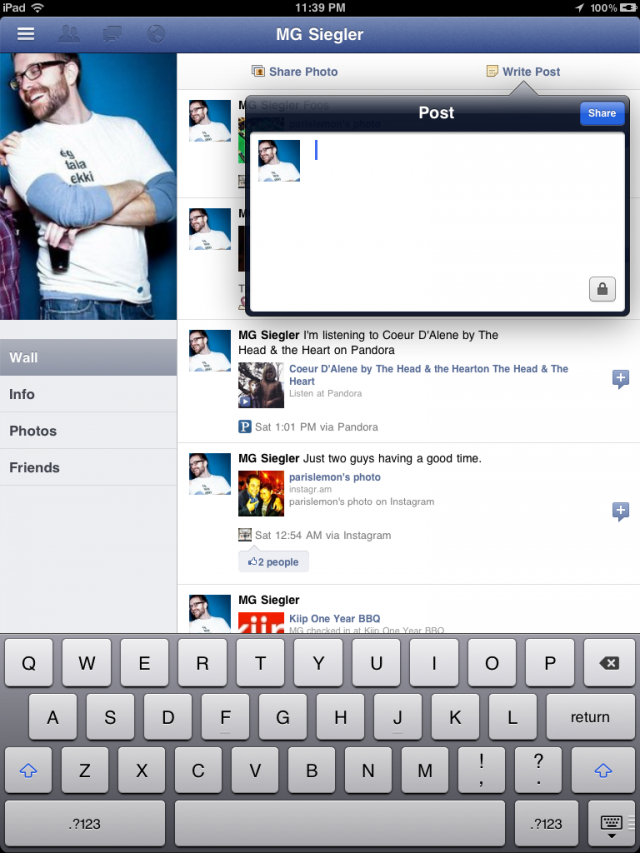
    The entire world has been patiently awaiting the arrival of a Facebook iPad app. This however is just about to change. As discovered by some folks on Twitter and confirmed by TechCrunch, the new Facebook iPad app is ready and actually already out there. Indeed, Facebook did develop the app and placed it inside its code already, but hasn’t simply activated it. Just a few lines of code to change can however make it happen.

    Hidden in the code of Facebook’s iPhone app is the code for something else. Something everyone has been waiting over a year for. The iPad app.

    The gist of the trick is a modification to make inside the Facebook app discovered by AeroEchelon on Twitter:
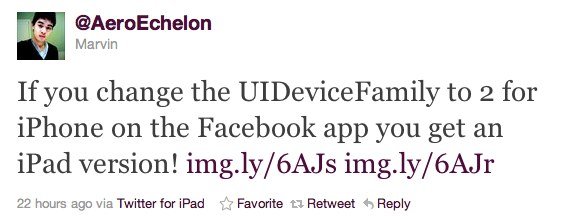
    If you change the UIDeviceFamily to 2 for iPhone on the Facebook app you get an iPad version!

    You can make apps iPad compatible without pixelation and 2x button and also you can make the app support all 4 orientations. Here is how:

    1.  Navigate to the app you want to make compatible in /var/mobile/Applications
    2.  Open the info.plist in the applications main folder
    3.  Add the follow:

    <key>UIDeviceFamily</key>
    <array>
    <integer>1</integer>
    <integer>2</integer>
    </array>

    4. Respring and then you should have a nice iPad size app

    iClarified has a full step by step guide on how to achieve just that. It’s actually the same technique that has been long used to force iPhone-only apps to run in full screen on the iPad.

    Update #1:

    Facebook has blocked access to iPad version

    Update #2:

    You can re-enable Facebook’s iPad app by doing this:

    • Download Facebook app
    • Open Cydia and install FaceForward [a free tweak available under BigBoss repo]


    [via appadvice]

  • Install OS X Lion Final Release Over Lion GM Guide

    July 21, 2011 // Gradly // Apple, blog, Download, How To, Tutorials Tags: Apple, blog, Guide, Hints, How To, Lion GM, OS X Lion, Tips, Tutorials 2 Responses


    If you are running the Mac OS X Lion GM build and you want to buy and install the Final release of Lion through the Mac App Store, you’ve noticed that you’ll get that’s already “installed” App Store. To work around you just need to hold Option and click on the Install button to be able to install the final release over GM. You can also do this through the “Purchases” tab in the Mac App Store, just hold down Option to enable the “Install” button.

    Note: if you’re a developer who is running the Lion GM build 11A511 there is technically no need to install the Lion Final, both builds are 11A511 and identical.

    This is also a way for those who inappropriately downloaded Lion GM to pay Apple for the final release. It’s only $29.99. Developers needn’t do this however thanks to The Loop for getting this tip.

  • JailbreakMe 3.0 Has Surpassed the 2 Million Downloads Mark

    July 10, 2011 // Gradly // Apple, blog, Cydia, Download, Funny, How To, iPad, Jailbreak, News, Rants & Raves, Tutorials Tags: Apple, blog, Comex, Cydia, Download, Featured, Guide, Hack, How To, iOS 4.3.3, iPad, Jailbreak, JailbreakMe 3.0, News, Tutorials No Responses


    After 5 days since releasing the JailbreakMe 3.0 tool, iOS jailbreak developer @Chpwn comes to announce that more than 2 Million iOS devices are jailbroken using JailbreakMe 3.0. That include iPad 2 which mark the first time ever to get a jailbreak solution of any kind.

    iPad 2 added to iPhone 4, iPhone 3GS, iPad 1, iPod Touch 3G and iPod Touch 4G are all capable of getting punked by JailbreakMe 3.0 the easiest and quickest jailbreak tool yet.

    Previously, More than 1 Million iOS devices were jailbroken in less than 24 hours using the same tool which was announced before by @Chpwn:

    How to Untethered Jailbreak iPad 2 or Other Devices on iOS 4.3.3 Using JailbreakMe 3.0 Guide:

    • Jailbreak iOS 4.3.3 on iPad 2, iPhone, and iPod Touch Using JailbreakMe 3.0 Guide
  • Jailbreak iOS 4.3.3 on iPad 2, iPhone, and iPod Touch Using JailbreakMe 3.0 Guide

    July 6, 2011 // Gradly // Apple, blog, Download, Featured, Hack, How To, iPad, iPhone, Jailbreak, Tutorials Tags: Apple, blog, Comex, Cydia, Download, Featured, Guide, Hack, How To, iOS 4.3.3, iPad, Jailbreak, JailbreakMe 3.0, Tutorials 2 Responses


    These are instructions on how to jailbreak your iPad 2, iPad, iPhone or iPod Touch on iOS 4.3.3 using the just released JailbreakMe 3.0 by @comex.

    A step by step guide on how to jailbreak iOS 4.3.3 untethered using jailbreakMe 3.0

    Note: This is the easiest jailbreak in existence and it’s the first official iPad 2 jailbreak available, but also works on all other hardware capable of running iOS 4.3.3, including iPad, iPad 2, iPhone 3GS, iPhone 4, iPod touch 3rd gen, iPod touch 4th gen.

    A video available in the bottom showing the steps as well

    1. Make sure your iPad 2 is running iOS 4.3.3, you can download all iOS fro all your devices from here.
    2. Press to launch Safari.
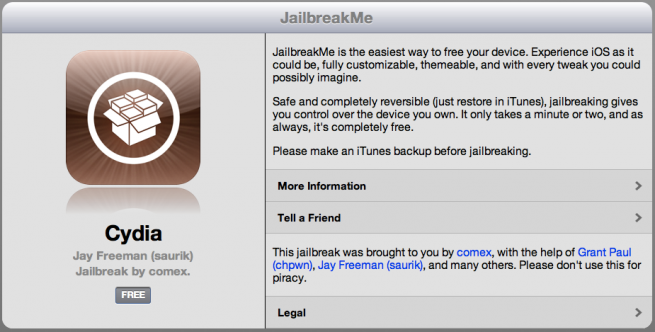
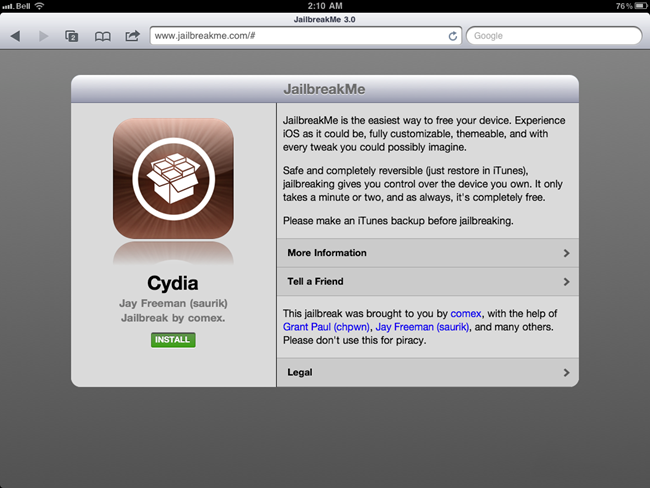
    3. Navigate to http://www.jailbreakme.com and press the Free button.
    4. Press the Install button.
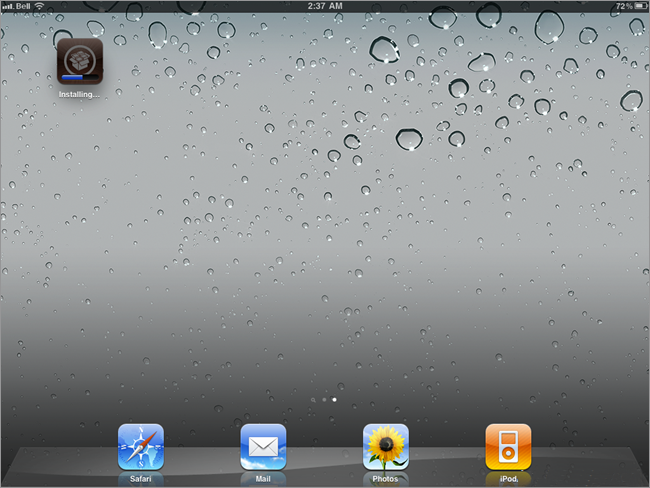
    5. Safari will now close and Cydia will download and install.
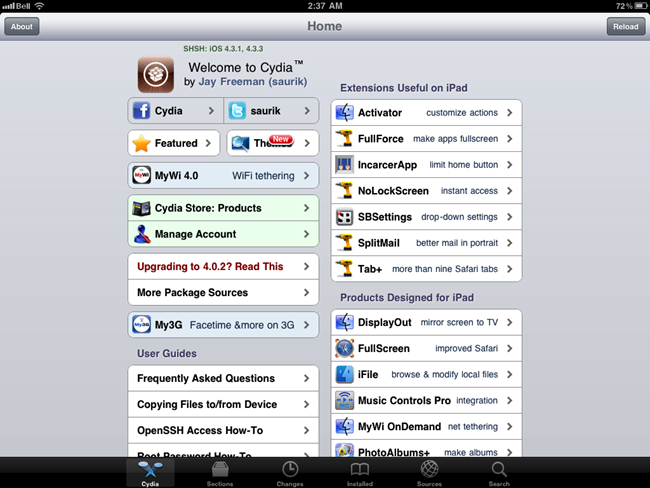
    6. Press to launch Cydia and enjoy your jailbroken iPad!

    Required Downloads:

    • Download iOS 4.3.3 for iPhone, iPod touch, iPad
    • Download iTunes 10.2.2
← Older posts
Newer posts →