• How to Enable Google New Bar Right Now


    Google new bar

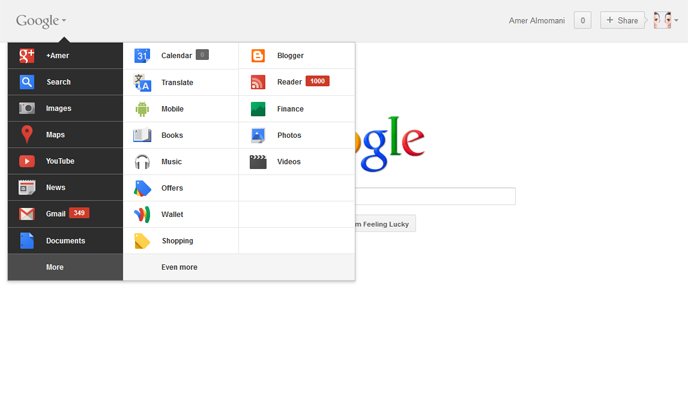
    Google has rolled out a lot of redesigning work recently starting from the new black bar and Google search page new UI, YouTube, Gmail and many other products. The last addition comes as a new unified bar, as seen above, on which you have access to all Google products and services by rolling over the Logo itself.

    As always, these changes haven’t been rolled out to everyone yet. Google is doing a staggered rollout over the next couple weeks.

    How to enable the new bar instantly:

    1. Go to Google
    2. Open Developer Tools [Press Ctrl+Shift then J in Google Chrome] [Ctrl+Shift then K in Mozilla Firefox]
    3. Go to “Console” tab and enter: document.cookie=”PREF=ID=03fd476a699d6487:U=88e8716486ff1e5d:FF=0:LD=en:CR=2:TM=1322688084:LM=1322688085:S=McEsyvcXKMiVfGds; path=/; domain=.google.com”;window.location.reload();

  • Google Announces ‘Cosmic Panda’, New YouTube Design Experience


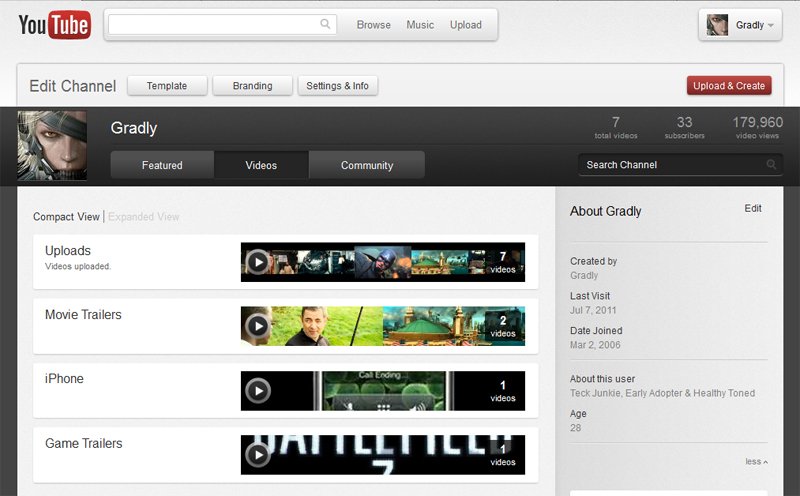
    Google’s designers have been busy yet generous with subsequent visual updates to Google Search, Gmail, Google+ and other Google products and services. YouTube is no exception and has got its new redesign as well, codenamed Cosmic Panda, and you can try it right away.

    As announced by Google official blog the new design comes to fulfill what exactly the viewers are looking for:

    With nearly 8 years of video uploaded and 3 billion views logged every day on YouTube, it’s clear you like to watch and share YouTube videos. While you’re watching your favorite or new videos, we at the ‘Tube are obsessing night and day over how those videos are presented. Our team is constantly experimenting, tweaking and playing with new ways to make your experience exactly what you’re looking for.

    Once you’re in the experiment, much of YouTube will look different, including videos, playlists and channels.

    Try it out yourself by visiting this link

  • Stream YouTube Videos Faster on iPhone, iPod Touch, iPad with TCP Optimizer Cydia Hack


    TCP Optimizer is a new and free Cydia tweak that modifies your iDevice’s settings to increase streaming speeds and improve its overall internet connection, including Wi-Fi.

    How To install TCP Optimizer:

    • You must have a jailbroken iDevice
    • Add http://cydia.pushfix.info/ repository to Cydia.
    • Search for and install ‘TCP Optimizer‘. No Restart needed.

    This actually will:

    • Increase theTCP Receive Buffer from 131072 to 292000,
    • Disable TCP delayed ACK’s
    • Double the number of possible un-ACK packets from 8 to 16 packages
    • Increase the size of un-ACK packets

    TCP Optimizer is compatible with iPhone, iPod touch and iPad, running iOS 3.1.2 or above; however, Its not recommended to be used on second generation Apple TVs.

  • YouTube Announces Film Rentals From Major Movie Studios


    YouTube has announced the launch of film rentals from major Hollywood studios.

    Today, we’re announcing another step in our goal to bring more of the video you love to YouTube: the addition of thousands of full-length feature films from major Hollywood studios available to rent in the US at youtube.com/movies. In addition to the hundreds of free movies available on the site since 2009, you will be able to find and rent some of your favorite films. From memorable hits and cult classics like Caddyshack, Goodfellas, Scarface, and Taxi Driver to blockbuster new releases like Inception, The King’s Speech, Little Fockers, The Green Hornet and Despicable Me. Movies are available to rent at industry standard pricing, and can be watched with your YouTube account on any computer.

    The new titles will begin appearing later today and over the coming weeks at www.youtube.com/movies.