iOS 7
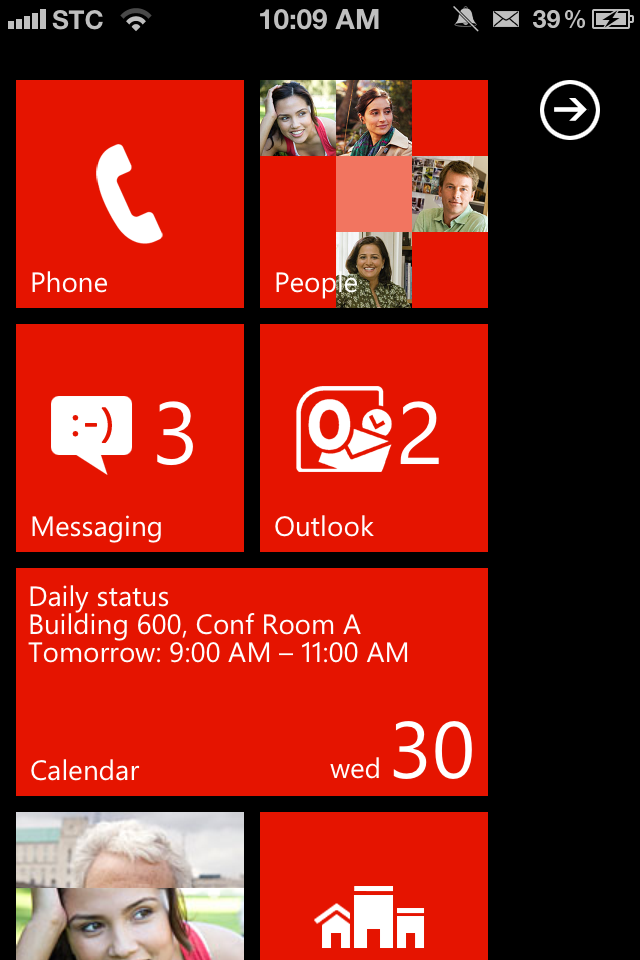
Apple unveiled iOS 7, the software’s biggest redesign since the debut of the original iPhone. While the heavy rumored Apple direction towards a flatter design, the current system fans could be shocked by the design overhaul. Personally, I hate the new UI, Ditching an iconic design elements for very forgettable and cheap rip-offs of Android, Windows Phone, WebOS, and Cydia tweaks, is definitely something I’m not sold into.
A quick rundown of new features in iOS 7:
- Completely redesigned interface
- New Lockscreen
- New translucency and Parallax allows you to see layers of info
- Weather app has interactive displays
- Calendar has new minimalist UI
- Multiple page support in Folders
- FaceTime audio calls
- Phone and Message blocking
- Activation lock disables phone if stolen
- iPhone beta available to developers today
- Coming this fall
iOS 7 Control Center
Control Center
- Swipe up from bottom of device to access toggles quickly
- Turn on Airplane Mode, adjust brightness, AirDrop, etc.
iOS 7 Multitasking
Multitasking
- New interface shows app cards
- Multi-tasking for all apps with great battery life
- Puts apps into scheduled background cycles
- Adapts to network conditions
Safari
- New full-screen look
- Pull down from top brings up smart search field
- iCloud Keychain support
Camera
- Redesigned UI
- New filters
- Accessible from Control Center
New Photos App
- Collect photos into ‘Moments’ based on location, date, or people.
- Look across photo collection by pinch-to-zooming through Photostream
- Share photos via AirDrop, Twitter, Facebook, iMessage, etc.
- See comments from people you’ve shared the picture with directly in image
iOS 7 Airdrop
AirDrop
- Share images with friends
- System-wide support with apps with share-sheets
- Works on iPhone 5, iPad 4, 5th Gen iPod Touch
Siri
- New interface with wave animation
- All new female and male voices
- Can now control more of your device such as adjusting brigthness
- Wikipedia and Bing search results integrated directly into Siri
iOS in the Car
- Get iOS on your car’s dashboard screen
- Get directions, play music, have iMessages dictated to you and more, eyes free.
- Supported by more than 12 car manufacturers in 2014
iOS 7 Notification Center
Notification Center
- Notification Center now available on Lock Screen
- Notification syncing
App Store
- Search for apps by age range
- Find apps based on current location
- Apps are updated automatically
iTunes Radio
- Built directly into iOS Music app.
- Featured Stations stream music based on its theme.
- Share stations with friends, or create your own based on favorite artists
- Preview and purchase songs directly in the app.
- Support on Mac, PC, iPad, iPhone, iPod Touch, and Apple TV
- Free for all users
- Completely ad-free for iTunes Match subscribers
- Launches in the U.S.