• MobileMe to iCloud Transition Is Now Available for Developers


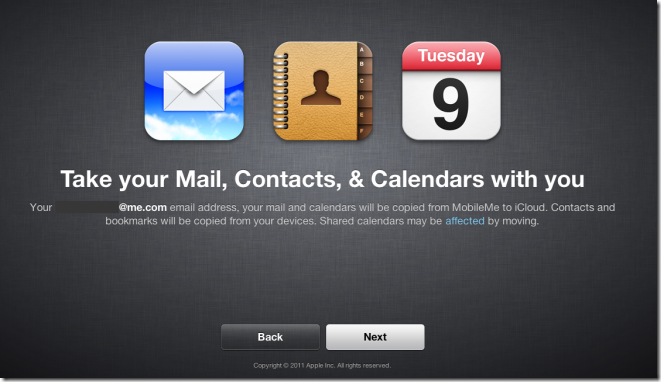
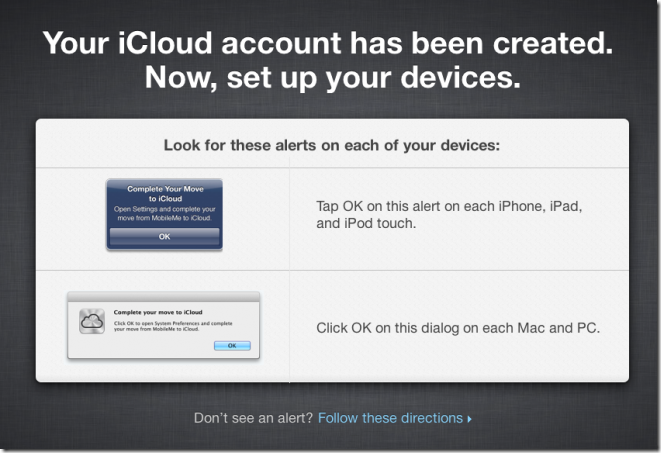
    Apple has just allowed MobileMe to iCloud Transition for developers through a new portal me.com/move. Now you can move your mail, Contacts and calendar to iCloud, And you can use iWeb, iDisk, and Photo Gallery up until June 30, 2012.

    Synchronization of the following will no longer be available :

    • Mac Dashboard Widgets
    • Dock Items
    • Keychains
    • Mail Accounts
    • Rules
    • Signatures
    • Smart Mailboxes
    • Preferences


    iOS devices must be running iOS 5 beta 5, Macs must be running Mac OS X Lion 10.7.2 Seed and iCloud for OS X Lion beta 6. PCs must be running Windows Vista or later, Outlook 2007​ or later and iCloud Control Panel for Windows beta 4.

    [Via iClarified]

  • Facebook For iPad Has Arrived [Updated]


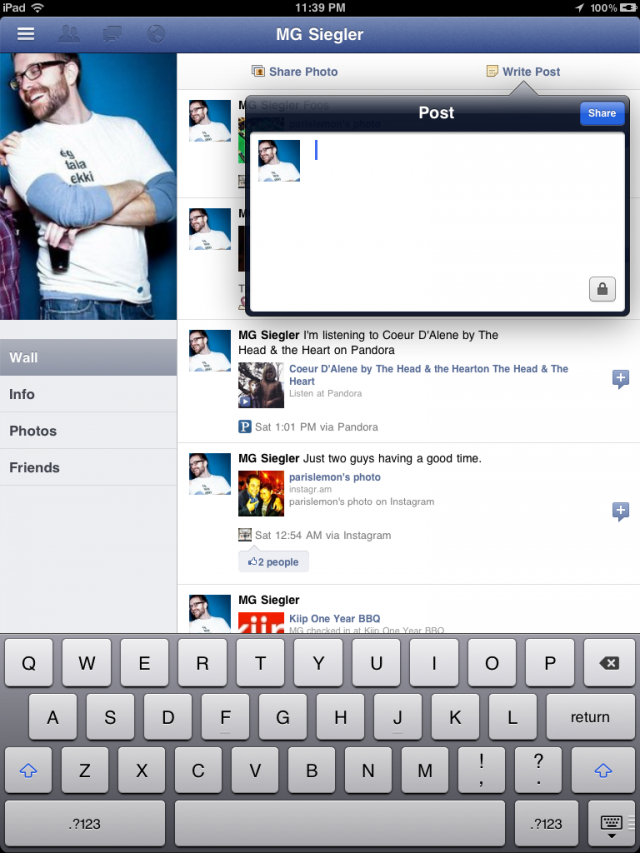
    The entire world has been patiently awaiting the arrival of a Facebook iPad app. This however is just about to change. As discovered by some folks on Twitter and confirmed by TechCrunch, the new Facebook iPad app is ready and actually already out there. Indeed, Facebook did develop the app and placed it inside its code already, but hasn’t simply activated it. Just a few lines of code to change can however make it happen.

    Hidden in the code of Facebook’s iPhone app is the code for something else. Something everyone has been waiting over a year for. The iPad app.

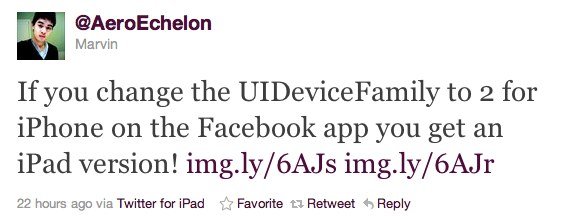
    The gist of the trick is a modification to make inside the Facebook app discovered by AeroEchelon on Twitter:

    If you change the UIDeviceFamily to 2 for iPhone on the Facebook app you get an iPad version!

    You can make apps iPad compatible without pixelation and 2x button and also you can make the app support all 4 orientations. Here is how:

    1.  Navigate to the app you want to make compatible in /var/mobile/Applications
    2.  Open the info.plist in the applications main folder
    3.  Add the follow:

    <key>UIDeviceFamily</key>
    <array>
    <integer>1</integer>
    <integer>2</integer>
    </array>

    4. Respring and then you should have a nice iPad size app

    iClarified has a full step by step guide on how to achieve just that. It’s actually the same technique that has been long used to force iPhone-only apps to run in full screen on the iPad.

    Update #1:

    Facebook has blocked access to iPad version

    Update #2:

    You can re-enable Facebook’s iPad app by doing this:

    • Download Facebook app
    • Open Cydia and install FaceForward [a free tweak available under BigBoss repo]


    [via appadvice]

  • Jailbreak iPad 2 with iOS 4.3.3 by Creating a Local Web Server


    Want to jailbreak your iPad 2 running iOS 4.3.3? As you cannot wait for JailbreakMe 3.0 to be released? You can jailbreak your iPad 2 right now running iOS 4.3, iOS 4.3.1, iOS 4.3.2 and iOS 4.3.3 by creating your own local web server. No, it doesn’t have the ease or beauty of the expected JailbreakMe 3.0 release, and it’s not as simple as clicking on someone else’s hosted PDF files, but it works and it’s pretty fast thanks to python and thanks to OSXDaily for providing this method:

    Warning: this is using the same experimental leaked beta iPad 2 jailbreak, there could be bugs and other issues with this method. This is not recommended for novice users, and it is advised to wait for comex to release his official jailbreak for iPad 2. Always backup your data, and proceed at your own risk.

    Please if you don’t know what is going on below then do NOT try it.

    Its better to wait for the official release of JailbreakMe 3.0 as it seems imminent.

    Here’s what you need to do:

    • Create a simple index.html file that holds links to the leaked jailbreakme beta PDF’s that correspond to your iOS version
    • Download the jailbreak PDF files from here
    • Create a local webserver on a Mac (or linux machine)
    • Access that webserver from the iPad 2

    After you’ve downloaded the PDF rar file and created a simple ‘index.html’ file linking to the corresponding iOS device and version you want to jailbreak, use python to create an instant web server by entering the following command in the Terminal:

    python -m SimpleHTTPServer

    That will automatically publish whatever is labeled as index.html in the directory it is launched from. Now all you need to do is pull up your Mac’s (or linux box) IP address from Safari on the iPad 2 and click on the PDF file you embedded, it will look something like this:

    The jailbreak then proceeds to close Safari, and a Cydia icon will appear on the iPad homescreen. Once the Cydia icon disappears, reboot your iPad 2 to enjoy the jailbreak. Remember, this is a beta version of jailbreakme, and could come with various bugs or have unexpected results.

    This is based on the guide from Ryan Vanniekerk’s posted on his posterous page as he grabbed those PDF files from Comex’s server and put up a very lengthy and complete how-to guide on his personal blog which you can find here. The main difference is that instead of going through Mac OS X System Preferences to setup web sharing, this uses python for an instant web server. It’s faster, less configuration, all around easier, and it works, try it yourself.

  • How to Enable Multi-Touch Gestures in iOS 4.3.1 for iPhone 4 Using Cydia Hack


    We have previously showed you a way to enable multitouch gestures in iOS 4.3.1 using a manual method to SSH through the device but thanks to Cydia Hacks that can fix the issue and do all the dirty work on behalves of you. All you need is a jailbroken iPhone and make sure, currently the tweak only works with iPhone 4 and iPod touch 4G.

    Step 1: Search for MT Gestures via ModMyi repo

    Step 2: Install / respring and its done

    You can now do the following three gestures using four or five fingers:

    • Pinch to home screen
    • Swipe up for Multitasking bar
    • Swipe left/right to switch apps.