• A Simple Hack Lets Original iPad Owners Enjoy Smart Covers Too


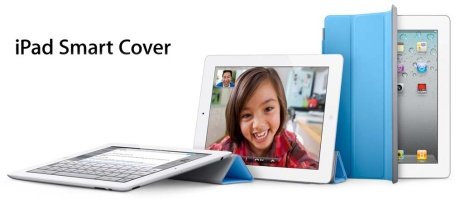
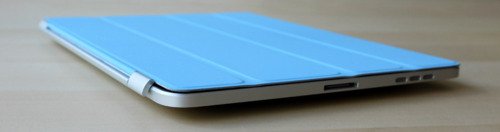
    Original iPad owners can also use Apple’s revolutionary Smart Cover on their tablet. This news comes directly from the hack’s developer, Dan Provost, who posted directions on The Russians Used A Pencil blog.

    The Smart Cover line, like the iPad 2 itself, is fast becoming one of the top tech stories of 2011. Simple in design, the Cover protects the tablet’s glass front, while also serving as something of an on/off switch, thanks to its inclusion of 31 magnets.

    Out of the box, a Smart Cover will not work on an original iPad, since the first generation iDevice doesn’t come with magnets. However, using $.20 block magnets, 3/8” x 3/16” x 1/32” (found here), Provost was able to create a perfect fix.

    Here are the directions:

    To place the magnets, I stuck them first to the magnetized hinge of the Smart Cover. I slid them around until they became locked into a position. This ended being asymmetrical, but I didn’t mind. I then lined up the cover with the iPad and used masking tape to mark where the magnets should be placed. I wanted this to be a somewhat permanent solution, so I used super glue to affix the magnets to the iPad. If you are not so daring, or want to test it out to make sure you like it, just use transparent tape. Even though the super glue keeps the magnets secure and in place, they are actually pretty easy to remove by just “chipping” them off with a flathead screwdriver and a very light tap of the hammer.

    Here is the finished product:

    [via AppAdvice]

  • Apple’s iPad 2 Smart Cover Teardown Uncovers 21 Magnets


    A total of 31 magnets are used to make the iPad 2 and its Apple-branded Smart Cover properly align, with 21 magnets found in the accessory and the remaining 10 in the iPad 2 itself.

    After they teared down the iPad 2 the team iFixit for the first time ever,  conducted a teardown of a case, a move that highlights the unique nature of Apple’s Smart Cover for the iPad 2. When the iPad 2 was first introduced, Apple touted that its accessory cover was developed alongside the new touchscreen tablet.

    The solutions provider utilized magnetic viewing film to demonstrate the magnetic poles of the material inside the Smart Cover. It found that one magnet is used to turn off the iPad 2 screen, while the rest are used to either clamp the case to the iPad 2 or form the triangle shape that allows the case to act as a stand.

    The sleep control for the iPad 2 can even be triggered with a separate magnet without using the Smart Cover, automatically enabling or disabling the screen.

    Inside the iPad 2, a row of magnets are located on the right side of the device, making the Smart Cover clamp to the surface of the device. The magnets are clearly labeled with their alternating polarity, which ensures the Smart Cover always sits in the same orientation.

    Also included in the iPad 2 are a row of magnets along the left side of the device, which allows the Smart Cover to latch onto the side and pivot to open and allow access to the screen. iFixit found that the magnets inside the iPad and its accompanying Smart Case on the left side are “very strong,” and witnessed them make a two-inch leap to connect.

    Inside the Smart Cover, iFixit found:

    • A large metal place encased in plastic that adheres to the magnets to form the stand.
    • Two yellow all-plastic plates in the middle that exist purely for structural support.
    • A stack of magnets.

    The teardown also revealed that Apple opted for a steel-to-magnet bond, which is weaker than a magnet-to-magnet bond, which is why there are a total of 21 magnets inside the case. iFixit said that Apple needed “lots more magnets to prevent the case from literally falling apart during use.”

    The Smart Case does not use any correlated magnets, which have a complex field of patterns rather than standard positive and negative polarity. The magnets used by Apple inside both the Smart Cover and iPad 2 are regular two-pole magnets.

    Last week, iFixit conducted a more traditional teardown of the iPad 2 itself. The disassembly of Apple’s latest touchscreen tablet revealed that the new device has a slightly bigger battery than its first-generation counterpart, as well as double the RAM with 512MB.

  • Did Apple ‘Borrow’ The Smart Cover Idea From Incase?


    Apple has really blown our minds away with their latest and greatest Smart Cover revelation, yesterday morning. Designed specifically for iPad 2 devices, the fabulous and colorful covers – soon to be offered in polyurethane or leather flavors – Are made of durable materials and features clean design, elegant simplicity, and convenient use. Just snap-on the magnetic attachment, fold it to a triangle stand or get a full iPad protection cover in the most efficient way.

    So far so good, right? well, not exactly. To put things in the proper context, it looks like Apple didn’t really come up with the Smart Cover idea first. So who did?

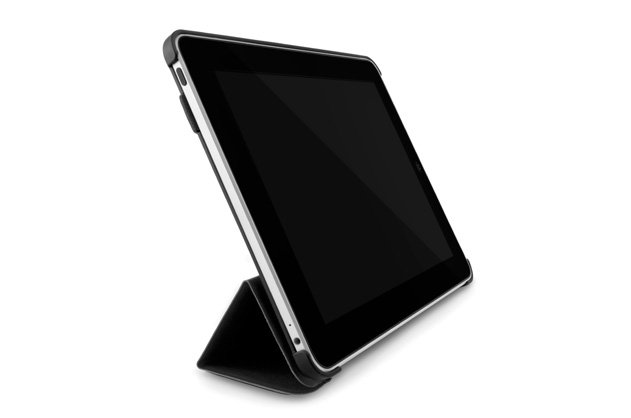
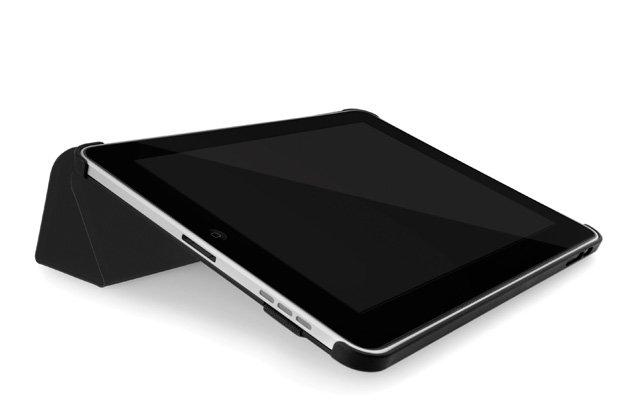
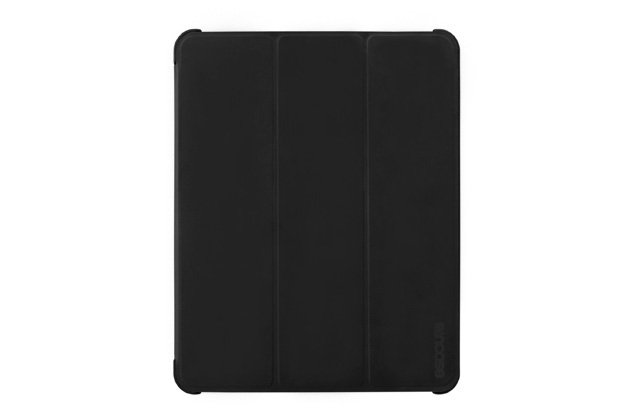
    It was technology protection accessories leader, Incase, that brought it up with its wonderful iPad Convertible Magazine Jacket. Shocking! This isn’t Apple’s original idea, and all that’s left is to figure out whether the Cupertino designing division got permission to use Incase design, got inspired from it, or just “borrowed” the idea without even asking. A few pictures of Incase’s Convertible Magazine Jacket after the break. What do you think?