• Batman: Arkham City New Gameplay Trailer


    A new gameplay trailer has been surfaced for Batman: Arkham City! The highly anticipated game is coming to the PlayStation 3, XBox 360, and PC on October 18th.

    Batman: Arkham City builds upon the intense, atmospheric foundation of Batman: Arkham Asylum, sending players soaring into Arkham City – five times larger than the game world in Batman: Arkham Asylum – and the new maximum security “home” for all of Gotham City’s thugs, gangsters and insane criminal masterminds. Set inside the heavily fortified walls of a sprawling district in the heart of Gotham City, this highly anticipated sequel introduces a brand-new story that draws together a new, all-star cast of classic characters and murderous villains from the Batman universe, as well as a vast range of new and enhanced gameplay features to deliver the ultimate experience as the Dark Knight.

    Watch the gameplay trailer below:

  • Crysis 2 PC Demo Goes Live


    The long-awaited Crysis 2 PC demo, originally slated for release on March 1, is now available for your downloading pleasure. The demo gives players a sampling of two maps — the rooftop-laden Skyline and Pier 17, an open environment with limited cover opportunities.

    The demo we’ve found it is locked to DX9, while the full game will support DX11. Despite this, it still looks fantastic. Crysis 2 hits store shelves and digital distribution outlets on March 22 in North America.

    You can grab the demo from EA’s site here

  • Mac OS X Lion to aid Windows PC switchers with new Migration Assistant


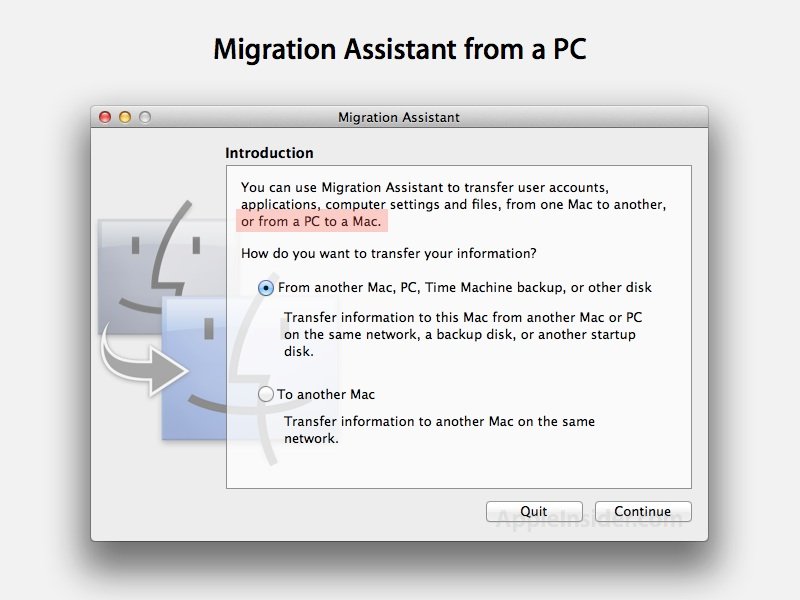
    Apple has added a new option in Mac OS X 10.7 Lion to simplify the process of switching from a Windows PC to a Mac via network import of old files.

    Apple has historically helped Mac users to upgrade to a new machine via FireWire Target Disk Mode, which converts their old Mac into a hard drive that their new machine can import data, files and settings from via Migration Assistant.

    However, as some new Mac models have dropped FireWire, Apple added a network copy feature to Migration Assistant that enabled a new machine to connect to a previous Mac via a network connection to perform the same task.

    In Lion, Migration Assistant offers to connect to a PC over the network as well, enabling new Mac users to pull their data from an existing Windows-based computer.

    It’s not clear if the Assistant requires client software running on the Windows PC to work; performing a Mac to Mac network migration simply uses the same app on both ends, one sharing to, the other copying from. The developer reporting the new feature did not note if anything was required on the PC side.

    Update: A developer has noted that Apple supplies a MigrationAssistantSetup.exe program for PC users on its developer site, which acts as a client for the Mac Migration Assistant to pull data from as it performs a migration.

    [via: appleinsider]