• Apple Officially Addresses Location Data Controversy


    Apple officially acknowledged the growing controversy over the logging of location data on the iPhone and iPad. The document comes in a Q&A format. In it, Apple addresses some common concerns and explicitly states that they are not tracking the location of your iPhone/iPad, has never done so, and has no plans to do so.

    Why is my iPhone logging my location?

    The iPhone is not logging your location. Rather, it’s maintaining a database of Wi-Fi hotspots and cell towers around your current location, some of which may be located more than one hundred miles away from your iPhone, to help your iPhone rapidly and accurately calculate its location when requested. Calculating a phone’s location using just GPS satellite data can take up to several minutes. iPhone can reduce this time to just a few seconds by using Wi-Fi hotspot and cell tower data to quickly find GPS satellites, and even triangulate its location using just Wi-Fi hotspot and cell tower data when GPS is not available (such as indoors or in basements). These calculations are performed live on the iPhone using a crowd-sourced database of Wi-Fi hotspot and cell tower data that is generated by tens of millions of iPhones sending the geo-tagged locations of nearby Wi-Fi hotspots and cell towers in an anonymous and encrypted form to Apple.

    Apple states that all data that is transmitted to Apple is anonymous and encrypted and can not be tied to the identity of the user. They also note that findings that the database continues to grow despite Location services being off as a bug that will soon be addressed.

    Apple is planning on releasing a free iOS update in the next few weeks that performs the following:

    • Reduces the size of the crowd-sourced Wi-Fi hotspot and cell tower database cached on the iPhone,
    • Ceases backing up this cache, and
    • Deletes this cache entirely when Location Services is turned off.

    [via: macrumors]
  • Jailbreak Utility blocks iOS From Tracking iPhone Location Data


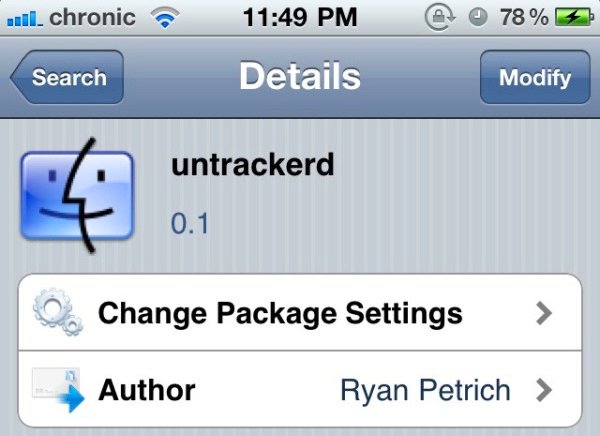
    Jailbreak developer Ryan Petrich has released a new jailbreak utility called untrackerd, which manages to block iOS and Apple’s ability to track your device’s location information. this application comes after the discovery that Apple’s iPhone keeps track of where you go – and saves every detail of it to a secret file on the device which is then copied to the owner’s computer when the two are synchronised.  which in turn let anybody with access to your phone or computer get detailed information about where you’ve been. Untrackerd is available for free on the Cydia

    Untrackerd’s description in Cydia:

    This package installs a daemon (process that can run in the background) to clean consolidated.db file) No new icons are added to your homescreen. There are no options to configure.

  • Your iPhone Secretly Records Your Location Data. Find Out Yourself


    Security researchers have discovered that Apple’s iPhone keeps track of where you go – and saves every detail of it to a secret file on the device which is then copied to the owner’s computer when the two are synchronised. The Guardian is reporting today.

    The file contains the latitude and longitude of the phone’s recorded coordinates along with a timestamp, meaning that anyone who stole the phone or the computer could discover details about the owner’s movements using a simple program.

    For some phones, there could be almost a year’s worth of data stored, as the recording of data seems to have started with Apple’s iOS 4 update to the phone’s operating system, released in June 2010.

    “Apple has made it possible for almost anybody – a jealous spouse, a private detective – with access to your phone or computer to get detailed information about where you’ve been,” said Pete Warden, one of the researchers.

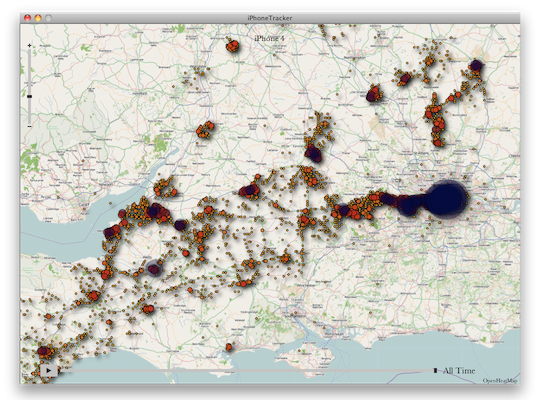
    Want to see the hidden data for yourself? Head on over to Pete Warden’s GitHub page here. At the top you’ll notice a place to download the application called iPhone Tracker.

    It’s just a simple app that pulls the location data out of your saved iPhone files and displays the coordinates on a map. For those interested, Warden answers a full list of FAQ and breaks down how to locate the secret file yourself through file browsing.