• Apple Q1 2012 Results: $46.33 Billion Revenue, 37.04 Million iPhones, 15.43 Million iPads Sold


    Apple Q1 2012 earnings call

    Apple Q1 2012 earnings call

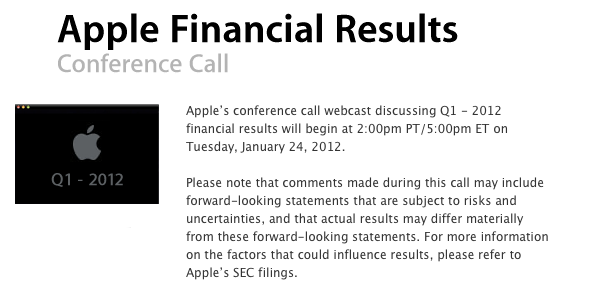
    Apple held its Q1 2012 fiscal earnings call yesterday, and the company posted a record-breaking revenue of $46.33 billion with a net profit of $13.06 billion, 15.43 million iPads, 37.04 million iPhones, 15.4 million iPods and 5.2 million Macs sold.

    here is a roundup of interesting numbers collected by cultofmac from the earnings call to check out.

    • There were 140 million App Store downloads on December 25th alone.
    • 1.5 million iPads are already in use in education institutions.
    • 600,000 copies of iBooks Author have been downloaded since last week’s announcement. 3 million copies of the iTunes U app have been downloaded as well.
    • There were more than 62 million total iOS devices sold in the last quarter, totaling a staggering 315 million iOS devices sold to date.
    • iCloud has 85 million customers.
    • $4 billion has been paid to developers from App Store sales.
    • There is an average of 22,000 visitors per Apple store each week.
    • Apple has $97 billion in cash, with over $60 billion offshore. Apple said, “We’re not letting it burn a hole in our pockets.”
    • Tim Cook noted IDC’s research saying that the tablet (iPad) is expected to overtake PC sales in the US.  Cook said, “We’ll continue to innovate like crazy in the tablet area.” He said, ”People thought it was going to be the year of the tablet. It actually was the year of the iPad.”
  • iOS 5.0.1 Untethered Jailbreak for A5 iPhone 4S and iPad 2 Using Absinthe Guide


    This is a tutorial on how to perform an untethered jailbreak of your A5-Powered iPhone 4S or iPad 2 running on iOS 5.0 or iOS 5.0.1 using the newly released Absinthe. For Mac, Linux and Windows

    Note: Make sure to do a backup of your device in iTunes because you may lose you Camera Roll during this process.

    Do it at your own risk.

    Step One
    Download the latest version of Absinthe. Links below.

    Step Two
    Double click to extract/launch the Absinthe application.

    Step Three
    Connect your iPhone 4S or iPad 2 to the computer via USB.

    Step Four
    Click the Jailbreak button to begin

    Step Five
    The application will take you through several steps.

    Step Six
    On your device, locate the Absinthe icon and press it to complete your jailbreak

    If the server is down and you get an Error establishing a database connection message then tap the Settings icon on your springboard and turn on VPN.

    You will get a configuration error; however, after about a minute your device will reboot with Cydia on the Springboard!

    Download Links:

    • Download iOS 5.0.1 for iPhone, iPod touch, iPad
  • Apple Announces iBooks Author Mac App, iBooks 2.0 and iTunes U iOS Apps


    iTunes U

    iTunes U

    Update: Apple has posted their Education Media Event stream online. The link below

    At its education event in New York, Apple has just announced and released the iTunes U App for iPhone and iPad. The new app that lets teachers manage their iTunes U course and gives students access to all the course materials done by their teachers in a single place. Right in the app, they can play video or audio lectures. Read books and view presentations. See a list of all the assignments for the course and check them off as they’re completed. And when the teacher sends a message or create a new assignment, students receive a push notification with the new information.

    iBooks Author

    iBooks Author

    Apple has also announced and released iBooks Author, a new Mac app for authoring books. iBooks Author is an amazing new app that allows anyone to create beautiful Multi-Touch textbooks — and just about any other kind of book — for iPad. With galleries, video, interactive diagrams, 3D objects, and more, these books bring content to life in ways the printed page never could.

    Now anyone can create stunning iBooks textbooks, cookbooks, history books, picture books, and more for iPad. All you need is an idea and a Mac. Start with one of the Apple-designed templates that feature a wide variety of page layouts. Add your own text and images with drag-and-drop ease. Use Multi-Touch widgets to include interactive photo galleries, movies, Keynote presentations, 3D objects, and more. Preview your book on your iPad at any time. Then submit your finished work to the iBookstore with a few simple steps. And before you know it, you’re a published author.

    iBooks 2

    iBooks 2

    Apple has also announced and released iBooks 2 update . The next evolution of eBooks for the iPad push the limits even further. The app will support textbooks developed by iBooks Author multitouch gestures to move throughout an iBook which can be full of “rich, engaging interactive experiences” — even featuring 3D models so a student can see, for example, inside a cell. In the demo iBook, switching the iPad to portrait re-orientated the content so that the student could focus on reading the text. That way, books can have two completely different experiences, simply by re-orientating the iPad.

    Watch Apple Education Media Event stream online

    Watch Apple Education Media Event stream online

    Apple has posted their Education Media Event stream online. Watch the full stream here or get it on iTunes.

  • Cut the Rope is Now Available to Play on your Web Browser


    Cut-the-Rope

    Cut The Rope

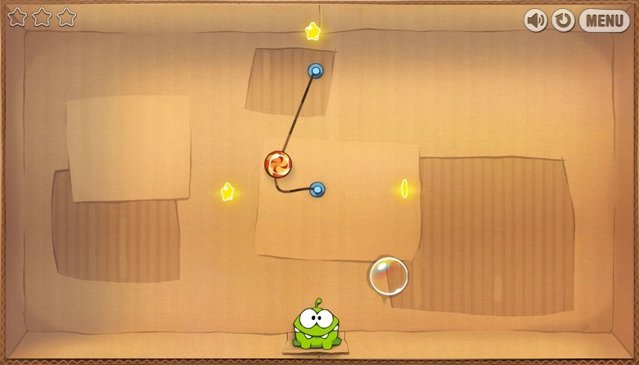
    The popular mobile game, Cut the Rope is now available to play on your web browser. All you have to do is access the Cut the Rope website with an HTML5 web browser, Chrome, Firefox, IE9 etc. The game translated pretty well from a touchscreen to a mouse-based.

    Want to try it out yourself? Head over to the Cut the Rope website now to give it a shot.