• Samsung Hires Flashmob to ‘WAKE UP’ Apple Users


    Samsung Hires Flashmob to ‘WAKE UP’ Apple Users

    Samsung Hires Flashmob to ‘WAKE UP’ Apple Users

    It wasn’t enough for Samsung when they started their anti-iPhone and “get samsunged” campaign months ago, today Samsung sent a paid flashmob to Apple’s retail store in Sydney, Australia to try to “Wake Up” iPhone users.

    Its Samsung’s most ridiculous move yet, they sent hordes of chanters people dressed in black to protest outside of an Apple retail store. with a clear message written: Wake Up!

    It’s believed that this is Samsung’s Galaxy S III marketing, which was put together by Australian creative agency Tongue.

    The ‘Wake up.’ campaign has also seen the words written on the bottom of Bondi Ice Bergs pool, as well as on a series of billboards placed around town. There was also a website at wake-up-australia.com.au that allegedly counts down to the May 3 launch for the Galaxy S III which is Apple’s iPhone primary rival.

    [via mactrast]

  • Apple Q2 2012 Results: $39.2 Billion Revenue, 35.1 Million iPhones, 11.8 Million iPads Sold


    Apple Q2 2012 Results: $39.2 Billion Revenue, 35.1 Million iPhones, 11.8 Million iPads Sold

    Apple Q2 2012 Results: $39.2 Billion Revenue, 35.1 Million iPhones, 11.8 Million iPads Sold

    Apple posted their Q2 2012 financial results for the Q1 calender year, Q2 fiscal year that ended on March 31, 2012. Revenue of $39.2 billion, with 11.8 million iPads, 35.1 million iPhones and 4 million Macs sold.

    We’re thrilled with sales of over 35 million iPhones and almost 12 million iPads in the March quarter,” said Tim Cook, Apple’s CEO. “The new iPad is off to a great start, and across the year you’re going to see a lot more of the kind of innovation that only Apple can deliver.”

    “Our record March quarter results drove $14 billion in cash flow from operations,” said Peter Oppenheimer, Apple’s CFO. “Looking ahead to the third fiscal quarter, we expect revenue of about $34 billion and diluted earnings per share of about $8.68.

    Here are some points of interest during the financial call:

    • Quarterly net profit of $11.6 billion
    • iPhone units sold: 35.1 million
    • Macs: 4 million
    • iPads: 11.8 million
    • iPods: 7.7 million
    • Total revenues: $39.2 billion
    • iPhone 4S available in 100 countries on 230 carriers.
    • The iOS ecosystem continues to expand.
    • Over 600,000 apps are now available on the App Store.
    • 200,000 apps specifically made for iPad.
    • iTunes now has over 28 million songs.
    • Cumulatively, iOS devices have sold over 365 million units to date.
    • iCloud now has 125 million customers since its launch in October.
    • Average 18,000 visitors per store per week.
  • How to Unlock Any Jailbroken iPhone on Any Firmware and Baseband Using SAM


    How to Unlock Any Jailbroken iPhone on Any Firmware and Baseband Using SAM

    How to Unlock Any Jailbroken iPhone on Any Firmware and Baseband Using SAM

    Unlocking the iPhone 4S, and the iPhone 4 has just got easy using a new unlock which been discovered that actually works for all iPhones and all firmware versions.

    The method can be performed on any jailbroken iOS device using SAM package unlock. Here is a full tutorial that shows how to unlock any iPhone on iOS 5 or higher (running any baseband) using the SAM jailbreak package:

    Step 1: Add the following repo to your Cydia sources: repo.bingner.com and then install SAM.

    Step 2: Open SAM, go to Utilities, and tap Deactivate.

    Step 3: Go back to the SAM main menu, and tap More Information. Under SIM Details copy your IMSI number.

    Step 4: Remove your SIM, and replace it with the SIM you wish to use.

    Step 5: With SAM enabled, tap Method, and select By Country and Carrier. Go back a menu, and select the correct country and then the correct carrier for your SIM card.

    Step 6: Go back to More Information, and tap Spoof Real SIM to SAM. Next under SAM Details, delete the current IMSI number, and replace it with the one you copied in step 3.

    Step 7: On the SAM main menu go to Utilities, and tap Attempt Activation. Your device should respring if done correctly.

    Step 8: Open SAM and disable SAM. Close SAM.

    Step 9: Open iTunes and plug in your device to your computer. You may have to unplug it and plug it in a few times. Be patient. You should receive a message stating that it failed to activate your device, but that’s a good thing, click ok. Be patient, and eventually you will see the carrier logo for your new SIM.

    Note: From here on out you can freely switch between your original SIM and your new SIM. All you need to do is plug in the device and repeat step 9 to activate your desired SIM.

    It’s recommended saving your Activation Ticket for each SIM that you use, as they might come in handy in the future. These can be found at: /var/Root/ibrary/Lockdown and you can access this easily with iFile or via SSH.

    [via iDB]

  • iOS 5.1 iPhone, iPad, iPod Touch, Apple TV Direct Download Links Repository


    iOS 5.1 iPhone, iPad, iPod Touch, Apple TV Direct Download Links Repository

    iOS 5.1 iPhone, iPad, iPod Touch, Apple TV Direct Download Links Repository

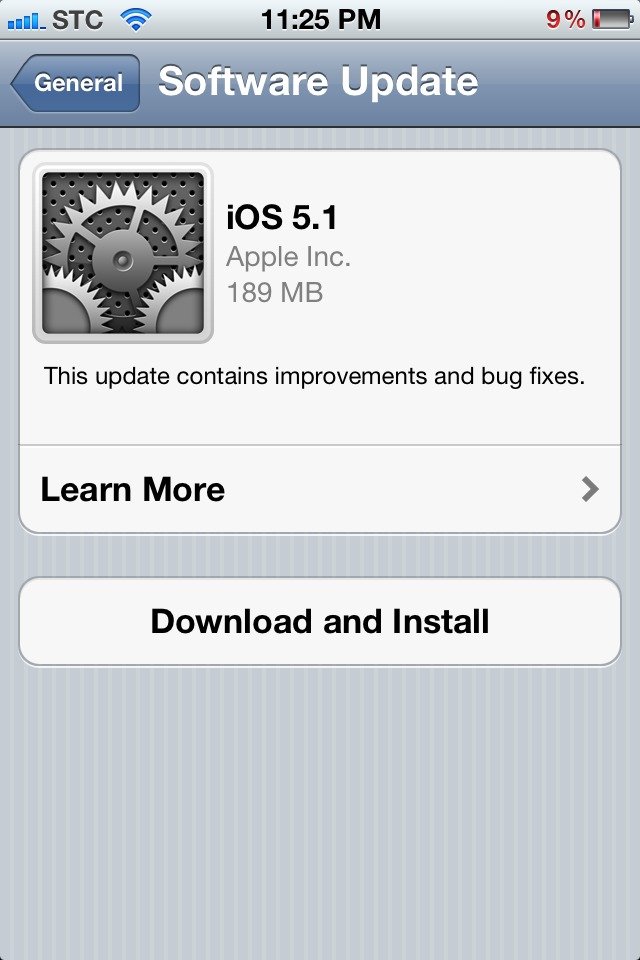
    iOS 5.1 is out for download now, it brings many features such as Siri in Japanese, nice camera app enhancements and other things. You can update directly over-the-air using your iDevice or you can have the full install files below:

    This update contains improvements and bug fixes, including:

    • Japanese language support for Siri (availability may be limited during initial rollout)
    • Photos can now be deleted from Photo Stream
    • Camera shortcut now always visible on Lock Screen for iPhone 4S, iPhone 4, iPhone 3GS and iPod touch (4th generation)
    • Camera face detection now highlights all detected faces
    • Redesigned Camera app for iPad
    • Genius Mixes and Genius playlists for iTunes Match subscribers
    • Audio for TV shows and movies on iPad optimized to sound louder and clearer
    • Podcast controls for playback speed and a 30 second rewind for iPad
    • Updated AT&T network indicator
    • Addresses bugs affecting battery life
    • Fixes an issue that occasionally caused audio to drop for outgoing calls
    device current version date found
    AppleTV(2G) (AppleTV2,1)
    5.0 (9B179b)
    03/07/2012 15:18:01
    AppleTV3,1 (AppleTV3,1)
    5.0 (9B179b)
    03/07/2012 15:18:01
    iPad (iPad1,1)
    5.1 (9B176)
    03/07/2012 15:18:01
    iPad2(wifi) (iPad2,1)
    5.1 (9B176)
    03/07/2012 15:18:01
    iPad2(at&t) (iPad2,2)
    5.1 (9B176)
    03/07/2012 15:18:01
    iPad2(vz) (iPad2,3)
    5.1 (9B176)
    03/07/2012 15:18:01
    iPad2,4 (iPad2,4)
    5.1 (9B176)
    03/07/2012 15:18:01
    iPad3,1 (iPad3,1)
    5.1 (9B176)
    03/07/2012 15:18:01
    iPad3,2 (iPad3,2)
    5.1 (9B176)
    03/07/2012 15:18:01
    iPad3,3 (iPad3,3)
    5.1 (9B176)
    03/07/2012 15:18:01
    iPhone (iPhone1,1)
    3.1.3 (7E18)
    04/08/2010 21:05:48
    iPhone3G (iPhone1,2)
    4.2 (8C148)
    11/22/2010 13:08:57
    iPhone3GS (iPhone2,1)
    5.1 (9B176)
    03/07/2012 15:18:01
    iPhone4 (iPhone3,1)
    5.1 (9B176)
    03/07/2012 15:18:01
    iPhone4(vz) (iPhone3,3)
    5.1 (9B176)
    03/07/2012 15:18:01
    iPhone4S (iPhone4,1)
    5.1 (9B179)
    03/07/2012 15:18:01
    iPodTouch(2G) (iPod2,1)
    4.2 (8C148)
    11/22/2010 13:08:57
    iPodTouch(3G) (iPod3,1)
    5.1 (9B176)
    03/07/2012 15:18:01
    iPodTouch(4G) (iPod4,1)
    5.1 (9B176)
    03/07/2012 15:18:01
    last updated: 03/07/2012 15:29:01 EDT