• Samsung Galaxy Nexus Screen Held Back by Cheaper PenTile OLED


    Samsung Galaxy Nexus

    The new Samsung Galaxy Nexus sports a 720p HD display, its 4.65-inch screen is said to be held back by cheaper technology that gives it a lower pixel density and poorer color accuracy than Apple’s Retina Display found on the iPhone 4S and iPhone 4.

    According to FlatPanelsHD, the Galaxy Nexus features a display branded “Super AMOLED” by Samsung, which is less than the “Super AMOLED Plus” screen featured on the already-available Galaxy S II smartphone. The removal of “Plus” from the name references that the screen uses a cheaper PenTile OLED, despite the fact that it has more pixels per inch, .

    The less expensive panel on the Galaxy Nexus means that individual pixels must share subpixels on the screen, which undercuts the 315 pixel-per-inch density of the Galaxy Nexus display.

    “A PenTile OLED panel was recently introduced with the Samsung Galaxy Note, and we were not impressed. In real world PenTile means loss of details and sharpness, as well as a bluish/greenish tint around letters (depending on the background color)”

    By calculating the “real” pixel density of the display with the PenTile subpixel sharing, the Galaxy Nexus is said to have a pixel-per-inch number of about 200, which is just slightly higher than the Super AMOLED Plus screen on the Galaxy S II.

    “So, the HD Super AMOLED display in the new Galaxy Nexus is not as awesome as it sounds — unfortunately,” author Rasmus Larsen wrote. “And the reason that people do not call it a Retina display should seem much more obvious to you now that you know the underlying technical architecture.”

    The pixel density numbers of the Galaxy Nexus are also affected by the fact that the new flagship Android device has a large 4.65-inch screen to fill. For comparison, the iPhone 4S and iPhone 4 feature a display more than an inch smaller diagonally, at 3.5 inches.

    Samsung/Google states that Galaxy Nexus has a slightly curved screen but the same was said for the Nexus S where it was later revealed that only the front glass was curved

    Apple made the term “Retina Display” part of its marketing with the launch of the iPhone 4 in 2010. The name was chosen because Apple says the individual pixels are so small and densely packed that they cannot be seen by the human eye. The iPhone 4 and its follow-up, the newly released iPhone 4S, feature a pixel-per-inch density of 326.
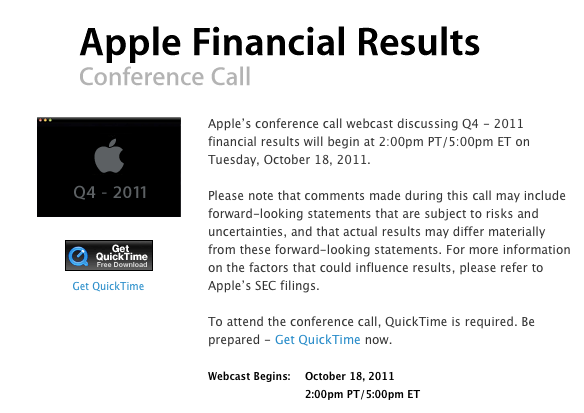
  • Apple Q4 2011 Results: $28.27 B Revenue, 17.07 M iPhones, 11.12 M iPads, 4.89 M Macs Sold


    Apple Q4 2011 financial results

    Apple has announced some interesting numbers in their Q4 2011 financial results / earnings call. Below you’ll find the prominent numbers.

    1. $28.7 billion in Q4 revenue
    2. $6.62 billion in Q4 net profit
    3. $7.05 per diluted share
    4. 17.1 million iPhones sold in Q4
    5. 11.12 million iPads sold in Q4
    6. 6.6 million iPod sales sold in Q4
    7. 18 billion App Store downloads
    8. 180 million iBookstore downloads
    9. 6 million Lion downloads, since its release this summer
    10. 4.89 million Macs sold in Q4
    11. $10.7 million average revenue per Apple Store
    12. $108 billion in revenue for fiscal year, 66% growth over FY10
    13. 77.5 million Apple Store visits in Q4
    14. 16% of Apple’s revenue came from China
    15. 500,000 apps available on the App Store, available in 23 countries
    16. Apple has $81.6 billion cash available
    17. 13% of Apple’s revenue from retail
    18. iPhone sales up 21% year over year
    19. 93% of Fortune 500 deploying or testing iPhones
    20. Apple set a $37 billion guidance for fiscal Q1 (holiday)
    21. 16 billion songs downloaded from iTunes
    22. iPad 2 available in 90 countries
    23. 34.82 million iOS device sold in Q4
    24. 357 Apple Stores world-wide
    25. $3.6 billion in revenue from Apple Stores
    26. iPod still has >70% share in U.S. 10 years after introduced
    27. Apple plans to add 40 new Apple Stores next Q, 3/4 outside of U.S.
    28. All five stores combined in China have the most traffic
    29. iPhone 4S available in 7 countries, 22 more on their way
    30. 30 new Apple stores were added in Q4
  • Box.net Offers iOS Users 50GB Of Free Cloud Storage


    Box.net offers 50GB of free storage to iOS users

    Box.net has announced they are offering a promotional free 50GB of storage to iOS users, beginning at 12:01 PM PST Friday, October 14th. up to the next 50 days. Cool ha?!

    Follow these steps:

    1. Use your iPhone, iPad or iPod touch to visit the App Store and download the App.
    2. Log in to your account or register for a new one directly from the app.
    3. That’s it

    On top of 50GB of free storage, accounts will receive an increased file size limit of 100MB instead of 25MB. Box.net has over 7 million users, and the app was recently updated to support iOS 5. That means the app supports AirPlay.

    The 50GB of storage is ten times what Apple’s iCloud service offers users for free, and is being offered free with no strings attached. A comparable amount of storage on DropBox would cost $9.99 per month, and a comparable amount of storage through Apple’s iCloud service would cost $100 per year.

    Box.net can be used to store photos, documents, videos, music, or other digital files safely on Box.net’s servers.

  • iOS 5 iPhone, iPad, iPod Touch, Apple TV Direct Download Links Repository


    iOS 5 Release log

    Apple today released the final consumer version of iOS 5, a major and most ambitious upgrade to its mobile operating system yet. Apple has also released Find My Friends and AirPort Utility apps, enabled iCloud accounts for everyone, flipped the switch on the Newsstand Store and rolled out music re-downloading service dubbed iTunes in the Cloud in the U.K., Canada, Australia and other international markets. The iOS 5 packed with over 200 new features.

    You’re advised to perform a full backup of your iOS device in iTunes to restore to in case something goes wrong. Simply connect your device to a computer, launch iTunes 10.5, right click the device in the Devices pane and click the Back Up option.

    Alternatively, copy the backup folder to a safe location, such as an external hard drive or a USB thumb drive. iTunes places the backup files in the following places:

    Mac: ~/Library/Application Support/MobileSync/Backup/

    Windows XP: \Documents and Settings\(username)\Application Data\Apple Computer\MobileSync\Backup\

    Windows Vista and Windows 7: \Users\(username)\AppData\Roaming\Apple Computer\MobileSync\Backup\

    device current version date found
    AppleTV(2G) (AppleTV2,1)
    4.4 (9A334v)
    10/12/2011 13:16:01
    iPad (iPad1,1)
    5.0 (9A334)
    10/12/2011 13:16:01
    iPad2,1 (iPad2,1)
    5.0 (9A334)
    10/12/2011 13:16:01
    iPad2,2 (iPad2,2)
    5.0 (9A334)
    10/12/2011 13:16:01
    iPad2,3 (iPad2,3)
    5.0 (9A334)
    10/12/2011 13:16:01
    iPhone (iPhone1,1)
    3.1.3 (7E18)
    04/08/2010 21:05:48
    iPhone3G (iPhone1,2)
    4.2 (8C148)
    11/22/2010 13:08:57
    iPhone3GS (iPhone2,1)
    5.0 (9A334)
    10/12/2011 13:16:01
    iPhone4 (iPhone3,1)
    5.0 (9A334)
    10/12/2011 13:16:01
    iPhone4(vz) (iPhone3,3)
    5.0 (9A334)
    10/12/2011 13:16:01
    iPhone4,1 (iPhone4,1)
    5.0 (9A334)
    10/12/2011 13:16:01
    iPodTouch(2G) (iPod2,1)
    4.2 (8C148)
    11/22/2010 13:08:57
    iPodTouch(3G) (iPod3,1)
    5.0 (9A334)
    10/12/2011 13:16:01
    iPodTouch(4G) (iPod4,1)
    5.0 (9A334)
    10/12/2011 13:16:01
    last updated: 10/12/2011 13:40:02 EDT