Apple has recently held a conference call discussing Apple’s plans for its $100 billion cash balance, they are initiating a dividend and share repurchase program later this year, during that Apple CEO Tim Cook said the company saw “record†sales for the new iPad in its opening weekend. Now Apple elaborated on that by issuing an official press release showing how many new iPads were sold in the three days following the product’s launch last Friday; three million new iPads sold in just three days:
The new iPad is a blockbuster with three million sold―the strongest iPad launch yet,†said Philip Schiller, Apple’s senior vice president of Worldwide Marketing. “Customers are loving the incredible new features of iPad, including the stunning Retina display, and we can’t wait to get it into the hands of even more customers around the world this Friday.
These are some interesting tidbits showing iPad and iPhone sales over time.
Apple sold 1 million iPads in 28 days after the device went on sale in April 2010;
iOS 5.1 iPhone, iPad, iPod Touch, Apple TV Direct Download Links Repository
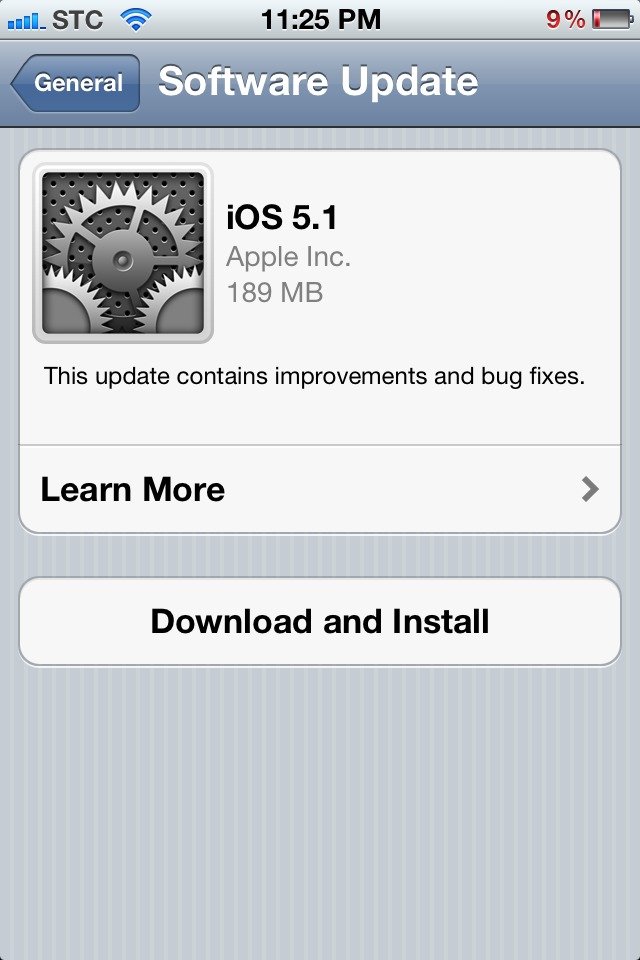
iOS 5.1 is out for download now, it brings many features such as Siri in Japanese, nice camera app enhancements and other things. You can update directly over-the-air using your iDevice or you can have the full install files below:
This update contains improvements and bug fixes, including:
Japanese language support for Siri (availability may be limited during initial rollout)
Photos can now be deleted from Photo Stream
Camera shortcut now always visible on Lock Screen for iPhone 4S, iPhone 4, iPhone 3GS and iPod touch (4th generation)
Camera face detection now highlights all detected faces
Redesigned Camera app for iPad
Genius Mixes and Genius playlists for iTunes Match subscribers
Audio for TV shows and movies on iPad optimized to sound louder and clearer
Podcast controls for playback speed and a 30 second rewind for iPad
Updated AT&T network indicator
Addresses bugs affecting battery life
Fixes an issue that occasionally caused audio to drop for outgoing calls
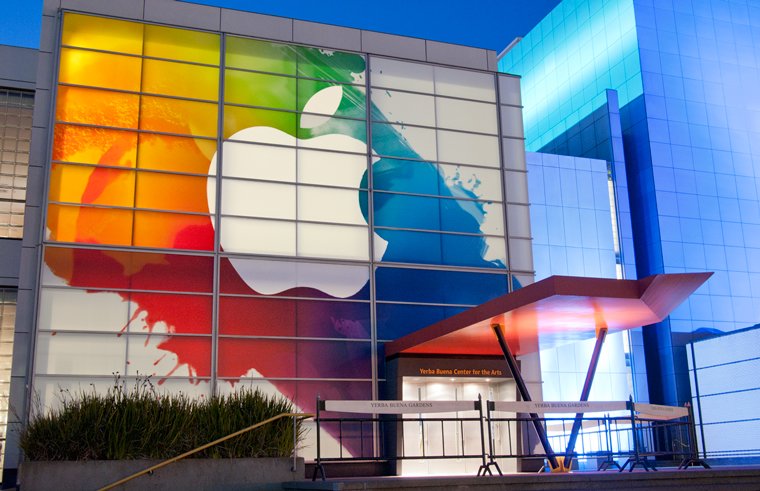
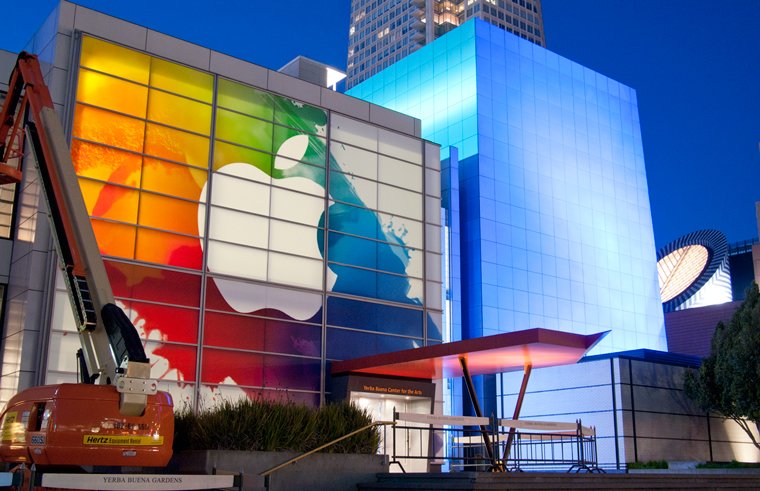
Apple on Friday began preparing San Francisco’s Yerba Buena Center for the Arts with a colorful signage featuring the company’s logo ahead of next week’s media event.
Adobe has announced the latest addition to its iOS software lineup. Photoshop Touch app for the iPad hit the App Store early before being pulled, and now its back. Don’t expect the App to be robust as Photoshop for desktop, but it has some neat features and editing capabilities, like layer support, extract objects and others.
Highly Anticipated App Brings Image-editing Power of Photoshop to Apple iPad 2
BARCELONA, Spain — Feb. 27, 2012 — At Mobile World Congress, Adobe Systems Incorporated (Nasdaq: ADBE) today announced that Adobe® Photoshop® Touch is now available for iPad 2, via the iTunes App Store*. Adobe Photoshop Touch offers core Photoshop features, as well as new capabilities for creating and sharing in an app custom-built for tablets. The app is a central component of Adobe Touch Apps, a family of six intuitive touch screen applications, inspired by Adobe Creative Suite® software. iPad versions of the other Adobe Touch Apps are expected later this year.
Photoshop Touch gives users the ability to combine multiple photos into layered images, make essential edits and apply professional effects to create beautiful artwork, touch up photos, paint, lay out ideas, and much more. The Scribble Selection Tool allows users to easily extract objects in an image by simply scribbling on what to keep and, then, what to remove. With Refine Edge technology from Photoshop, even hard-to-select areas with soft edges are easily captured when making selections. Photoshop Touch helps users quickly find images and share creations through integration with Facebook and Google Image Search.
“People will be amazed with what they can create on the iPad using Photoshop Touch,†said David Wadhwani, senior vice president and general manager, Digital Media Business Unit, Adobe. “Photoshop Touch combines the magic of Photoshop and its core features with the convenience of a tablet, bringing image-editing power to the fingertips of millions of people.â€
“Adobe Photoshop Touch offers a huge convenience factor and funnels cool Photoshop features tailored for the iPad,†said Brian Yap, creative director at Boxing Clever. “Nearly all of the features I imagined being in Photoshop Touch are there, including the depth in layers, the extraction tools, and fade tool.â€
“I love the organic process of working on the tablet. With Adobe Photoshop Touch, I have a new form of image creation with familiar tools but in a more relaxed work space, allowing me to rediscover image making through play rather than production,†Dan Marcolino, owner of Marcolina Design & MarcolinaSlate.
In addition to Photoshop Touch, Adobe expect to release the following touch apps for the iPad in the coming months: Adobe Collage for moodboards; Adobe Debut for presenting and reviewing creative work; Adobe Ideas for sketching; Adobe Kuler® for exploring color themes; and Adobe Proto for website and mobile app prototyping.
Pricing and Availability
Adobe Photoshop Touch is available today in the iTunes App Store for US$9.99. Photoshop Touch is available in most geographies with English language support. The app will run on iPad 2 running on iOS5. Visit www.adobe.com/products/photoshop-touch.html for more information on Photoshop Touch. Customers may submit feedback on the community powered feedback site: http://feedback.photoshop.com/photoshop_family. Users may also connect with the Photoshop Touch Team directly on Facebook, via Twitter or on the Photoshop blog. For Photoshop Touch how-to videos, visit http://tv.adobe.com/show/learn-photoshop-touch/.