• iOS 5.0.1 iPhone, iPad, iPod Touch, Apple TV Direct Download Links Repository


    Apple has just released iOS 5.0.1. The update brings battery life fixes for all devices running iOS 5, as well as security improvements and multitasking gestures on the original iPad. Battery life issues are said to be fixed as well.

    iOS 5.0.1 update

    This update contains improvements and other bug fixes including:

    – Fixes bugs affecting battery life
    – Adds Multitasking Gestures for original iPad
    – Resolves bugs with Documents in the Cloud
    – Improves voice recognition for Australian users using dictation

    device current version date found
    AppleTV(2G) (AppleTV2,1)
    4.4.2 (9A336a)
    10/24/2011 17:51:03
    iPad (iPad1,1)
    5.0.1 (9A405)
    11/10/2011 13:06:01
    iPad2(wifi) (iPad2,1)
    5.0.1 (9A405)
    11/10/2011 13:06:01
    iPad2(at&t) (iPad2,2)
    5.0.1 (9A405)
    11/10/2011 13:06:01
    iPad2(vz) (iPad2,3)
    5.0.1 (9A405)
    11/10/2011 13:06:01
    iPhone (iPhone1,1)
    3.1.3 (7E18)
    04/08/2010 21:05:48
    iPhone3G (iPhone1,2)
    4.2 (8C148)
    11/22/2010 13:08:57
    iPhone3GS (iPhone2,1)
    5.0.1 (9A405)
    11/10/2011 13:06:01
    iPhone4 (iPhone3,1)
    5.0.1 (9A405)
    11/10/2011 13:06:01
    iPhone4(vz) (iPhone3,3)
    5.0.1 (9A405)
    11/10/2011 13:06:01
    iPhone4S (iPhone4,1)
    5.0.1 (9A405)
    11/10/2011 13:06:01
    iPodTouch(2G) (iPod2,1)
    4.2 (8C148)
    11/22/2010 13:08:57
    iPodTouch(3G) (iPod3,1)
    5.0.1 (9A405)
    11/10/2011 13:06:01
    iPodTouch(4G) (iPod4,1)
    5.0.1 (9A405)
    11/10/2011 13:06:01
    last updated: 11/10/2011 15:55:02 EDT
  • How To Jailbreak iOS 5 Semi-Tethered On iPhone, iPad, iPod touch


    While waiting for full untethered jailbreak for iOS 5, here is a very good deal for a half solution to that.

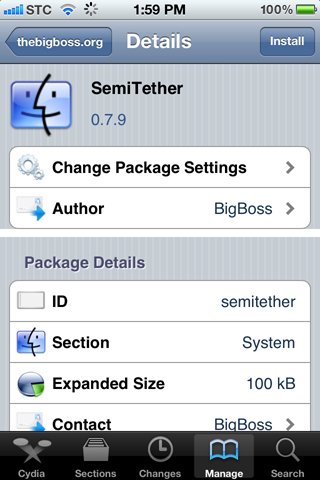
    BigBoss has released Semitethered Jailbreak, a new Cydia package that lets you reboot your iOS 5 jailbroken iPhone at will while away from your computer!

    semitether

    It’s not without it’s cons, but it’s a whole lot better than a normal tethered jailbreak.

    How to get use Semitethered Jailbreak

    Step 1: Tether Jailbreak your iOS 5 device with RedSn0w

    Step 2: Add http://thebigboss.org/semitether to your Cydia sources.

    Step 3: Install SemiTether and reboot!

    That’s it. Now you can reboot your iPhone, even away from your computer!

    As mentioned, there are a few cons though.

    • Phone will reboot to Home screen
    • Can use every stock app on iPhone except Mail and Safari until boot tether
    • Can’t use Cydia, or any jailbreak apps and tweaks until boot tether
    • Phone can take longer to boot

    That’s a pretty good compromise, whenever you want to reboot while away from the computer.

    Remember to get the full functionality back you have to boot the device back into a tethered jailbroken state using Redsn0w. To do this, start Redsn0w, go into “Extras”, select “Just Boot” option and enter DFU mode. Redsn0w should now boot your device as tethered

  • Apple Q4 2011 Results: $28.27 B Revenue, 17.07 M iPhones, 11.12 M iPads, 4.89 M Macs Sold


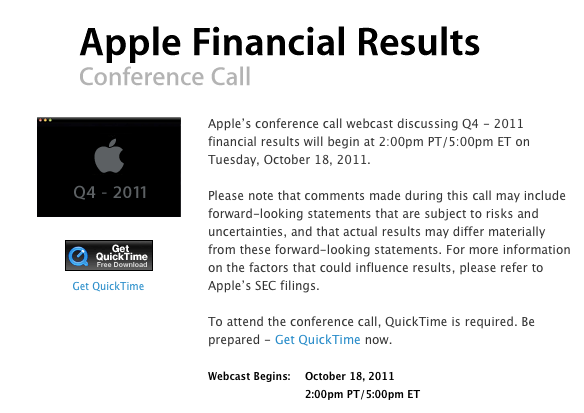
    Apple Q4 2011 financial results

    Apple has announced some interesting numbers in their Q4 2011 financial results / earnings call. Below you’ll find the prominent numbers.

    1. $28.7 billion in Q4 revenue
    2. $6.62 billion in Q4 net profit
    3. $7.05 per diluted share
    4. 17.1 million iPhones sold in Q4
    5. 11.12 million iPads sold in Q4
    6. 6.6 million iPod sales sold in Q4
    7. 18 billion App Store downloads
    8. 180 million iBookstore downloads
    9. 6 million Lion downloads, since its release this summer
    10. 4.89 million Macs sold in Q4
    11. $10.7 million average revenue per Apple Store
    12. $108 billion in revenue for fiscal year, 66% growth over FY10
    13. 77.5 million Apple Store visits in Q4
    14. 16% of Apple’s revenue came from China
    15. 500,000 apps available on the App Store, available in 23 countries
    16. Apple has $81.6 billion cash available
    17. 13% of Apple’s revenue from retail
    18. iPhone sales up 21% year over year
    19. 93% of Fortune 500 deploying or testing iPhones
    20. Apple set a $37 billion guidance for fiscal Q1 (holiday)
    21. 16 billion songs downloaded from iTunes
    22. iPad 2 available in 90 countries
    23. 34.82 million iOS device sold in Q4
    24. 357 Apple Stores world-wide
    25. $3.6 billion in revenue from Apple Stores
    26. iPod still has >70% share in U.S. 10 years after introduced
    27. Apple plans to add 40 new Apple Stores next Q, 3/4 outside of U.S.
    28. All five stores combined in China have the most traffic
    29. iPhone 4S available in 7 countries, 22 more on their way
    30. 30 new Apple stores were added in Q4
  • How To Jailbreak iOS 5 On Your iPhone 4, 3GS, iPad or iPod Touch Using Redsn0w


    iOS 5 gets tethered jailbroken using Redsn0w

    iPhone Dev Team has released an updated version of Redsn0w jailbreak tool. The new Redsn0w 0.9.9b5 that can jailbreak iOS 5

    Important Notes:

    • Its a tethered jailbreak
    • Supported devices: iPhone4, iPhone 3GS, iPad 1 and iPod Touch 3G and iPod Touch 4G.
    • iPhone 4S and iPad 2 are NOT supported yet.
    • iBooks will crash and not be working after the jailbreak.

    NOTE: Before you follow the below guide to jailbreak your device, you need to know that the following process is NOT for those who want to preserve their baseband for the Unlock. I’ll be putting another guide for that and the ability to preserve the baseband using custom ipsw.

    How To Jailbreak iOS 5 on iPhone, iPad & iPod Touch

    Please backup all your information using iTunes before following this tutorial.

    1. Double-click to open redsn0w application. for Windows users right-click and choose open as administrator.


    2. Click the ‘Jaibreak’ button below the text. Now it will ask you to connect the device to your Mac/PC and then turn it off, do so and click ‘Next’. Now follow the on-screen instructions to proceed.


    3. The device will reboot while redns0w prepares the jailbreak data.


    4. Then choose Cydia and click the ‘Next’ button.

    6. The device will reboot showing ‘Downloading Jailbreak Data’ logo and then some code on the device’s screen, while redsn0w sends modified files to the device. You will be notified once redsn0w is done. Let the rest of process continue on the device, please be patient.


    7. After it reboots, your device should now be jailbroken with Cydia on the homescreen. If Cydia appears like a white icon reboot the device as below

    8. For booting up tethered, open redsn0w and click the “Extras” button below the jailbreak button.

    9. Select “Just Boot” from the “Extras” menu.

    10. You have to again enter the DFU mode then it automatically it will boot your device.

    That’s it!