• Google Announces Google Drive; 5GB of Free Storage


    Google Announces Google Drive; 5GB of Free Storage

    Google Announces Google Drive; 5GB of Free Storage

    Google has finally unveiled its long-rumored Google Drive. As speculated featuring 5GB. Alongside this Google would increase Gmail’s free storage up to 10GB

    Today, we’re introducing Google Drive—a place where you can create, share, collaborate, and keep all of your stuff. Whether you’re working with a friend on a joint research project, planning a wedding with your fiancé or tracking a budget with roommates, you can do it in Drive. You can upload and access all of your files, including videos, photos, Google Docs, PDFs and beyond.

    With Google Drive, you can:

    • Create and collaborate. Google Docs is built right into Google Drive, so you can work with others in real time on documents, spreadsheets and presentations. Once you choose to share content with others, you can add and reply to comments on anything (PDF, image, video file, etc.) and receive notifications when other people comment on shared items.
    • Store everything safely and access it anywhere (especially while on the go). All your stuff is just… there. You can access your stuff from anywhere—on the web, in your home, at the office, while running errands and from all of your devices. You can install Drive on your Mac or PC and can download the Drive app to your Android phone or tablet.
    • Search everything. Search by keyword and filter by file type, owner and more. Drive can even recognize text in scanned documents using (OCR) technology.

    You can get started with 5GB of storage for free. You can choose to upgrade to 25GB for $2.49/month, 100GB for $4.99/month or even 1TB for $49.99/month. When you upgrade to a paid account, your Gmail account storage will also expand to 25GB.
  • How to Enable Google New Bar Right Now


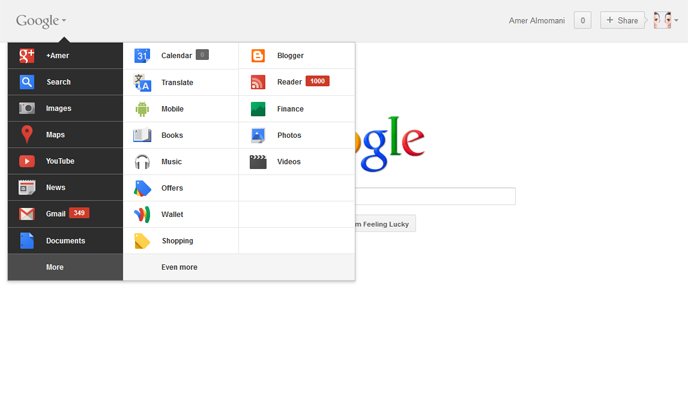
    Google new bar

    Google has rolled out a lot of redesigning work recently starting from the new black bar and Google search page new UI, YouTube, Gmail and many other products. The last addition comes as a new unified bar, as seen above, on which you have access to all Google products and services by rolling over the Logo itself.

    As always, these changes haven’t been rolled out to everyone yet. Google is doing a staggered rollout over the next couple weeks.

    How to enable the new bar instantly:

    1. Go to Google
    2. Open Developer Tools [Press Ctrl+Shift then J in Google Chrome] [Ctrl+Shift then K in Mozilla Firefox]
    3. Go to “Console” tab and enter: document.cookie=”PREF=ID=03fd476a699d6487:U=88e8716486ff1e5d:FF=0:LD=en:CR=2:TM=1322688084:LM=1322688085:S=McEsyvcXKMiVfGds; path=/; domain=.google.com”;window.location.reload();
  • Google Accidentally Shows Gmail New Look in Action


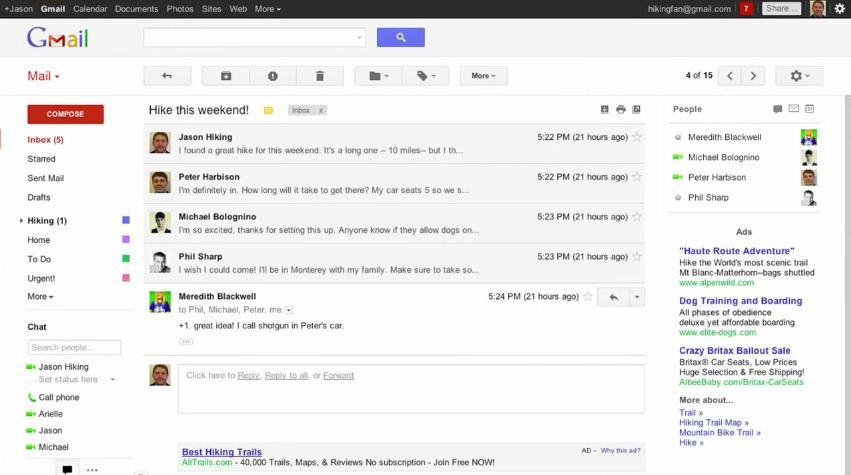
    Gmail new interface and features

    A video inadvertently posted to Google’s YouTube account has given a sneak peek at some of the changes that will be coming to Gmail in the very near future. It’s based on the Preview theme that’s already available in Gmail, but there are many other changes: an action bar that uses icons instead of text labels, a completely new interface for conversations, profile pictures next to contacts, a flexible layout that adapts to any window size, display density options like in Google Docs, resizable chat/labels sections, new high-definition themes and an updated search box that includes advanced options.

    The video was quickly taken down but the guys at Google Operating System have snagged a mirror for your viewing pleasure:

    The new interface probably be available soon.

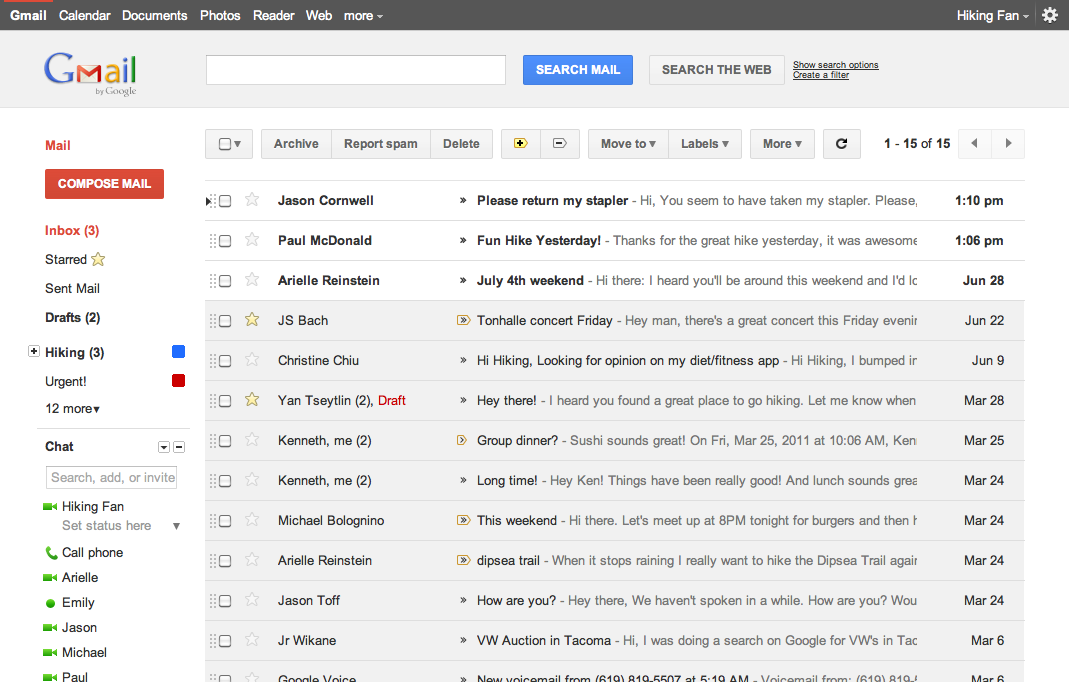
  • Gmail Has Got a New UI Look and You Can Try it NOW


    Google has rolled out a lot of redesigning work this week starting from the new black bar and Google search page new UI, some Gmail tweaks and introducing Google+. The Gmail, in particular, is about to get a new theme and you can try it right now. Here is what Google says about the matter:

    … we’re embarking on a series of interface updates to help strip out unnecessary clutter and make Gmail as beautiful as it is powerful. This is part of a Google-wide effort to bring you an experience that’s more focused, elastic, and effortless across all of our products. The changes are not going to happen all at once. We know that you love and care about Gmail as much as we do, and we’ll be working on these upgrades gradually over the next few months to allow plenty of time to understand and incorporate your feedback into the evolving design.

    How to get the new Theme:

    Simply go to Gmail Settings, click over to the Themes tab and select “Preview” or “Preview (Dense)” as your theme to try this yourself. Google has provided two themes because the end result is an elastic responsive design that shifts its information density to accomodate your screen size, but for now, you need to pick based on the density you prefer

    We’re kicking things off with two new themes for you to try out as a sort of sneak peek at what we’re up to. Starting today, you’ll see the “Preview” and “Preview (Dense)” themes in the Themes tab in Gmail Settings. Why two themes? Our new interface will eventually expand dynamically to accommodate different screen sizes and user preferences, but until then you can pick the information density that you prefer.