
• Box.net Offers iOS Users 50GB Of Free Cloud Storage


    Box.net offers 50GB of free storage to iOS users

    Box.net has announced they are offering a promotional free 50GB of storage to iOS users, beginning at 12:01 PM PST Friday, October 14th. up to the next 50 days. Cool ha?!

    Follow these steps:

    1. Use your iPhone, iPad or iPod touch to visit the App Store and download the App.
    2. Log in to your account or register for a new one directly from the app.
    3. That’s it

    On top of 50GB of free storage, accounts will receive an increased file size limit of 100MB instead of 25MB. Box.net has over 7 million users, and the app was recently updated to support iOS 5. That means the app supports AirPlay.

    The 50GB of storage is ten times what Apple’s iCloud service offers users for free, and is being offered free with no strings attached. A comparable amount of storage on DropBox would cost $9.99 per month, and a comparable amount of storage through Apple’s iCloud service would cost $100 per year.

    Box.net can be used to store photos, documents, videos, music, or other digital files safely on Box.net’s servers.
  • Diaspora Invites Giveaway: Get Diaspora Free Invite Now


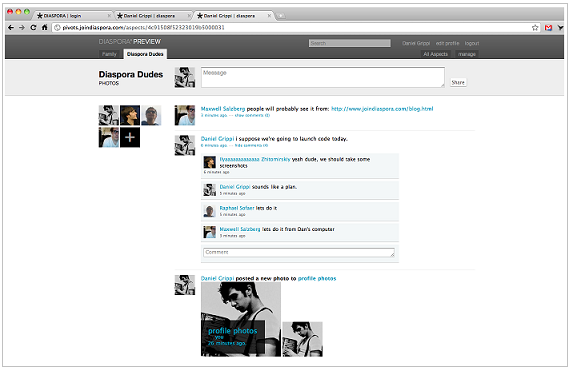
    Diaspora unlike Facebook or Google+ is a decentralized Social Network run by distributed Web servers maintained by some of their own users in “pods”. The Project is still under Development stage and is an invite only signup. Diaspora is gaining popularity because of the privacy concerns haunting people in major social networking sites like Facebook and Google+ which are centralized.

    For those of you who still haven’t registered for Google+, how about checking out Diaspora for the time being until that time. Diaspora allows invites of a limited number of users, so I will be giving some of you until we figure out a way for a possibility to send more invites. So follow these steps to land yourself an invite to the most popular closed social networking site available on the internet.

    How to get invited?

    follow the easy simple steps below:

      1. Follow @iGradly on twitter or like the Facebook Page and share this on Facebook.
      2. Tweet the post in the format given below with the username.

    Get Free Diaspora invite Now | #Diaspora Free Giveaway – http://t.co/MFejI2X @iGradly #Giveaway

    • After you done with the 2 steps , don’t forget to leave your comment on why you want to join Diaspora along with your email address, so that i can send you the invite to Diaspora.

    Note: Please don’t post your email directly in the body of the comment to avoid spamming but instead you have a specific box for that to do so.

  • Vote for Gradly.net App on Mobily Apps Awards + A Chance to Win $100 iTunes Card


    I’m very pleased to announce that the Gradly.net App v2.0, which is still under wrapped, was chosen among 21 other Apps to compete for best App design. The App has an all new look and a lot of new features:

    • Access to the latest blog posts.
    • Get exclusive free content and giveaways.
    • A native App for iPhone and iPad.
    • Share posts and stories on popular social networks, twitter, Facebook or by email.
    • Access Flickr gallery and tumblr posts.
    • Stay connected to tech Youtube videos.

    How to vote:

      1. Simply visit the Apps Awards Page via this link and choose “Best App Design

      1. You can click directly on the vote button:

      1. Also you can click on the App to view more details:

      1. Click on the button to vote:

    1. Enter your email OR mobile number to vote. After receiving the confirmation number put it there and your done:

    How to Win $100 iTunes Gift Card:

      • Follow @iGradly on twitter or like the Facebook Page and share this on Facebook.
      • Tweet the post in the format given below with the username.

    Vote for Gradly.net App on Mobily Apps Awards + A Chance to Win $100 iTunes Card – https:/?p=4334 @iGradly #Giveaway #Contest

    • Leave a comment so we can contact you later.

    How long the contest will last:

    • Voting starting from July 1st until July 30th 2011
    • iTunes card winner will be announced on July 31st 2011

    What are you waiting for? spread the word!

  • Google+ Invites Giveaway: Get Google Plus Free Invites Now


    Google is rolling out its social network, Google+, to the masses, and as the service currently invite-only, we have a bunch of invites to give away.

    How to get invited?

    Important Note: Google seems to be shutting down the chance for getting invites .. however until we find another back door or workaround to send invites or Google opens up the invitation again … sorry guys

    follow the easy simple steps below:

      1. Follow @iGradly on twitter or like the Facebook Page and share this on Facebook.
      2. Tweet the post in the format given below with the username.

    Get Free Google plus, Google+ invites Giveaway – http://t.co/SbEppS4 @iGradly #Giveaway

    1. After you done with the 2 steps , don’t forget to leave your comment on why you want to join Google plus along with your email address , so that i can send you the invite to Google plus.

    Google+ was unveiled as the company’s answer to Facebook. It has features common to Facebook like news streams and photo albums, but also includes unique features such as Hangouts, which lets up to 10 people enter a simultaneous group video chat.

    Originally, Google only let a small number of test users into its social network, however users who are on Google+ can invite others.

    Update #1:

    Google seems to be shutting down the chance for getting invites .. however until we find another back door or workaround to send invites or Google opens up the invitation again … sorry guys

    Update #2:

    There is a another workaround that may work for people. anybody try it please and let us know

    • Update your Google Profile and Link Picasa to your profile. Your link should now work and allow you to jump right into Google+.
    • From your Gmail page in the upper right hand corner there is a drop down box next to your name. Click the View Profile option there. From there you can choose to edit your profile. After your done editing your profile it should automatically ask you to link your Picasa to your google account. After you do that you should be able to use the invite that someone sent you.

    Hopefully this will help people having the problem where you click the “Join Google +” and it re-directs you to the tour / try later page.

    Update #3:

    The invites are working now please check your emails and visit the links.