• iOS 5.1 iPhone, iPad, iPod Touch, Apple TV Direct Download Links Repository


    iOS 5.1 iPhone, iPad, iPod Touch, Apple TV Direct Download Links Repository

    iOS 5.1 iPhone, iPad, iPod Touch, Apple TV Direct Download Links Repository

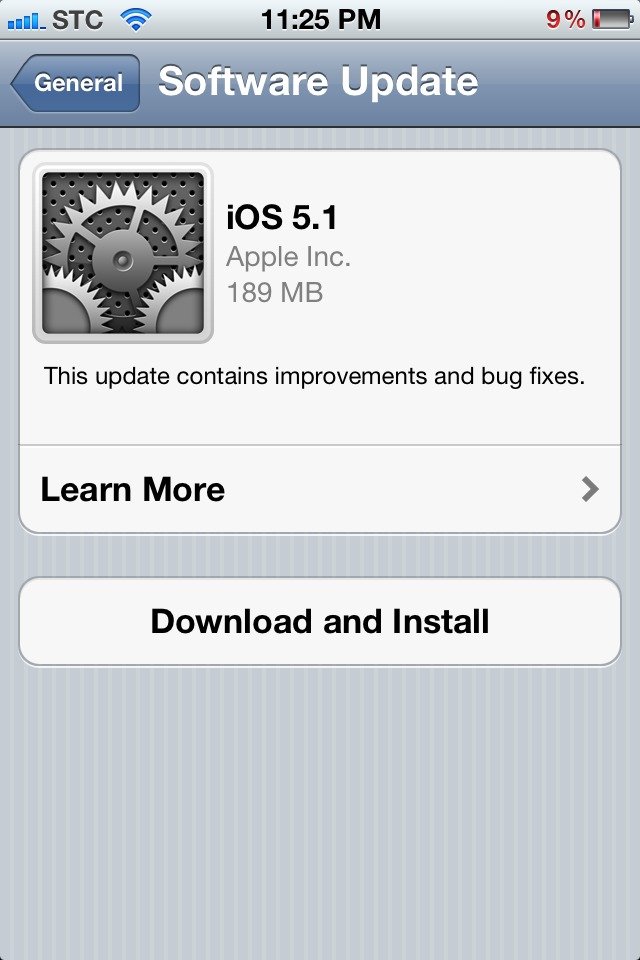
    iOS 5.1 is out for download now, it brings many features such as Siri in Japanese, nice camera app enhancements and other things. You can update directly over-the-air using your iDevice or you can have the full install files below:

    This update contains improvements and bug fixes, including:

    • Japanese language support for Siri (availability may be limited during initial rollout)
    • Photos can now be deleted from Photo Stream
    • Camera shortcut now always visible on Lock Screen for iPhone 4S, iPhone 4, iPhone 3GS and iPod touch (4th generation)
    • Camera face detection now highlights all detected faces
    • Redesigned Camera app for iPad
    • Genius Mixes and Genius playlists for iTunes Match subscribers
    • Audio for TV shows and movies on iPad optimized to sound louder and clearer
    • Podcast controls for playback speed and a 30 second rewind for iPad
    • Updated AT&T network indicator
    • Addresses bugs affecting battery life
    • Fixes an issue that occasionally caused audio to drop for outgoing calls
    device current version date found
    AppleTV(2G) (AppleTV2,1)
    5.0 (9B179b)
    03/07/2012 15:18:01
    AppleTV3,1 (AppleTV3,1)
    5.0 (9B179b)
    03/07/2012 15:18:01
    iPad (iPad1,1)
    5.1 (9B176)
    03/07/2012 15:18:01
    iPad2(wifi) (iPad2,1)
    5.1 (9B176)
    03/07/2012 15:18:01
    iPad2(at&t) (iPad2,2)
    5.1 (9B176)
    03/07/2012 15:18:01
    iPad2(vz) (iPad2,3)
    5.1 (9B176)
    03/07/2012 15:18:01
    iPad2,4 (iPad2,4)
    5.1 (9B176)
    03/07/2012 15:18:01
    iPad3,1 (iPad3,1)
    5.1 (9B176)
    03/07/2012 15:18:01
    iPad3,2 (iPad3,2)
    5.1 (9B176)
    03/07/2012 15:18:01
    iPad3,3 (iPad3,3)
    5.1 (9B176)
    03/07/2012 15:18:01
    iPhone (iPhone1,1)
    3.1.3 (7E18)
    04/08/2010 21:05:48
    iPhone3G (iPhone1,2)
    4.2 (8C148)
    11/22/2010 13:08:57
    iPhone3GS (iPhone2,1)
    5.1 (9B176)
    03/07/2012 15:18:01
    iPhone4 (iPhone3,1)
    5.1 (9B176)
    03/07/2012 15:18:01
    iPhone4(vz) (iPhone3,3)
    5.1 (9B176)
    03/07/2012 15:18:01
    iPhone4S (iPhone4,1)
    5.1 (9B179)
    03/07/2012 15:18:01
    iPodTouch(2G) (iPod2,1)
    4.2 (8C148)
    11/22/2010 13:08:57
    iPodTouch(3G) (iPod3,1)
    5.1 (9B176)
    03/07/2012 15:18:01
    iPodTouch(4G) (iPod4,1)
    5.1 (9B176)
    03/07/2012 15:18:01
    last updated: 03/07/2012 15:29:01 EDT
  • How to Bring Back Windows 7 Start Button to Windows 8 Consumer Preview?


    How to Bring Back Windows 7 Start Button to Windows 8 Consumer Preview?

    How to Bring Back Windows 7 Start Button to Windows 8 Consumer Preview?

    Microsoft ditched the start button orb in their next iteration Windows operating system, Windows 8 Consumer Preview, that was released last week. For those who suffered from the great loss, fortunately, there is a solution to get back the traditional Windows 7 Start menu. Thanks for Gupta from Askvg fro providing this solution:

    • Download ViStart – this is a free tool to bring Windows 7 like start menu
    • The setup bundled with other tools so make sure to opt in/out the installation of such tools.
    • After installation, the Start orb and menu will return instantly.
    • But there is an issue, the start Orb will overlap with Taskbar button.
    • To fix this problem, you have to add a new blank toolbar in Taskbar.
      • First create a new folder anywhere. It might be on Desktop, in C: drive or in any other drive. We have created a folder “test” in C: drive in our example.
      • Now right-click on Taskbar and select “Toolbars -> New toolbar…” option.
      • It’ll open browse dialog box where you’ll need to select a folder. Select the new folder which you created in 3.a. step and click on “Select Folder” button.
      • It’ll immediately add the new folder toolbar in Taskbar. It’ll be added near system tray (notification area) as shown in following screenshot:
      • Right-click on Taskbar and uncheck “Lock the Taskbar” option. It’ll show a placeholder to drag the folder toolbar.
      • Now you need to drag-n-drop the new folder toolbar to the start of Taskbar. Simply click and hold on the folder toolbar handler, drag the handler to the start of Taskbar. It’ll put the new folder toolbar to the start of Taskbar and you’ll see a huge gap between folder toolbar and program buttons.
      • Now right-click on the empty area between folder toolbar and program buttons and uncheck both “Show Text” and “Show title” options.
      • Now you can drag-n-drop the program buttons handler near start Orb to remove the gap.
      • Lock the Taskbar again and now start Orb will no longer overlap program buttons and you’ll get a working start ORB and start menu in Windows 8 Consumer Preview.
  • Windows 8 Consumer Preview Now Available to Download


    Windows 8 Consumer Preview

    Windows 8 Consumer Preview

    Microsoft has published the highly anticipated Consumer Preview copy of Windows 8. Available as a public download, the Consumer Preview build includes access to Metro style applications and the over 100,000 changes Microsoft has made since the Windows 8 Developer Preview.

    The Consumer Preview is available in both 32-bit and 64-bit versions. Microsoft’s minimum requirements for the Consumer Preview are a 1GHz processor, 1GB of RAM, 16GB of free storage space, and a DirectX 9-compatible graphics card — the exact same requirements as Windows 7.

    Find the links below or you can download it from here.

    English

    64-bit (x64) Download (3.3 GB) Sha 1 hash — 1288519C5035BCAC83CBFA23A33038CCF5522749
    32-bit (x86) Download (2.5 GB) Sha 1 hash — E91ED665B01A46F4344C36D9D88C8BF78E9A1B39
    Product Key: DNJXJ-7XBW8-2378T-X22TX-BKG7J
  • Marvel Comics Now on iBooks: New Avengers Vol. 1 Free for a Limited Time


    Marvel Comics Now on iBooks

    Marvel Comics Now on iBooks

    Marvel has announced today that comic classic stories—from the first appearance of the Avengers to the “death” of Captain America—will now be available for purchase on Apple’s iBookstore.

    “With an iPad, iPhone, or iPod touch, Marvel fans across the world can now purchase over 80 graphic novels with fan-favorite characters like Thor, Captain America, Iron Man, Hulk, Wolverine, Spider-Man and more by launching the iBooks app,” wrote the company on the Marvel Comic News website.

    For a limited time, customers can read the first full issue of New Avengers Vol. 1: Breakout at the iBookstore free of charge.  Go to www.itunes.com/marvelgraphicnovels. or launch the iBooks app and experience Marvel’s digital graphic novels on the iPad, iPhone or IPod touch.