
• Google Announces ‘Cosmic Panda’, New YouTube Design Experience


    Google’s designers have been busy yet generous with subsequent visual updates to Google Search, Gmail, Google+ and other Google products and services. YouTube is no exception and has got its new redesign as well, codenamed Cosmic Panda, and you can try it right away.

    As announced by Google official blog the new design comes to fulfill what exactly the viewers are looking for:

    With nearly 8 years of video uploaded and 3 billion views logged every day on YouTube, it’s clear you like to watch and share YouTube videos. While you’re watching your favorite or new videos, we at the ‘Tube are obsessing night and day over how those videos are presented. Our team is constantly experimenting, tweaking and playing with new ways to make your experience exactly what you’re looking for.
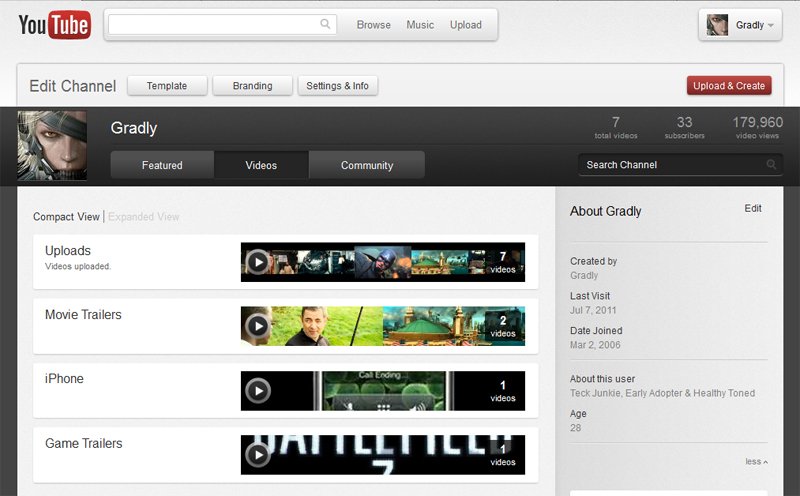
    Once you’re in the experiment, much of YouTube will look different, including videos, playlists and channels.

    Try it out yourself by visiting this link
  • Gmail Has Got a New UI Look and You Can Try it NOW


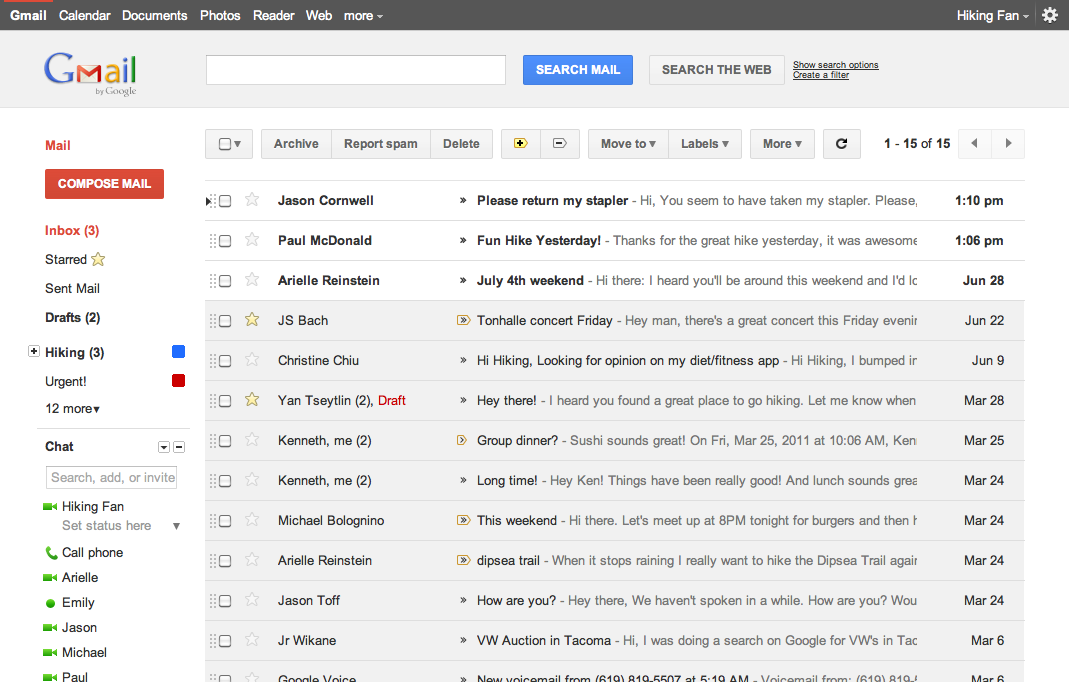
    Google has rolled out a lot of redesigning work this week starting from the new black bar and Google search page new UI, some Gmail tweaks and introducing Google+. The Gmail, in particular, is about to get a new theme and you can try it right now. Here is what Google says about the matter:

    … we’re embarking on a series of interface updates to help strip out unnecessary clutter and make Gmail as beautiful as it is powerful. This is part of a Google-wide effort to bring you an experience that’s more focused, elastic, and effortless across all of our products. The changes are not going to happen all at once. We know that you love and care about Gmail as much as we do, and we’ll be working on these upgrades gradually over the next few months to allow plenty of time to understand and incorporate your feedback into the evolving design.

    How to get the new Theme:

    Simply go to Gmail Settings, click over to the Themes tab and select “Preview” or “Preview (Dense)” as your theme to try this yourself. Google has provided two themes because the end result is an elastic responsive design that shifts its information density to accomodate your screen size, but for now, you need to pick based on the density you prefer

    We’re kicking things off with two new themes for you to try out as a sort of sneak peek at what we’re up to. Starting today, you’ll see the “Preview” and “Preview (Dense)” themes in the Themes tab in Gmail Settings. Why two themes? Our new interface will eventually expand dynamically to accommodate different screen sizes and user preferences, but until then you can pick the information density that you prefer.

  • Apple Used the ‘Golden Ratio’ to Design the iCloud’s Icon


    This is an interesting tidbit and a neat spot by this cool Japanese blog post via Alan Van. The iCloud icon uses the Golden Ratio as a basis for the design, read more about the golden ratio here here.

  • iPhone 5 to Adopt Curved Glass?


    iPhone 5 may employ a curved cover glass, according to a Digitimes report.

    The latest buzz being circulated around the supply chain in Taiwan is that Apple is going to adopt a curved cover glass for its next generation model, according to industry sources.

    Apparently, iPhone 5 or iPhone 4S would not be similar to the iPhone 4, If we are to believe what Digitimes says:

    However, in order to push forward the production of curved glass, Apple reportedly has purchased 200-300 glass cutting machines to be used by glass makers, said the sources.

    The glass slicing machines are currently being stored at associated assembly plants and will be brought online once yield rates for the production of curved glass reaches a satisfactory level, the sources revealed.

    Samsung Nexus S was the first smartphone with curved glass and Apple’s iPhone 5 might be the next.