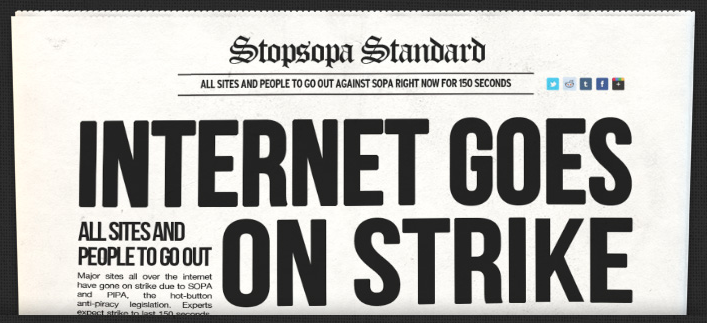
• SOPA and PIPA On Hold After Internet Protests


    Join the Strike against SOPA and PIPA Banner

    Anti SOPA and PIPA Banner

    If you were paying attention this week, you probably have noticed that on Wednesday, January 18th, few Websites, Wikipedia, Reddit, Google and Microsoft have gone blackout trying to stop the infamous controversial SOPA and PIPA Acts. The blackout has worked and both acts placed on hold indefinitely.

    As reported by Reuters, Lamar Smith, the Republican chairman of the House of Representatives Judiciary Committee saying his panel would delay action on similar legislation until there is wider agreement on the issue:

    “I have heard from the critics and I take seriously their concerns regarding proposed legislation to address the problem of online piracy. It is clear that we need to revisit the approach on how best to address the problem of foreign thieves that steal and sell American inventions and products.”

    “The House Judiciary Committee will postpone consideration of the legislation until there is wider agreement on a solution.”

    Its nice to see how effective was the Internet protest.

  • How to Access Wikipedia During the SOPA and PIPA Blackout


    Join the Strike against SOPA and PIPA Banner

    Join the Strike against SOPA and PIPA Banner

    Today, Wikipedia, along with others like Mozilla and Google, is joining the virtual strike against Internet censorship to raise awareness of US Congress legislation that could fundamentally alter the Internet we know.

    This harmful legislation, Stop Online Piracy Act (SOPA) in the House and the PROTECT IP Act (PIPA) in the Senate, will be voted on as early as January 24th in the Senate.

    Wikipedia has blacked out their web site in protest. But what if you were in need for that urgently? There are several methods to use and access Wikipedia during the SOPA blackout:

    1. Use Mac OS X’s built-in Dictionary app
    2. Disabling Javascript

    For Safari:

    • Open Safari Preferences/options
    • Click on “Advanced” and check the box next to “Show Develop menu in menu bar”
    • Pull down the “Develop” menu and select “Disable Javascript”
    • Load Wikipedia and browse as usual

    For Chrome:

    • Open Google Chrome’s Preferences/options
    • Click on “Under the Hood” and then “Content Settings”
    • Find Javascript then click “Manage Exceptions”
    • Type “en.wikipedia.org” into the box and pull down the contextual menu, selecting “Block”
    • Load Wikipedia as usual

    Why should you join the fight against SOPA to stop internet censorship? What makes this legislation so bad? Here is the catch:

    • Communication platforms – from YouTube to Facebook to Amazon – could be shut down if a single rights holder alleges a violation.
    • It would make the Web less stable and less secure.
    • Social networking sites, like Twitter or Facebook, could be forced to track and control user behavior, stunting innovation and undermining free expression.
    • Your Internet provider could be required to inspect all of your traffic and browsing.