• SOPA and PIPA On Hold After Internet Protests


    Join the Strike against SOPA and PIPA Banner

    Anti SOPA and PIPA Banner

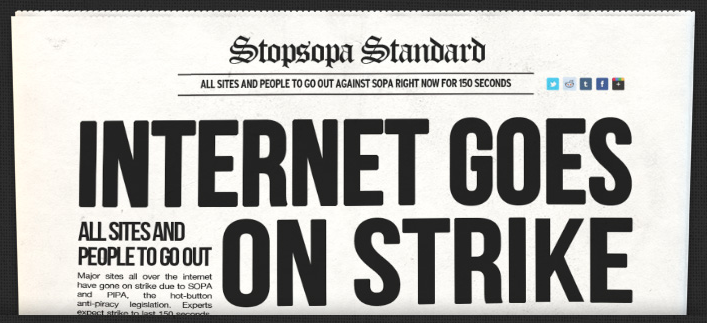
    If you were paying attention this week, you probably have noticed that on Wednesday, January 18th, few Websites, Wikipedia, Reddit, Google and Microsoft have gone blackout trying to stop the infamous controversial SOPA and PIPA Acts. The blackout has worked and both acts placed on hold indefinitely.

    As reported by Reuters, Lamar Smith, the Republican chairman of the House of Representatives Judiciary Committee saying his panel would delay action on similar legislation until there is wider agreement on the issue:

    “I have heard from the critics and I take seriously their concerns regarding proposed legislation to address the problem of online piracy. It is clear that we need to revisit the approach on how best to address the problem of foreign thieves that steal and sell American inventions and products.”

    “The House Judiciary Committee will postpone consideration of the legislation until there is wider agreement on a solution.”

    Its nice to see how effective was the Internet protest.

  • How to Access Wikipedia During the SOPA and PIPA Blackout


    Join the Strike against SOPA and PIPA Banner

    Join the Strike against SOPA and PIPA Banner

    Today, Wikipedia, along with others like Mozilla and Google, is joining the virtual strike against Internet censorship to raise awareness of US Congress legislation that could fundamentally alter the Internet we know.

    This harmful legislation, Stop Online Piracy Act (SOPA) in the House and the PROTECT IP Act (PIPA) in the Senate, will be voted on as early as January 24th in the Senate.

    Wikipedia has blacked out their web site in protest. But what if you were in need for that urgently? There are several methods to use and access Wikipedia during the SOPA blackout:

    1. Use Mac OS X’s built-in Dictionary app
    2. Disabling Javascript

    For Safari:

    • Open Safari Preferences/options
    • Click on “Advanced” and check the box next to “Show Develop menu in menu bar”
    • Pull down the “Develop” menu and select “Disable Javascript”
    • Load Wikipedia and browse as usual

    For Chrome:

    • Open Google Chrome’s Preferences/options
    • Click on “Under the Hood” and then “Content Settings”
    • Find Javascript then click “Manage Exceptions”
    • Type “en.wikipedia.org” into the box and pull down the contextual menu, selecting “Block”
    • Load Wikipedia as usual

    Why should you join the fight against SOPA to stop internet censorship? What makes this legislation so bad? Here is the catch:

    • Communication platforms – from YouTube to Facebook to Amazon – could be shut down if a single rights holder alleges a violation.
    • It would make the Web less stable and less secure.
    • Social networking sites, like Twitter or Facebook, could be forced to track and control user behavior, stunting innovation and undermining free expression.
    • Your Internet provider could be required to inspect all of your traffic and browsing.
  • PSN Accounts Threatened by New Password Exploit [Updated]


    Sony’s new PlayStation Network security measures have seemingly been compromised just days after the service reboot.

    According to reports from Nyleveia, a new exploit enables attackers to change other users’ passwords via the PSN password reset page members are forced to access when they first reconnect to the online service.

    Attackers can apparently reset the password themselves using just a PSN account email and date of birth, pieces of data that were compromised in the recent PSN hack.

    Despite the methods currently employed to force a password change when you first reconnect to the PlayStation network, your accounts still remain unsafe.
    A new hack is currently doing the rounds in dark corners of the internet that allows the attacker the ability to change your password using only your account’s email and date of birth.

    It has been proven to me through direct demonstration on a test account, so I am without any shadow of a doubt that this is real.

    I would suggest that you secure your accounts now by creating a completely new email that you will not use ANYWHERE ELSE, and switching your PSN account to use this new email. You risk having your account stolen, when this hack becomes more public, if you do not make sure that your PSN account’s email is one that cannot be affiliated with or otherwise traced to you.

    While we originally assumed this was a poor hoax designed only to stir the community into another frenzy, the individual who we are in contact with requested just two pieces of information from us: this being an account email and the date of birth used for that account. We promptly created a new account via us.playstation.com and provided the individual with the email address and date of birth used.

    Roughly a minute later they requested that we try to login with the password we used for the account (which they did not know at any point), and sure enough, we were presented with an invalid username and/or password prompt.

    While we will not reveal specific details regarding how the exploit is performed for obvious reasons, we can say that the exploit involves a vulnerability in the password reset form currently implemented, not properly verifying tokens.

    Updated:

    Sony has fixed the security breach found today. Sony’s Patrick Seybold has issued an update via the PlayStation Blog denying it was a “hack”, and saying Sony has fixed the issue.

    We temporarily took down the PSN and Qriocity password reset page. Contrary to some reports, there was no hack involved. In the process of resetting of passwords there was a URL exploit that we have subsequently fixed.

    Consumers who haven’t reset their passwords for PSN are still encouraged to do so directly on their PS3. Otherwise, they can continue to do so via the website as soon as we bring that site back up.
  • PlayStation Network PSN Is Back Again, Firmware 3.61 Released


    Sony just announced that over the next several hours it will be flipping the lights back on in its Playstation Network that has been since hackers attacked it nearly a month ago.

    The company announced a phased restart to its network starting with the Americas followed by Europe, Australia, New Zealand and the Middle East. the company has also pushed out a software update 3.61 that will prompt users to change their password as part of the new security procedures put in place.

    Hirai announced advanced security technology, encryption and additional firewalls:

    We have greatly updated our data security systems. These changes were the result of an intensive investigation aided by some of the most respected forensic and security experts in the computer industry.

    Here is the statement released from Sony today:

    Thank you for your patience and encouragement over the last few weeks. As covered in the post from earlier today, you can now update the firmware on your PS3 and change your password. Kazuo Hirai just announced that we have begun the phased restoration by region of some of the services, starting with online multiplayer functionality.

    Please note that these services will take a bit of time to be turned on and rolled out to the whole country. The process has begun and some states are being turned on now, so please be patient as we reach your city and state. We’ll be updating the map below as service comes online in individual states. It will take several hours to restore PSN throughout the entire country, so please keep checking back for the latest updates. In the meantime, now’s a great time to get your PS3’s firmware updated, which is required to get online.