Gradly

  • About Me
  • Portfolio
  • My Blog
  • Contact Me


  • Qualcomm Releases Augmented Reality SDK For iOS

    July 28, 2011 // Gradly // Apple, blog, Download, iPhone Tags: Apple, AR, Augmented Reality, blog, Download, iOS, iPhone, Qualcomm, SDK, Tech No Responses


    Qualcomm has released its Augmented Reality Software Development Kit (SDK) for iOS. The SDK allows iOS developers to create impressive augmented reality applications, and is available to download now. The technology is impressive, and we’re looking forward to seeing Qualcomm AR SDK apps hit our own iOS App Store soon.

    Qualcomm’s new SDK is available for Android developers, and one example app is Inch High Stunt Guy, which allows users to control a bike-riding stuntman as he cruises across a tabletop. Check out the video below:

    The Qualcomm Augmented Reality SDK is available to download from here, and supports the iPhone 4, iPad 2 and fourth generation iPod touch.

    [via appadvice]

  • Google Books, Amazon Kindle and Nook Finally Adhere to Apple’s Rules

    July 25, 2011 // Gradly // Apple, blog, Books, google, News, Rants & Raves Tags: Amazon, Apple, blog, Google Books, Kindle, News, Nook No Responses


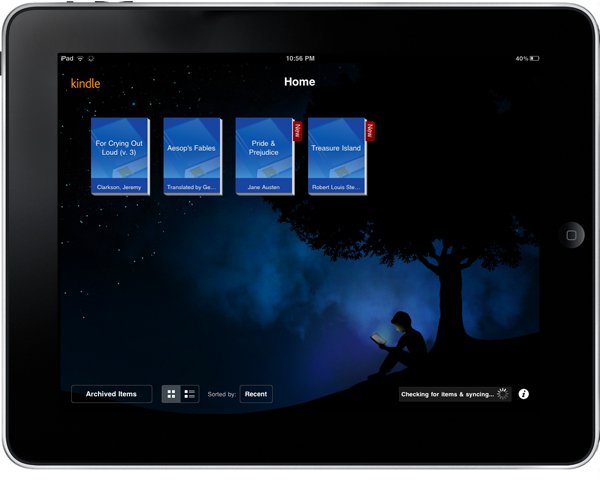
    We knew this was going to happen: Google Books, Amazon Kindle, Nook in the latest releases, they’ve pulled out the link to external Stores directly and adhere to Apple in-app purchases only. Apple you win for sure 🙂

  • iOS 4.3.5 iPhone, iPad, iPod Touch, Apple TV Direct Download Links Repository

    July 25, 2011 // Gradly // Apple, blog, Download, Featured, iPad, iPhone, Jailbreak, News Tags: Apple, Apple TV, blog, Download, iOS 4.3.5, iPad, iPhone, iPod Touch, JailbreakMe 3.0 3 Responses


    Apple has just released iOS 4.3.5 which comes just days after the iOS 4.3.4 release and it resolves a “security issue” which has been resolved with certificate verification.

    Users who have jailbroken their devices using JailbreakMe will obviously need to stay away from the update if they want to keep Cydia and other installed jailbreak tweaks.

    Direct links for iOS 4.3.5:

    device current version date found
    AppleTV(2G) (AppleTV2,1) 4.2.2 (8F305) 05/11/2011 16:06:01
    iPad (iPad1,1) 4.3.5 (8L1) 07/25/2011 13:31:01
    iPad2,1 (iPad2,1) 4.3.5 (8L1) 07/25/2011 13:31:01
    iPad2,2 (iPad2,2) 4.3.5 (8L1) 07/25/2011 13:31:01
    iPad2,3 (iPad2,3) 4.3.5 (8L1) 07/25/2011 13:31:01
    iPhone (iPhone1,1) 3.1.3 (7E18) 04/08/2010 21:05:48
    iPhone3G (iPhone1,2) 4.2 (8C148) 11/22/2010 13:08:57
    iPhone3GS (iPhone2,1) 4.3.5 (8L1) 07/25/2011 13:31:01
    iPhone4 (iPhone3,1) 4.3.5 (8L1) 07/25/2011 13:31:01
    iPhone4(vz) (iPhone3,3) 4.2.10 (8E600) 07/25/2011 13:31:01
    iPodTouch(2G) (iPod2,1) 4.2 (8C148) 11/22/2010 13:08:57
    iPodTouch(3G) (iPod3,1) 4.3.5 (8L1) 07/25/2011 13:31:01
    iPodTouch(4G) (iPod4,1) 4.3.5 (8L1) 07/25/2011 13:31:01
    last updated: 07/25/2011 13:38:01 EDT
  • Facebook For iPad Has Arrived [Updated]

    July 25, 2011 // Gradly // Apple, blog, Gadgets, How To, iPad, Jailbreak, News, Rants & Raves, Social Networks, Tutorials Tags: App, Apple, blog, Facebook, Guide, How To, iPad, iPhone, Jailbreak, Social Networks, Tutorial No Responses


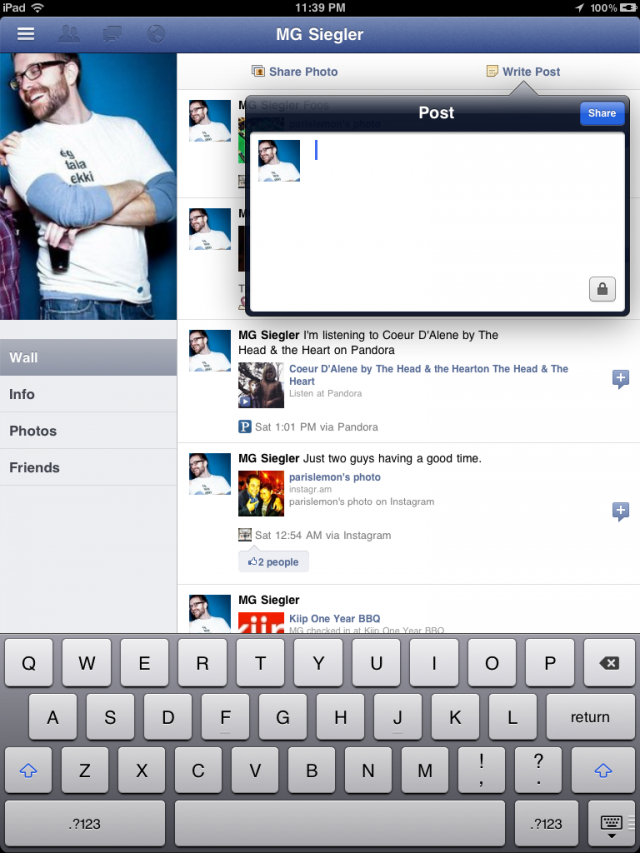
    The entire world has been patiently awaiting the arrival of a Facebook iPad app. This however is just about to change. As discovered by some folks on Twitter and confirmed by TechCrunch, the new Facebook iPad app is ready and actually already out there. Indeed, Facebook did develop the app and placed it inside its code already, but hasn’t simply activated it. Just a few lines of code to change can however make it happen.

    Hidden in the code of Facebook’s iPhone app is the code for something else. Something everyone has been waiting over a year for. The iPad app.

    The gist of the trick is a modification to make inside the Facebook app discovered by AeroEchelon on Twitter:
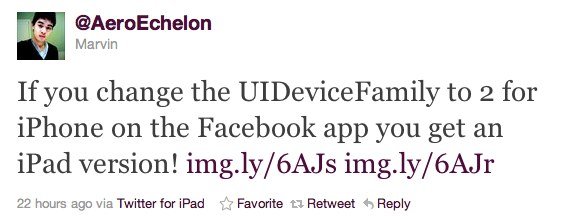
    If you change the UIDeviceFamily to 2 for iPhone on the Facebook app you get an iPad version!

    You can make apps iPad compatible without pixelation and 2x button and also you can make the app support all 4 orientations. Here is how:

    1.  Navigate to the app you want to make compatible in /var/mobile/Applications
    2.  Open the info.plist in the applications main folder
    3.  Add the follow:

    <key>UIDeviceFamily</key>
    <array>
    <integer>1</integer>
    <integer>2</integer>
    </array>

    4. Respring and then you should have a nice iPad size app

    iClarified has a full step by step guide on how to achieve just that. It’s actually the same technique that has been long used to force iPhone-only apps to run in full screen on the iPad.

    Update #1:

    Facebook has blocked access to iPad version

    Update #2:

    You can re-enable Facebook’s iPad app by doing this:

    • Download Facebook app
    • Open Cydia and install FaceForward [a free tweak available under BigBoss repo]


    [via appadvice]

← Older posts
Newer posts →