• Glasses Free 3D App For iPhone 4 & iPad 2 Free Download


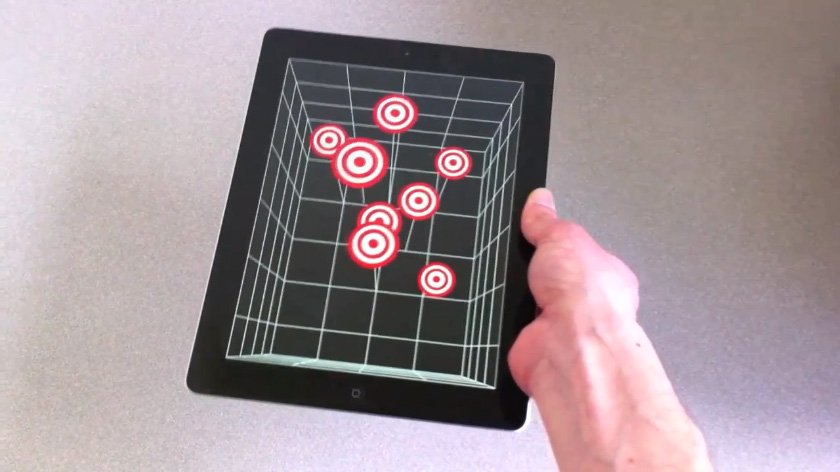
    Do you remember the Glasses Free 3D on iPad 2 and iPhone 4 via Head Tracking Demo? If you don’t, no worries the video is embedded below, but in short, a research team came up an amazing tech demoes by combining head-tracking technology that uses the iPad’s front facing camera to deliver glasses-free 3D experience that doesn’t require the accelerometer, but it’s entirely based on the camera and the movements of a user’s head in front of the screen. The position of the user will give the illusion of tridimensional objects moving on the display. Now that team has released the free i3D app, so you can see the 3D illusion effect yourself.

    Apps official description:

    i3D is an overview of Head-Coupled Perspective (HCP) on iOS devices. HCP uses the front camera of the device to track the face of the user in real time. This information tells the app how the user is looking at the display. The app updates the perspective of the 3D scene accordingly, giving the user the illusion that he looks at a small window.

    i3D contains several 3D scenes that you can observe with HCP. It only relies on face tracking. It does not use the accelerometers or the gyroscopes.

    The face tracking system does not detect and track the face in every lighting condition. Read the instructions in the app to get a good tracking.

    Head-Coupled Perspective does not create a stereoscopic display! It provides a kind of monocular 3D display: the same picture is seen by both eyes. In the future, it might be combined with a stereoscopic display for a better 3D effect.

    i3D has been developed by Jeremie Francone and Laurence Nigay at the Engineering Human-Computer Interaction (EHCI) Research Group of the Grenoble Informatics Laboratory (LIG), University Joseph Fourier (UJF).

    Here is the original video to watch it again:
  • Can iPad Recreate The Magic of Microsoft Courier Using Taposé?


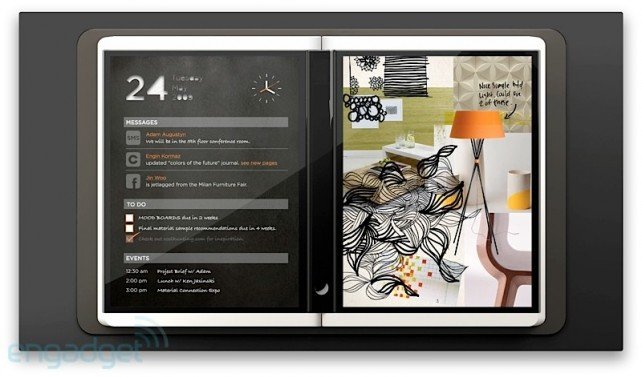
    We all remember Microsoft Courier, the highly anticipated but ultimately cancelled dual-screen tablet. Here is what GIZMODO had to say about the device:

    Courier is a real device, and we’ve heard that it’s in the “late prototype” stage of development. It’s not a tablet, it’s a booklet. The dual 7-inch (or so) screens are multitouch, and designed for writing, flicking and drawing with a stylus, in addition to fingers. They’re connected by a hinge that holds a single iPhone-esque home button. Statuses, like wireless signal and battery life, are displayed along the rim of one of the screens. On the back cover is a camera, and it might charge through an inductive pad, like the Palm Touchstone charging dock for Pre.

    Despite the fact that the Courier video about was little more than a tech demo, it turned heads like few other announcements in tech history. Part journal, part “digital scrapbook”, the Courier concept was everything Microsoft is least known for: enigmatic, magical, startlingly intuitive, strikingly beautiful.

    Part of what made Courier so exciting was how open-ended and freeform it was: it envisioned a future in which information is gathered, scattered, circled, captioned and written by hand, then tossed between the margins with (I imagine) a sort of da-Vinci-meets-Evernote bliss. It’s no surprise that, to many of us, Courier’s “death”—its entire existence a vaporware dream—was one of the sadder days in this industry.

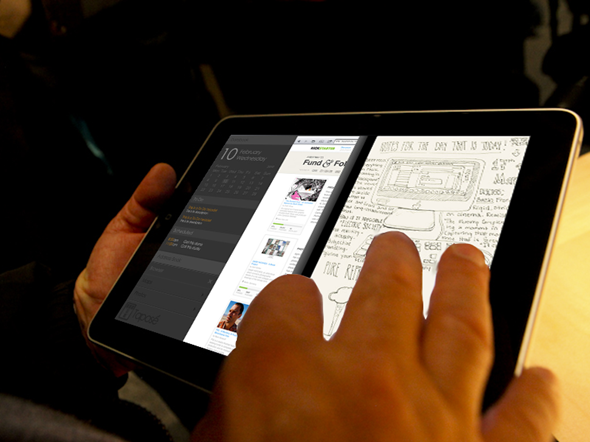
    But now, some measure of the “little notebook that could” is coming back. A Kickstarter project called Taposé aims to bring Courier-like functionality (including split views, drag-and-drop mapping and organizing, and the infamous “Middle Bar”) to the iPad. It’s too soon to tell exactly what features will be included, and of course, the Courier was designed for use with a pen, but the Taposé project has already received nearly $15,000 in funding, with another 19 days to go. That means the project is legitimate, it’s got capital, and it’s really happening!

    Head on over to Taposé to see more about what went into the elaborate re-imagining of what’s considered by many to be Microsoft’s best idea to date. Could our iPads recreate some of that magic?

    [via appadvice]

  • Microsoft Releases iPhone to Windows Phone 7 App Porting Tool


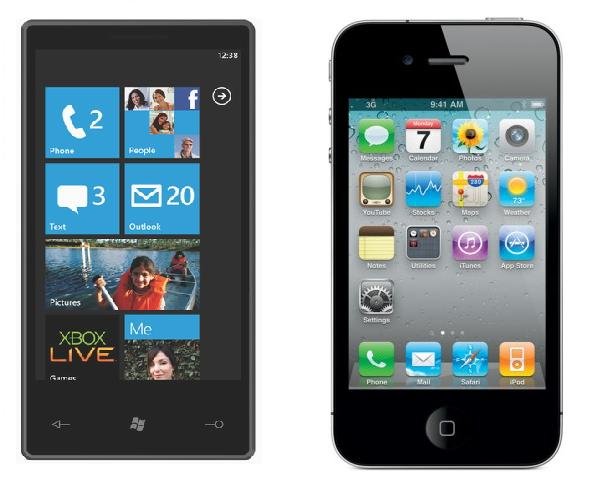
    In an effort to grow Marketplace one of Microsoft’s main strategies have been to make it easy for developers to bring their popular iPhone applications to Windows Phone 7. This comes an attempt to catch up with Apple App Store & Android Market that are full of quality applications.

    As WMPowerUser reports, Microsoft has now launched an iPhone/iOS to Windows Phone 7 API mapping tool to helps developers more easily translate their applications to the Windows phone 7 API. With this tool, iPhone developers can take their apps, pick out the iOS API calls, and quickly look up the equivalent classes, methods and notification events in WP7. A developer can search a given iOS API call and find the equivalent WP7 along with C# sample codes and API documentations for both platforms.

    Microsoft is also providing a 90+ pages “Windows Phone 7 Guide for iPhone Application Developers” white paper to get developers up and running.

    • Windows Phone API Mapping Tool can be downloaded from here.
  • Sony’s Crackle for iOS App is Now Live in the App Store


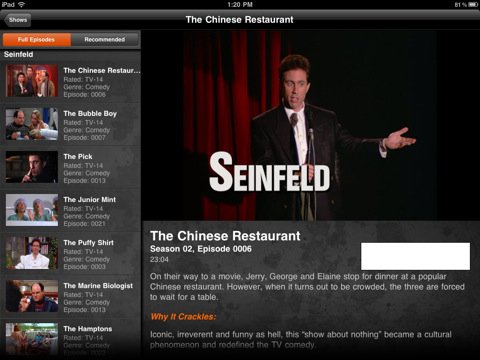
    Sony has just released their official Crackle app for iOS devices, the app provides access to tons of movies and television shows that can be streamed to the iPhone, iPod touch and iPad via 3G cellular connection and WiFi networks.

    It’s a US-only service, with a limited selection of content available to users from Canada, Australia and UK. Available movies and television shows include a selection from Sony Columbia Pictures and Sony Pictures Classics studios.

    Download from here here