• Google Announces Swiffy, SWF to HTML5 Conversion Tool


    An engineering intern at Google has created a tool that allows SWF (Flash) files to be converted to HTML5. The project is centered around advertisements, but many different types of SWF content, like some games and animations, are able to be converted. Adobe announced a similar project, named “Wallaby“, a few months ago, but it is designed primarily to publish Flash code to HTML5, not convert existing SWF files.

    Today we’re making the first version of Swiffy available on Google Labs. You can upload a SWF file, and Swiffy will produce an HTML5 version which will run in modern browsers with a high level of SVG support such as Chrome and Safari. It’s still an early version, so it won’t convert all Flash content, but it already works well on ads and animations. We have some examples of converted SWF files if you want to see it in action.

    Swiffy-converted files will work in Chrome and Safari (both desktop and mobile), so iOS users will benefit from the additional content. Of course, this also means that ads will be easier to display on iDevices. If you have a SWF file that you would like converted, head over to the Google Labs page.
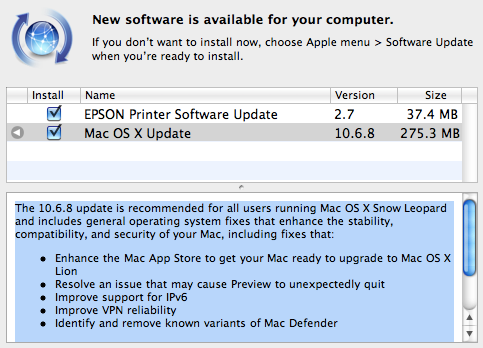
  • Mac OS X 10.6.8 Update Direct Download Links


    Apple has released version 10.6.8 update of Mac OS X Snow Leopard ahead of the July launch of OS X Lion. Mac OS 10.6.8 prepares Macs for the Lion upgrade through the Mac App Store.

    The 10.6.8 update is recommended for all users running Mac OS X Snow Leopard and includes general operating system fixes that enhance the stability, compatibility, and security of your Mac, including fixes that:

    • Enhance the Mac App Store to get your Mac ready to upgrade to Mac OS X Lion
    • Resolve an issue that may cause Preview to unexpectedly quit
    • Improve support for IPv6
    • Improve VPN reliability
    • Identify and remove known variants of Mac Defender

    Direct Download Links:

    Download Mac OS X 10.6.8 Update (474.2 MB)
    Download Mac OS X 10.6.8 Update Combo (1.09 GB)

    Download Mac OS X Server v10.6.8 Update (542 MB)
    Download Mac OS X Server v10.6.8 Update Combo (1.27 GB)

    Download Security Update 2011-004 (Leopard) (256.4 MB)
    Download Security Update 2011-004 (Leopard Server) (499.8 MB)

    Download Server Admin Tools 10.6.8 (255.9 MB)

  • Firefox 5.0 Final is Available for Download


    Three weeks ago, Mozilla hit the beta of Firefox 5, and managed to release Firefox 5 final on June 21. But today, the final version of firefox is unexpectedly Available for download. You can get your hands on the links below:

    What’s New:

    • Added support for CSS animations
    • The Do-Not-Track header preference has been moved to increase discoverability
    • Improved canvas, JavaScript, memory, and networking performance
    • Improved standards support for HTML5, XHR, MathML, SMIL, and canvas
    • Improved spell checking for some locales
    • Improved desktop environment integration for Linux users
    • The channel switcher which let users switch to the aurora channel and back to the beta channel has been moved.

    Download Link:

    • Mac version: here.
    • Windows version: here.
    • Linux version: here.
  • Microsoft Unveiled Windows 8 With Tile-Based Touch Interface


    Microsoft offered the first glimpse of Windows 8, a sneak peek that reveals much about both the influences and the strategic goals of the major overhaul of Microsoft’s 25-year-old operating system.

    At the heart of the new interface is a new start screen that draws heavily on the tile-based interface that Microsoft has used with Windows Phone 7. All of a user’s programs can be viewed as tiles and clicked on with the touch of a finger.

    Windows 8 essentially supports two kinds of applications. One is the classic Windows application, which runs in a desktop very similar to the Windows 7 desktop. The other type of application, which has to be written in HTML5 and Javascript, looks more like a mobile application, filling the full screen. Internet Explorer 10, which is part of Windows 8, has already been configured to run in this mode, as have several widget-like apps for checking stock prices and weather.

    Although Windows 8 is clearly influenced by the iPad and other mobile devices, the plan for the new operating system has been in the works since Windows 7 shipped in July 2009–several months before the iPad was first shown. Watch the demo below:

    Microsoft has also done work with the classic Windows desktop to make it more touch friendly, including using a new kind of “fuzzy hit targeting” to adjust for the fact that fingers are far less precise than a mouse. The goal, says chief designer Julie Larson-Green, is that classic apps, though designed for a keyboard and mouse, work well with touch. Apps taking advantage of the new programming layer, she said, are designed for touch first, but also work well with a keyboard and mouse.

    [via AllThingsD]