• Search Public Content On Google+ Using Google Plus Search Engine


    With more than active 20 Million Users, Google Plus is a great place where people are actively connecting and sharing fresh news and content. Google Plus Search Engine is just for you, It lets you search public content directly. If you are on Chrome you can get the extension so you can search in your tab without having to visit the site. The extension shows you results from Google+ profiles, posts, Buzz and blogs.

  • Facebook Acquires Interactive iPad Book Maker: Push Pop Press


    Facebook has acquired Push Pop Press, the company behind iPad app “Our Choice,” based on a book by Al Gore. The company was co-founded by former Apple designer Mike Matas who was a lead designer of both the original iPhone and iPad interfaces. Facebook does not plan to sell interactive iPad books, but the technology and design talent will be used in Facebook’s future.

    Mike Matas demoed “Our Choice” at the TED conference this year to rave reviews.

    Statement from Facebook:

    We’re thrilled to confirm that we’ve acquired Push Pop Press, a startup whose groundbreaking software changes the way people publish and consume digital content. We can’t wait for co-founders Mike Matas and Kimon Tsinteris to get started, and for some of the technology, ideas and inspiration behind Push Pop Press to become part of how millions of people connect and share with each other on Facebook.


    [via allthingsd]

  • Twitter to Roll Out Ads and Promoted Tweets in User Timelines


    Its final, Twitter would soon begin to roll out ads, Promoted Tweets, in user timelines. The truth is that they’ve been talking about this possibility for a while. And they’ve even tested it with third party partners like Hootsuite. According to MG Siegler. Twitter will start placing them on Twitter.com.

    The sponsored Tweets will only appear in your timeline if you already follow the account that has paid for the spot. If that’s the case, a single Promoted Tweet will appear at (or near) the top of your main timeline when you log in to twitter.com for the first time in any given day. As you get new Tweets, these Promoted Tweets will be pushed down just like regular Tweets. But if you refresh the page, the ad will appear at the top of the timeline again, is our understanding.

    These ads will also be clearly marked as “Promoted” with an orange arrow icon below the tweet, the same way Promoted Tweets and Trends are currently shown on the sidebar or in search. And it will say the full company name of the company that is doing the promotion. These Tweets can also be dismissed from your timeline with one click. More from twitter blog:

    That’s why starting today, we’re introducing a way to ensure that the most important Tweets from the organizations you follow reach you directly, by placing them at or near the top of your timeline. These Promoted Tweets will scroll through the timeline like any other Tweet, and like regular Tweets, they will appear in your timeline just once. Promoted Tweets can also be easily dismissed from your timeline with a single click.

  • Facebook For iPad Has Arrived [Updated]


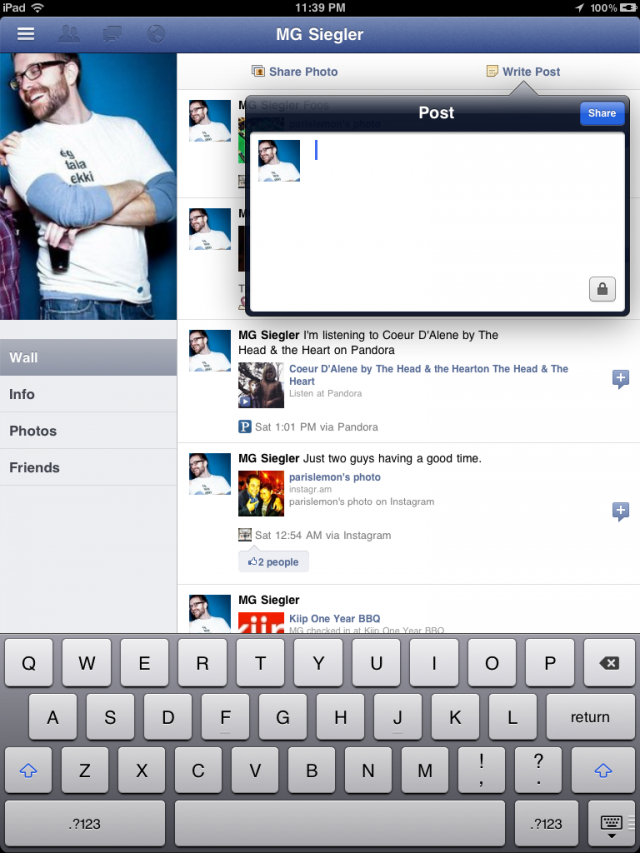
    The entire world has been patiently awaiting the arrival of a Facebook iPad app. This however is just about to change. As discovered by some folks on Twitter and confirmed by TechCrunch, the new Facebook iPad app is ready and actually already out there. Indeed, Facebook did develop the app and placed it inside its code already, but hasn’t simply activated it. Just a few lines of code to change can however make it happen.

    Hidden in the code of Facebook’s iPhone app is the code for something else. Something everyone has been waiting over a year for. The iPad app.

    The gist of the trick is a modification to make inside the Facebook app discovered by AeroEchelon on Twitter:
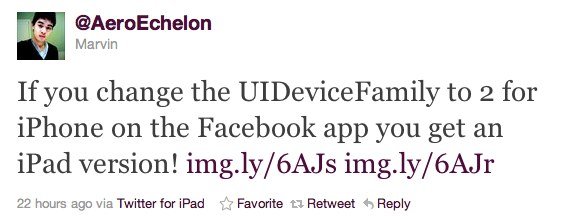
    If you change the UIDeviceFamily to 2 for iPhone on the Facebook app you get an iPad version!

    You can make apps iPad compatible without pixelation and 2x button and also you can make the app support all 4 orientations. Here is how:

    1.  Navigate to the app you want to make compatible in /var/mobile/Applications
    2.  Open the info.plist in the applications main folder
    3.  Add the follow:

    <key>UIDeviceFamily</key>
    <array>
    <integer>1</integer>
    <integer>2</integer>
    </array>

    4. Respring and then you should have a nice iPad size app

    iClarified has a full step by step guide on how to achieve just that. It’s actually the same technique that has been long used to force iPhone-only apps to run in full screen on the iPad.

    Update #1:

    Facebook has blocked access to iPad version

    Update #2:

    You can re-enable Facebook’s iPad app by doing this:

    • Download Facebook app
    • Open Cydia and install FaceForward [a free tweak available under BigBoss repo]


    [via appadvice]