Interesting screenshots from Nuance’s new SpeechTrans Ultimate App. Nuance is widely believed to be working deeply with Apple on their speech recognition technology so maybe they know something. Or maybe they just pasted screenshots that were too big on their App?!
Google announced a bunch of new features at Inside Search press conference, June 14th, 2011, which took place yesterday. The new additions are voice search on desktop computers, Instant Search and Image Search.
Voice Search on the desktop
Google Voice Search has been available in phones for years. Both Android handset and iPhone via Google’s search app have that feature for a long time, and now the same capability is brought to the desktop and initially, to the Chrome.
Search by Image
With this feature you can now upload images straight to the search engine and Google will search through the image file and attempt to locate any similar images and return you the terms they’re associated with:
If you click the camera, you can upload any picture or plug in an image URL from the web and ask Google to figure out what it is. Try it out when digging through old vacation photos and trying to identify landmarks
Google has released an extension for Chrome and Firefox that lets users identify any picture on the web by simply right-clicking.
Instant Pages
Google is bringing Instant Pages to Google Chrome. Available in all of the beta and dev versions of Google Chrome, Instant Pages is Google’s answer to the pre-fetching features built in to Mozilla’s Firefox. Instead of simply scraping basic HTML information ahead of time, however, Google says that their pre-rendering will grab other resources as well such as Javascript for snappy page loading. Instant Pages are only being used for search results (not targeted for ads specifically), but Google did mention they’ll be looking at how to best deliver ads to consumers in the future. Instant Pages allow the most common results to load instantly (in virtually zero seconds) when the user decides to load them:
Google pointed out that mobile searches on its site have grown and now surpassed desktop searches.
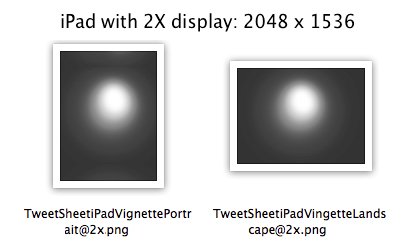
iPad with Retina Display was much rumored earlier this year, iPad 2X graphics were found in the iBooks application and were immediately assumed to be for the iPad 2, which does not include a Retina display once unveiled.
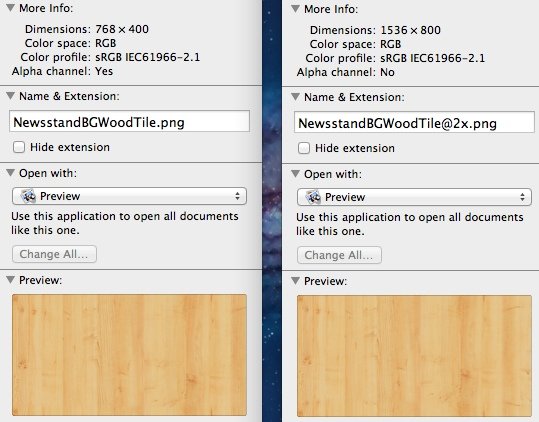
Now, the guys at TechUnwrappeddigging deep inside the new iOS 5 SDK have found images marked with 2X making the new iPad capable of displaying 2048 x 1536 resolution on its display (four times the pixels) of the current iPad (1024 x 768) this pushes the speculation further more as this is not apparently for pure testing purposes. The image below from Newsstand app.
As iOS 5 is the base for the next generation iPhone and iPad it does make sense that the new iPad will get a really Retina display after all
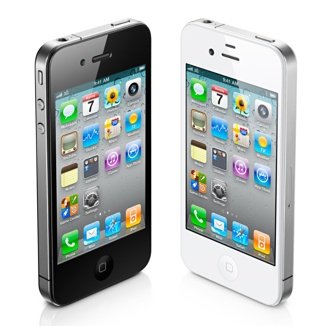
Apple has begun selling unlocked GSM iPhone 4 in the US. The 16GB black model starts at $649 and the 32GB $749. The unlocked device has all the features and can be used worldwide on supported GSM:
If you don’t want a multiyear service contract or if you prefer to use a local carrier when traveling abroad, the unlocked iPhone 4 is the best choice. It arrives without a micro-SIM card, so you’ll need an active micro-SIM card from any supported GSM carrier worldwide.
The unlocked iPhone 4 requires an active micro-SIM card that you obtain from a supported GSM wireless carrier. Simply insert the micro-SIM card into the slot on your iPhone, connect to your Mac or PC using the USB cable, and launch iTunes on your computer to complete the setup.