• Microsoft Office 15 Gets Metro-like Makeover


    The new Office 15 is being designed for the Desktop, and isn’t a Metro app. But a first look at it reveals that it’s getting a Metro-like makeover, according to Paul Thurrott from Supersite for Windows. That might not be good news for Office users.

    Microsoft Office 15 Gets Metro-like Makeover

    Microsoft Office 15 Gets Metro-like Makeover

    Office 15 is now only available as a Technical Preview to a select group of beta testers, but Thurrot got his hands on it, and gives it a brief review. He installed it on a tablet running the Windows 8 Consumer Preview. He ran into some trouble upgrading from the existing Office 2010 Professional.

    Office 15 clearly is being designed with tablets in mind, the ribbon is present but minimized by default, helping create that clean, Metro-style minimalist look. There is a new tab and the whole experience has got a Metro-style minimalist look.

    Check out some screenshots below:

    Microsoft Office 15 Gets Metro-like Makeover

    Microsoft Office 15 Gets Metro-like Makeover

    Microsoft Office 15 Gets Metro-like Makeover
    Microsoft Office 15 Gets Metro-like Makeover
    Microsoft Office 15 Gets Metro-like Makeover

    Microsoft Office 15 Gets Metro-like Makeover

  • Firefox 11 Now Available for Download on Mac, Windows, and Linux


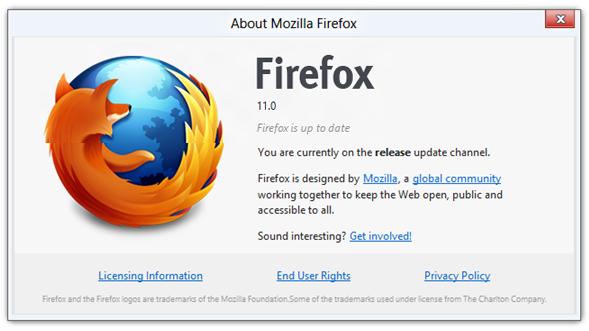
    Mozilla has released Firefox 11 with a plenty of new features.

    Firefox 11 Now Available for Download

    Firefox 11 Now Available for Download

    Firefox now includes new developer tools, Page Inspector 3D View. Nicknamed Tilt, a tool that highlights the structure of a page better than a flat view, so anyone can immediately understand the relationship of the code to the page output.

    While developer tools like “view source” have always been useful to learn about how to develop a page, the 3D View more clearly illustrates how the parts of a website are structured. After selecting “3D” View in Page Inspector, just hover your mouse over the elements to get more information about each piece you select.

    Another feature is the new Style Editor tool, which allows developers to edit CSS stylesheets like a text editor and see changes instantly. Firefox also introduces Add-on Sync. to let users sync add-ons between computers.

  • iOS 5.1 iPhone, iPad, iPod Touch, Apple TV Direct Download Links Repository


    iOS 5.1 iPhone, iPad, iPod Touch, Apple TV Direct Download Links Repository

    iOS 5.1 iPhone, iPad, iPod Touch, Apple TV Direct Download Links Repository

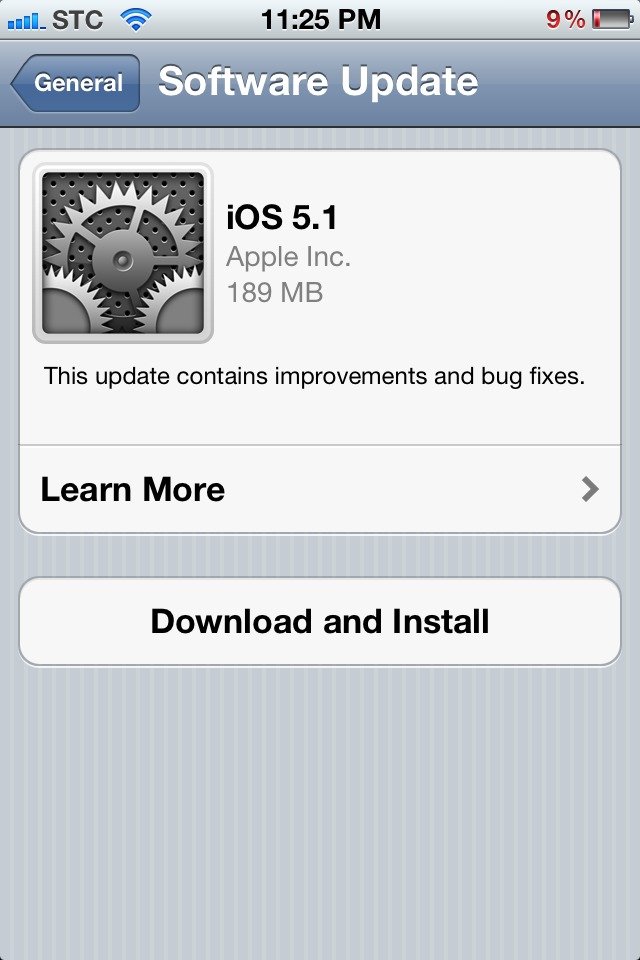
    iOS 5.1 is out for download now, it brings many features such as Siri in Japanese, nice camera app enhancements and other things. You can update directly over-the-air using your iDevice or you can have the full install files below:

    This update contains improvements and bug fixes, including:

    • Japanese language support for Siri (availability may be limited during initial rollout)
    • Photos can now be deleted from Photo Stream
    • Camera shortcut now always visible on Lock Screen for iPhone 4S, iPhone 4, iPhone 3GS and iPod touch (4th generation)
    • Camera face detection now highlights all detected faces
    • Redesigned Camera app for iPad
    • Genius Mixes and Genius playlists for iTunes Match subscribers
    • Audio for TV shows and movies on iPad optimized to sound louder and clearer
    • Podcast controls for playback speed and a 30 second rewind for iPad
    • Updated AT&T network indicator
    • Addresses bugs affecting battery life
    • Fixes an issue that occasionally caused audio to drop for outgoing calls
    device current version date found
    AppleTV(2G) (AppleTV2,1)
    5.0 (9B179b)
    03/07/2012 15:18:01
    AppleTV3,1 (AppleTV3,1)
    5.0 (9B179b)
    03/07/2012 15:18:01
    iPad (iPad1,1)
    5.1 (9B176)
    03/07/2012 15:18:01
    iPad2(wifi) (iPad2,1)
    5.1 (9B176)
    03/07/2012 15:18:01
    iPad2(at&t) (iPad2,2)
    5.1 (9B176)
    03/07/2012 15:18:01
    iPad2(vz) (iPad2,3)
    5.1 (9B176)
    03/07/2012 15:18:01
    iPad2,4 (iPad2,4)
    5.1 (9B176)
    03/07/2012 15:18:01
    iPad3,1 (iPad3,1)
    5.1 (9B176)
    03/07/2012 15:18:01
    iPad3,2 (iPad3,2)
    5.1 (9B176)
    03/07/2012 15:18:01
    iPad3,3 (iPad3,3)
    5.1 (9B176)
    03/07/2012 15:18:01
    iPhone (iPhone1,1)
    3.1.3 (7E18)
    04/08/2010 21:05:48
    iPhone3G (iPhone1,2)
    4.2 (8C148)
    11/22/2010 13:08:57
    iPhone3GS (iPhone2,1)
    5.1 (9B176)
    03/07/2012 15:18:01
    iPhone4 (iPhone3,1)
    5.1 (9B176)
    03/07/2012 15:18:01
    iPhone4(vz) (iPhone3,3)
    5.1 (9B176)
    03/07/2012 15:18:01
    iPhone4S (iPhone4,1)
    5.1 (9B179)
    03/07/2012 15:18:01
    iPodTouch(2G) (iPod2,1)
    4.2 (8C148)
    11/22/2010 13:08:57
    iPodTouch(3G) (iPod3,1)
    5.1 (9B176)
    03/07/2012 15:18:01
    iPodTouch(4G) (iPod4,1)
    5.1 (9B176)
    03/07/2012 15:18:01
    last updated: 03/07/2012 15:29:01 EDT
  • Watch Apple “new iPad” Event Video Stream


    Watch Apple "new iPad” Event Video Stream

    Watch Apple "new iPad” Event Video Stream

    Apple has posted a video for its new iPad event that took place in San Francisco today. The new iPad has been announced by Apple! As rumored, many of specs were expected, check them below:

    The new iPad Features & Specs:
    • Retina display, with a resolution of 2048×1536, 3.1 million pixels at 264ppi
    • A5X Processor, quad-core graphics
    • 5 megapixel iSight camera
    • 1080p video recording
    • Voice dictation, similar to Siri without the questions
    • 3G & 4G LTE connectivity
    • 10 hour battery life, 9 hour battery on 4G
    • 9.4mm thick, weighs 1.4lbs
    • Pre-orders start TODAY, available on March 16
    • iOS 5.1

    The video can be streamed here: Apple Events