• iOS 5.0.1 Untethered Jailbreak for A5 iPhone 4S and iPad 2 Using Absinthe Guide


    This is a tutorial on how to perform an untethered jailbreak of your A5-Powered iPhone 4S or iPad 2 running on iOS 5.0 or iOS 5.0.1 using the newly released Absinthe. For Mac, Linux and Windows

    Note: Make sure to do a backup of your device in iTunes because you may lose you Camera Roll during this process.

    Do it at your own risk.

    Step One
    Download the latest version of Absinthe. Links below.

    Step Two
    Double click to extract/launch the Absinthe application.

    Step Three
    Connect your iPhone 4S or iPad 2 to the computer via USB.

    Step Four
    Click the Jailbreak button to begin

    Step Five
    The application will take you through several steps.

    Step Six
    On your device, locate the Absinthe icon and press it to complete your jailbreak

    If the server is down and you get an Error establishing a database connection message then tap the Settings icon on your springboard and turn on VPN.

    You will get a configuration error; however, after about a minute your device will reboot with Cydia on the Springboard!

    Download Links:

    • Download iOS 5.0.1 for iPhone, iPod touch, iPad
  • Absinthe: The Untethered Jailbreak Solution for A5 iPhone 4S and iPad 2 Released


    The jailbreak community just released an untethered jailbreak solution for A5-powered devices, iPhone 4S and iPad 2 running iOS 5.0 or iOS 5.0.1. In a blog post, the French hacker Pod2g revealed the name of the tool as Absinthe.

    Absinthe

    Absinthe

    Now, the hacker p0sixninja tweeted that the tool is ready and the updated greenpois0n tool is now available for download. This means that iPad 2 and iPhone 4S owners can finally jailbreak their device without the need to tether it to a computer after a reboot.

    Download the new Chronic Dev Team’s Absinthe tool from here for Mac

  • Apple Announces iBooks Author Mac App, iBooks 2.0 and iTunes U iOS Apps


    iTunes U

    iTunes U

    Update: Apple has posted their Education Media Event stream online. The link below

    At its education event in New York, Apple has just announced and released the iTunes U App for iPhone and iPad. The new app that lets teachers manage their iTunes U course and gives students access to all the course materials done by their teachers in a single place. Right in the app, they can play video or audio lectures. Read books and view presentations. See a list of all the assignments for the course and check them off as they’re completed. And when the teacher sends a message or create a new assignment, students receive a push notification with the new information.

    iBooks Author

    iBooks Author

    Apple has also announced and released iBooks Author, a new Mac app for authoring books. iBooks Author is an amazing new app that allows anyone to create beautiful Multi-Touch textbooks — and just about any other kind of book — for iPad. With galleries, video, interactive diagrams, 3D objects, and more, these books bring content to life in ways the printed page never could.

    Now anyone can create stunning iBooks textbooks, cookbooks, history books, picture books, and more for iPad. All you need is an idea and a Mac. Start with one of the Apple-designed templates that feature a wide variety of page layouts. Add your own text and images with drag-and-drop ease. Use Multi-Touch widgets to include interactive photo galleries, movies, Keynote presentations, 3D objects, and more. Preview your book on your iPad at any time. Then submit your finished work to the iBookstore with a few simple steps. And before you know it, you’re a published author.

    iBooks 2

    iBooks 2

    Apple has also announced and released iBooks 2 update . The next evolution of eBooks for the iPad push the limits even further. The app will support textbooks developed by iBooks Author multitouch gestures to move throughout an iBook which can be full of “rich, engaging interactive experiences” — even featuring 3D models so a student can see, for example, inside a cell. In the demo iBook, switching the iPad to portrait re-orientated the content so that the student could focus on reading the text. That way, books can have two completely different experiences, simply by re-orientating the iPad.

    Watch Apple Education Media Event stream online

    Watch Apple Education Media Event stream online

    Apple has posted their Education Media Event stream online. Watch the full stream here or get it on iTunes.

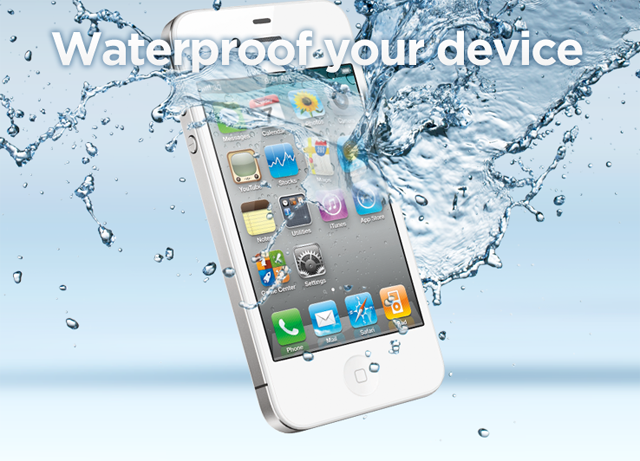
  • Revolutionary Waterproof Solutions for Your Electronic Devices


    Liquipel waterproof

    Liquipel waterproof

    At this year CES, companies like Liquipel and HzO have introduced a revolutionary waterproof coating to your electronic device to protect them in the event of accidental exposure to liquids. It is not visible to the human eye, virtually undetectable and will not compromise the look, feel, and performance of your electronics.

    Liquipel solved the issue with a coating material that repels water and it’s barely visible to the naked eye. You can’t buy this thing but instead, you need to send your device to Liquipel to apply the coating for you at a $59 value.

    Liquipel supports the Apple iPhone 3G/3GS/4/4S, HTC EVO 4G, EVO Shift 4G, MyTouch 4G, Thunderbolt, Motorola Droid X/X2 and the Samsung Charge.

    On the other side, HzO employs a proprietary chemical dubbed, WaterBlock that protects your device from the inside on the molecular level. Watch the clips below: