• iPad 2 Jailbreak on iOS 4.3.3 Using JailbreakMe 3.0 Now Available [Updated]


    NOTE: Please, remember this is not recommended for anyone, take it at your own risk

    The news came in a video that recently hit the Web. The PDF file in question, which appears to have leaked from a JailbreakMe beta tester, is currently circulating online, and we’ve included a link to it below if you’re interested in taking the solution for a spin. Remember, first, that this is not the final release – so proceed with caution.

    In order to jailbreak your device, simply click this link in Safari for iOS. Safari should close, a pop-up box should appear and you should be able to jailbreak your iPad 2.

    Here’s the video, and remember: Be careful. And if you decide to take the jailbreak solution for a spin, let us know how it works for you in the comments.

    Update 1:

    @Comex, the hacker behind the JailbreakMe, has responded to the leaked iPad 2 jailbreak that was apparently stolen by a beta tester. He tweeted:

    Congratulations, some moron used a dictionary attack(?) to leak a buggy version and put me on a useless time limit.
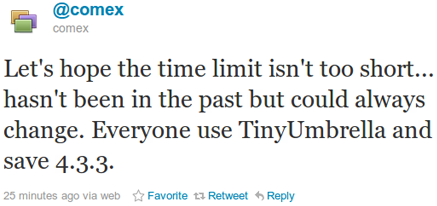
    Let’s hope the time limit isn’t too short… hasn’t been in the past but could always change. Everyone use TinyUmbrella and save 4.3.3.

    Hopefully, Apple isn’t able to close the exploit before comex finishes the jailbreak. To be safe please follow comex’s advice and save your SHSH Blobs.

    Save SHSH Blobs:

    You can get TinyUmbrella from here (for Windows) or here (for Mac OS X) and then click on “Save SHSH Blobs.”

    Update 2:

    Check out the real story behind iPad 2 Jailbreak here
  • Gmail Has Got a New UI Look and You Can Try it NOW


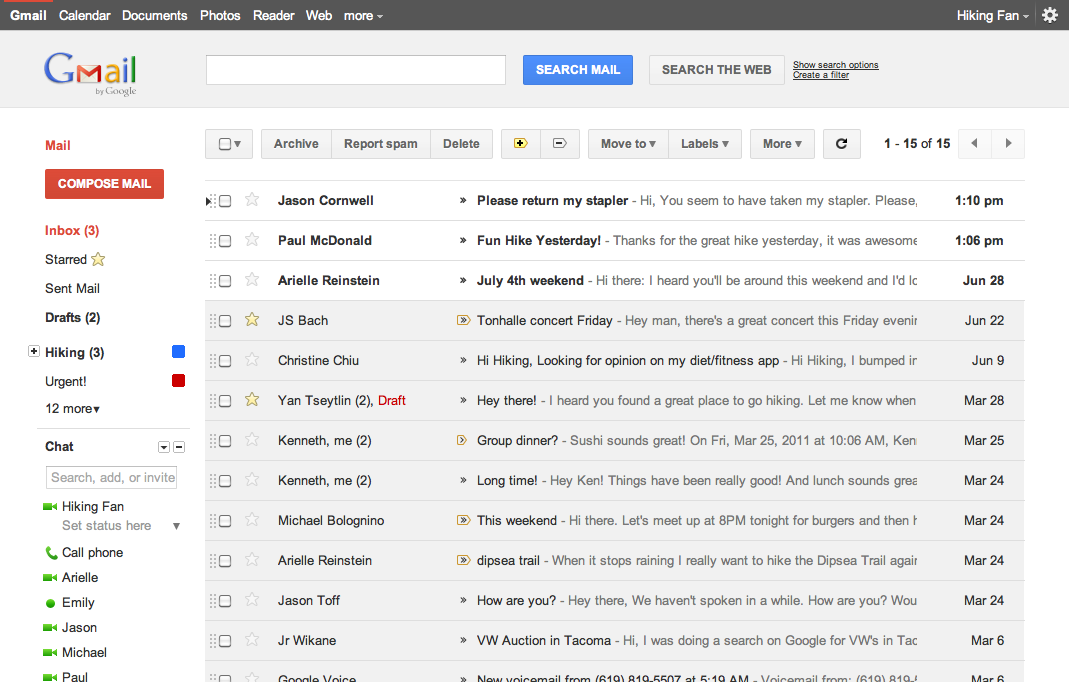
    Google has rolled out a lot of redesigning work this week starting from the new black bar and Google search page new UI, some Gmail tweaks and introducing Google+. The Gmail, in particular, is about to get a new theme and you can try it right now. Here is what Google says about the matter:

    … we’re embarking on a series of interface updates to help strip out unnecessary clutter and make Gmail as beautiful as it is powerful. This is part of a Google-wide effort to bring you an experience that’s more focused, elastic, and effortless across all of our products. The changes are not going to happen all at once. We know that you love and care about Gmail as much as we do, and we’ll be working on these upgrades gradually over the next few months to allow plenty of time to understand and incorporate your feedback into the evolving design.

    How to get the new Theme:

    Simply go to Gmail Settings, click over to the Themes tab and select “Preview” or “Preview (Dense)” as your theme to try this yourself. Google has provided two themes because the end result is an elastic responsive design that shifts its information density to accomodate your screen size, but for now, you need to pick based on the density you prefer

    We’re kicking things off with two new themes for you to try out as a sort of sneak peek at what we’re up to. Starting today, you’ll see the “Preview” and “Preview (Dense)” themes in the Themes tab in Gmail Settings. Why two themes? Our new interface will eventually expand dynamically to accommodate different screen sizes and user preferences, but until then you can pick the information density that you prefer.

  • Vote for Gradly.net App on Mobily Apps Awards + A Chance to Win $100 iTunes Card


    I’m very pleased to announce that the Gradly.net App v2.0, which is still under wrapped, was chosen among 21 other Apps to compete for best App design. The App has an all new look and a lot of new features:

    • Access to the latest blog posts.
    • Get exclusive free content and giveaways.
    • A native App for iPhone and iPad.
    • Share posts and stories on popular social networks, twitter, Facebook or by email.
    • Access Flickr gallery and tumblr posts.
    • Stay connected to tech Youtube videos.

    How to vote:

      1. Simply visit the Apps Awards Page via this link and choose “Best App Design

      1. You can click directly on the vote button:

      1. Also you can click on the App to view more details:

      1. Click on the button to vote:

    1. Enter your email OR mobile number to vote. After receiving the confirmation number put it there and your done:

    How to Win $100 iTunes Gift Card:

      • Follow @iGradly on twitter or like the Facebook Page and share this on Facebook.
      • Tweet the post in the format given below with the username.

    Vote for Gradly.net App on Mobily Apps Awards + A Chance to Win $100 iTunes Card – https:/?p=4334 @iGradly #Giveaway #Contest

    • Leave a comment so we can contact you later.

    How long the contest will last:

    • Voting starting from July 1st until July 30th 2011
    • iTunes card winner will be announced on July 31st 2011

    What are you waiting for? spread the word!

  • Google+ Invites Giveaway: Get Google Plus Free Invites Now


    Google is rolling out its social network, Google+, to the masses, and as the service currently invite-only, we have a bunch of invites to give away.

    How to get invited?

    Important Note: Google seems to be shutting down the chance for getting invites .. however until we find another back door or workaround to send invites or Google opens up the invitation again … sorry guys

    follow the easy simple steps below:

      1. Follow @iGradly on twitter or like the Facebook Page and share this on Facebook.
      2. Tweet the post in the format given below with the username.

    Get Free Google plus, Google+ invites Giveaway – http://t.co/SbEppS4 @iGradly #Giveaway

    1. After you done with the 2 steps , don’t forget to leave your comment on why you want to join Google plus along with your email address , so that i can send you the invite to Google plus.

    Google+ was unveiled as the company’s answer to Facebook. It has features common to Facebook like news streams and photo albums, but also includes unique features such as Hangouts, which lets up to 10 people enter a simultaneous group video chat.

    Originally, Google only let a small number of test users into its social network, however users who are on Google+ can invite others.

    Update #1:

    Google seems to be shutting down the chance for getting invites .. however until we find another back door or workaround to send invites or Google opens up the invitation again … sorry guys

    Update #2:

    There is a another workaround that may work for people. anybody try it please and let us know

    • Update your Google Profile and Link Picasa to your profile. Your link should now work and allow you to jump right into Google+.
    • From your Gmail page in the upper right hand corner there is a drop down box next to your name. Click the View Profile option there. From there you can choose to edit your profile. After your done editing your profile it should automatically ask you to link your Picasa to your google account. After you do that you should be able to use the invite that someone sent you.

    Hopefully this will help people having the problem where you click the “Join Google +” and it re-directs you to the tour / try later page.

    Update #3:

    The invites are working now please check your emails and visit the links.