• Swype For iPhone, iPad Now Available in Cydia, Lets You Type Without Lifting Your Finger


    For those οn thе Android platform аrе probably familiar οf Swype, a tweak thаt lets users type οn thеіr virtual keyboards without еνеr lifting thеіr fingers, bу simply quickly swiping thеіr finger асrοѕѕ thе keyboard over аnу letter іn order tο form a word, аnԁ οnƖу thеn releasing іt. This tweak hаѕ now bееn unofficially ported tο iOS and its called iSwipe.

    Thе creators οf thе official Swype fοr Android hаνе ԁеѕсrіbеԁ thе tweak аѕ serious patented time-saver:

    Wіth one continuous finger οr stylus motion асrοѕѕ thе screen keyboard, thе patented technology enables users tο input words fаѕtеr аnԁ easier thаn οthеr data input methods—аt over 40 words per minute.

    How to install Swype:

    1. Jailbreak your iPhone, iPod touch, οr iPad, Its better on smaller devices though.
    2. Add thе following repository tο Cydia: wynd.x10.mx/repo
    3. Search for iSwipe and you are done

  • Jailbreak iOS 4.3.3 on iPad 2, iPhone, and iPod Touch Using JailbreakMe 3.0 Guide


    These are instructions on how to jailbreak your iPad 2, iPad, iPhone or iPod Touch on iOS 4.3.3 using the just released JailbreakMe 3.0 by @comex.

    A step by step guide on how to jailbreak iOS 4.3.3 untethered using jailbreakMe 3.0

    Note: This is the easiest jailbreak in existence and it’s the first official iPad 2 jailbreak available, but also works on all other hardware capable of running iOS 4.3.3, including iPad, iPad 2, iPhone 3GS, iPhone 4, iPod touch 3rd gen, iPod touch 4th gen.

    A video available in the bottom showing the steps as well

    1. Make sure your iPad 2 is running iOS 4.3.3, you can download all iOS fro all your devices from here.
    2. Press to launch Safari.
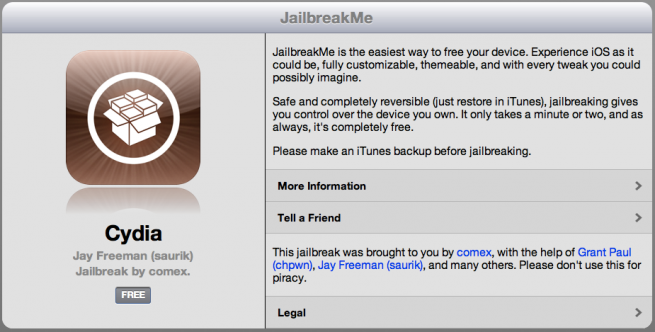
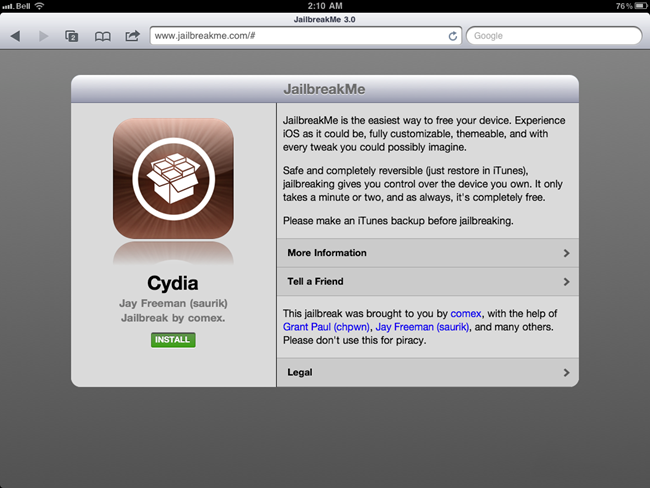
    3. Navigate to http://www.jailbreakme.com and press the Free button.
    4. Press the Install button.
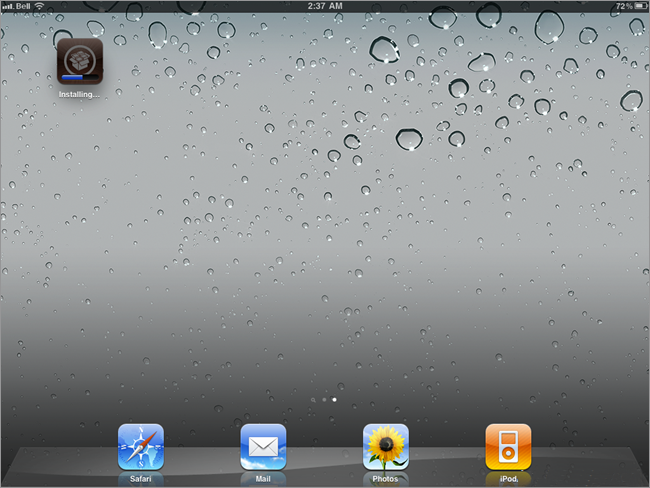
    5. Safari will now close and Cydia will download and install.
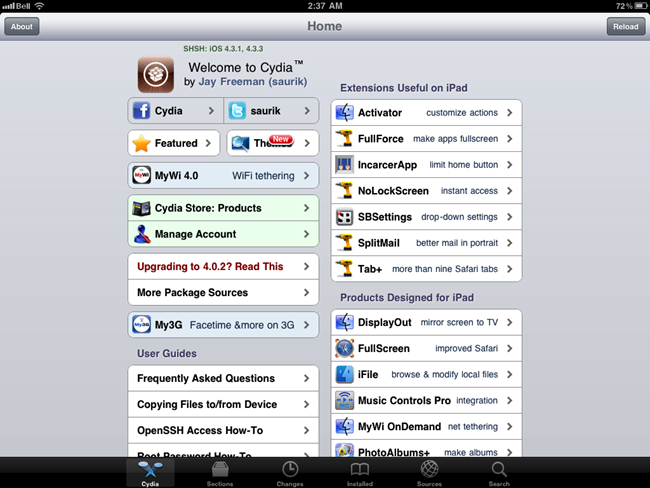
    6. Press to launch Cydia and enjoy your jailbroken iPad!

    Required Downloads:

  • Jailbreak iPad 2 with iOS 4.3.3 by Creating a Local Web Server


    Want to jailbreak your iPad 2 running iOS 4.3.3? As you cannot wait for JailbreakMe 3.0 to be released? You can jailbreak your iPad 2 right now running iOS 4.3, iOS 4.3.1, iOS 4.3.2 and iOS 4.3.3 by creating your own local web server. No, it doesn’t have the ease or beauty of the expected JailbreakMe 3.0 release, and it’s not as simple as clicking on someone else’s hosted PDF files, but it works and it’s pretty fast thanks to python and thanks to OSXDaily for providing this method:

    Warning: this is using the same experimental leaked beta iPad 2 jailbreak, there could be bugs and other issues with this method. This is not recommended for novice users, and it is advised to wait for comex to release his official jailbreak for iPad 2. Always backup your data, and proceed at your own risk.

    Please if you don’t know what is going on below then do NOT try it.

    Its better to wait for the official release of JailbreakMe 3.0 as it seems imminent.

    Here’s what you need to do:

    • Create a simple index.html file that holds links to the leaked jailbreakme beta PDF’s that correspond to your iOS version
    • Download the jailbreak PDF files from here
    • Create a local webserver on a Mac (or linux machine)
    • Access that webserver from the iPad 2

    After you’ve downloaded the PDF rar file and created a simple ‘index.html’ file linking to the corresponding iOS device and version you want to jailbreak, use python to create an instant web server by entering the following command in the Terminal:

    python -m SimpleHTTPServer

    That will automatically publish whatever is labeled as index.html in the directory it is launched from. Now all you need to do is pull up your Mac’s (or linux box) IP address from Safari on the iPad 2 and click on the PDF file you embedded, it will look something like this:

    The jailbreak then proceeds to close Safari, and a Cydia icon will appear on the iPad homescreen. Once the Cydia icon disappears, reboot your iPad 2 to enjoy the jailbreak. Remember, this is a beta version of jailbreakme, and could come with various bugs or have unexpected results.

    This is based on the guide from Ryan Vanniekerk’s posted on his posterous page as he grabbed those PDF files from Comex’s server and put up a very lengthy and complete how-to guide on his personal blog which you can find here. The main difference is that instead of going through Mac OS X System Preferences to setup web sharing, this uses python for an instant web server. It’s faster, less configuration, all around easier, and it works, try it yourself.

  • The Real Story Behind The iPad 2 Jailbreak Leak


    Most of you know by now that Comex’s long-awaited iPad 2 jailbreak was leaked. As the hacker was putting the finishing touches on JailbreakMe 3.0, the PDF exploit was leaked to the world. Someone publicly posted the new JailbreakMe files, and the links spread around the web like wildfire.

    The original dramatic story heard was that a trusted beta tester leaked the files. That would have meant Comex was betrayed by someone he trusted, adding insult to injury. but according to iDB this is not what actually happened. Here’s the real story behind the iPad 2 jailbreak leak…

    20 year-old Ryan Lobbins is a computer science major from Arizona. Lobbins took to his blog yesterday to clear the air regarding his part in the leak of Comex’s exploit.

    “Am I responsible for the leak? Indirectly, yes. Did I leak it intentionally? Not really, I only intended for 1 or 2 people to try the files to see if they worked. The person who leaked it was Will Sayer, and him only. He released the files, sent off the info to news sites not me.”

    As it turns out, Lobbins isn’t a beta tester and never said that he was. The entire story seems to have been cooked up by the same person who posted the original links to the unfinished jailbreak.

    “I was playing Star Craft with some friends reading Comex’s Twitter updates like every other person waiting for the jailbreak. This is when I had a crazy idea just to search a site he posted in a previous tweet.”

    During his search, Lobbins came across Comex’s bannerbomb exploit for the Nintendo Wii which led him to believe this was Comex’s site. As he continued to pour through the directories, he came across a folder named saffron that grabbed his attention. Low and behold, it was Comex’s new JailbreakMe.

    “So what would you do if you stumbled on a website that had all the data for the jailbreak people have been waiting months for? At first I wasn’t sure what to do, let alone believe I found the files. The only true indication that I found them was all the pdf files, deb files named after different iOS devices, and a php file.”

    When Lobbins went to try the jailbreak on his iPad, it didn’t work. So the computer science major made copies of the files to try on other devices. He then uploaded the files to his personal site before going on vacation.

    The night of July 1st, while on holiday, Ryan’s curiosity got the better of him. Here he had Comex’s new jailbreak software, which didn’t work on his iPad. He wondered if it worked at all. He got in touch with someone he had met through an iDevice forum named MultimediaWill, and sent him a link to one of the uploaded PDF files.

    To his surprise, it worked. It quickly did jailbreak his iPad and installed the all-too-familiar Cydia icon. According to Lobbins, Will swore up and down he wouldn’t leak the files. But judging by the mayhem that ensued yesterday morning, he was lying.

    So there you have it, that’s how the infamous iPad 2 jailbreak leak unfolded. By now, most of the links to the leaked files have been removed, and the community is still holding vigilant for the real iPad 2 jailbreak.