• Nuance Might Have Exposed The iPhone 5 Beans


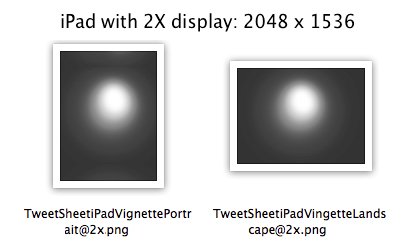
    Interesting screenshots from Nuance’s new SpeechTrans Ultimate App. Nuance is widely believed to be working deeply with Apple on their speech recognition technology so maybe they know something.  Or maybe they just pasted screenshots that were too big on their App?!

  • iPad 3 Retina Display Graphics Found in iOS 5 SDK


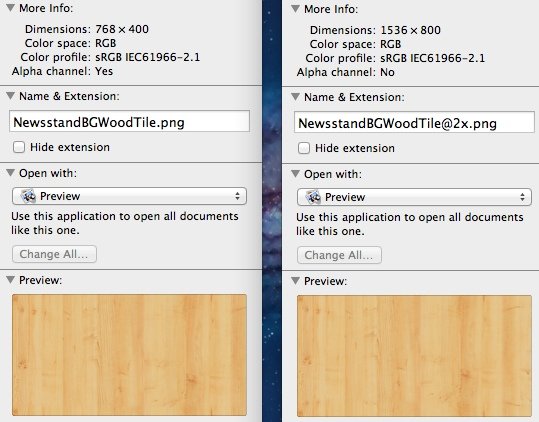
    iPad with Retina Display was much rumored earlier this year, iPad 2X graphics were found in the iBooks application and were immediately assumed to be for the iPad 2, which does not include a Retina display once unveiled.

    Now, the guys at TechUnwrapped digging deep inside the new iOS 5 SDK have found images marked with 2X making the new iPad capable of displaying 2048 x 1536 resolution on its display (four times the pixels) of the current iPad (1024 x 768) this pushes the speculation further more as this is not apparently for pure testing purposes. The image below from Newsstand app.

    As iOS 5 is the base for the next generation iPhone and iPad it does make sense that the new iPad will get a really Retina display after all

  • Apple Starts Selling Unlocked iPhone 4, Works With Any GSM Network Worldwide


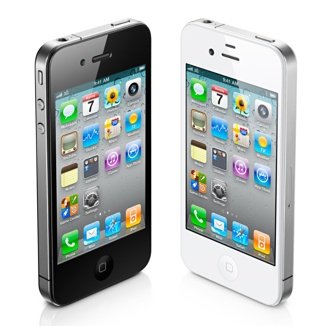
    Apple has begun selling unlocked GSM iPhone 4 in the US. The 16GB black model starts at $649 and the 32GB $749. The unlocked device has all the features and can be used worldwide on supported GSM:

    If you don’t want a multiyear service contract or if you prefer to use a local carrier when traveling abroad, the unlocked iPhone 4 is the best choice. It arrives without a micro-SIM card, so you’ll need an active micro-SIM card from any supported GSM carrier worldwide.

    The unlocked iPhone 4 requires an active micro-SIM card that you obtain from a supported GSM wireless carrier. Simply insert the micro-SIM card into the slot on your iPhone, connect to your Mac or PC using the USB cable, and launch iTunes on your computer to complete the setup.

  • iOS 5 Tethered Jailbreak Using Sn0wbreeze 2.8 Guide


    Sn0wbreeze 2.8 beta 2 (a.k.a PwnageTool for Windows) brings tethered jailbreak for iOS 5 on iPhone 4, iPhone 3GS (New Bootrom), iPod Touch 4G, iPod touch 3G, & iPad 1. It brings Untethered jailbreak for iPhone 3GS (Old Bootrom).

    A step by step guide on how to jailbreak iOS 5 Beta tethered using Sn0wbreeze 2.8 (Windows)

    Notes:

    • For Redsn0w you can follow our guide posted here (Redsn0w 0.9.8) to get tethered jailbreak iOS 5.
    • For iPhone 3GS (Old Bootrom) its Untethered.

    Step 1: Start Sn0wbreeze, click the next “blue” arrow to proceed.

    Step 2: Select the required firmware .ipsw file for your iOS device by clicking on the “Browse” button.

    Step 3: Sn0wbreeze will now identify the selected IPSW file. Once done, click the next “blue” colored arrow to proceed.

    Step 4: Now select the “Expert Mode”, followed by “Build IPSW” option to start creating your custom firmware.

    Step 5: Sn0wbreeze will greet you with the following “Done!” message when the custom firmware has been successfully created.

    Step 6: Now follow the onscreen steps to enter DFU mode using Sn0wbreeze:

    • Hold Power and Home buttons for 10 seconds
    • Now release the Power button but continue holding the Home button for 10 more seconds
    • You device should now be in DFU mode

    Step 7: Start iTunes, click on your iOS device icon from the sidebar in iTunes. Now press and hold Left “Shift” button on the keyboard and then click on “Restore” (Not “Update” or “Check for Update”) button in iTunes and then release this button. This will make iTunes prompt you to select the location for your custom firmware 5 file. Select the required custom .ipsw file that you created above, and click on “Open”.

    Step 8: Now sit back and let iTunes do the rest for you. This will involve a series of automated steps. Just wait while iTunes installs the new firmware 5 on your iOS device. Your iOS device screen at this point will be showing a progress bar indicating installation progress. After the installation is done, your iOS device will be jailbroken on iOS 5.

    Required Downloads: