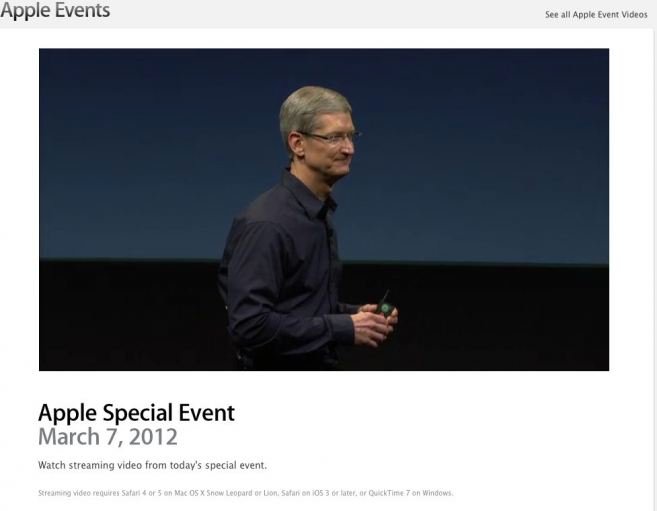
Apple has posted a video for its new iPad event that took place in San Francisco today. The new iPad has been announced by Apple! As rumored, many of specs were expected, check them below:
The new iPad Features & Specs:
Retina display, with a resolution of 2048×1536, 3.1 million pixels at 264ppi
A5X Processor, quad-core graphics
5 megapixel iSight camera
1080p video recording
Voice dictation, similar to Siri without the questions
iPad 3 to Feature Senseg’s E-Sense Touch Technology?
When we first get the next-gen iPad (iPad 3 or iPad HD) event invitation, every body’s attention went to “We have something you really have to see.†which was translated instantly as the company might have attached a Retina Display to their new iPad which is a big possibility. But the invitation text goes with another words that – “And touch.â€? Which in turn could be a reference to a new technology adopted by Apple.
According to reports by The Guardian, unlike Apple’s existing iPad display, next-gen iPad screen may be textured and actually you may feel rough, smooth, curved, flat, sticky, and slippery sensations by just touching the screen surface.
“Apple never uses words in its invitations without them meaning something,†said Carolina Milanesi, smartphones and tablets analyst for the research company Gartner. As she pointed out, the invitation for Apple’s previous event in October had a picture of some app icons, a “1″ against the iPhone, and the phrase “Let’s talk iPhone†– in retrospect, a pun on the planned introduction of the single iPhone 4S, with the Siri voice-driven “assistant†software.
Milanesi thinks similar analysis will pay dividends: “Saying you have to ‘see’ it obviously refers to the retina display. As for ‘touch’, my first thought was that they have done something to the back of the iPad.â€
But the Guardian believes that the “touch†refers to a technology from Senseg, a Finnish startup which has developed a system called E-Sense which appears to give texture to a touchscreen.
The technology comes from a Finnish company called Senseg and it uses things called “tixels,†generated by electric fields from elements embedded around the screen, to provide a texture on the display that can change just like its pixels.
How to Bring Back Windows 7 Start Button to Windows 8 Consumer Preview?
Microsoft ditched the start button orb in their next iteration Windows operating system, Windows 8 Consumer Preview, that was released last week. For those who suffered from the great loss, fortunately, there is a solution to get back the traditional Windows 7 Start menu. Thanks for Gupta from Askvg fro providing this solution:
Download ViStart – this is a free tool to bring Windows 7 like start menu
The setup bundled with other tools so make sure to opt in/out the installation of such tools.
After installation, the Start orb and menu will return instantly.
But there is an issue, the start Orb will overlap with Taskbar button.
To fix this problem, you have to add a new blank toolbar in Taskbar.
First create a new folder anywhere. It might be on Desktop, in C: drive or in any other drive. We have created a folder “test” in C: drive in our example.
Now right-click on Taskbar and select “Toolbars -> New toolbar…” option.
It’ll open browse dialog box where you’ll need to select a folder. Select the new folder which you created in 3.a. step and click on “Select Folder” button.
It’ll immediately add the new folder toolbar in Taskbar. It’ll be added near system tray (notification area) as shown in following screenshot:
Right-click on Taskbar and uncheck “Lock the Taskbar” option. It’ll show a placeholder to drag the folder toolbar.
Now you need to drag-n-drop the new folder toolbar to the start of Taskbar. Simply click and hold on the folder toolbar handler, drag the handler to the start of Taskbar. It’ll put the new folder toolbar to the start of Taskbar and you’ll see a huge gap between folder toolbar and program buttons.
Now right-click on the empty area between folder toolbar and program buttons and uncheck both “Show Text” and “Show title” options.
Now you can drag-n-drop the program buttons handler near start Orb to remove the gap.
Lock the Taskbar again and now start Orb will no longer overlap program buttons and you’ll get a working start ORB and start menu in Windows 8 Consumer Preview.
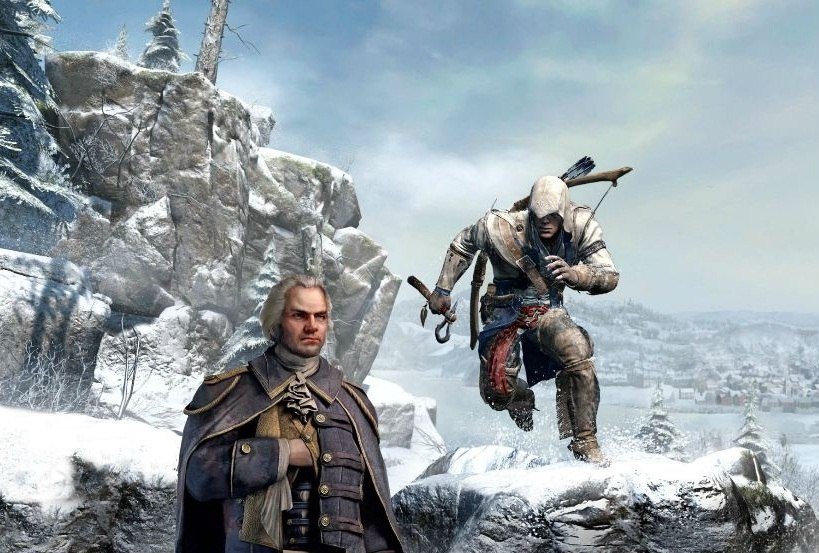
Ubisoft has released the first trailer for Assassin’s Creed 3. The game is said to be the largest project in the company’s history. It has been in the works for over three years with twice the production capacity of any previous title from Ubisoft Montreal and other six studios. Watch the trailer below:
The game is hitting Xbox 360, PS3 on October 31, 2012. More detail regarding the new game can be read here
Here is the official notes from the publisher:
Assassin’s Creed III is powered by Ubisoft-AnvilNext, a revolutionary new game engine that delivers breakthroughs in visual quality, character models and artificial intelligence. Assassin’s Creed III will feature a ground-breaking level of stunning graphics that bring Colonial America to life.
Players become an Assassin in the war for liberty against ruthless tyranny in the most stylized and fluid combat experiences in the franchise to date. Assassin’s Creed III spans the Revolutionary War, taking gamers from the vibrant, untamed frontier to bustling colonial towns and the intense, chaotic battlefields where George Washington’s Continental Army clashed with the imposing British Army.
“Assassin’s Creed III features the franchise’s most expansive setting so far, along with an exciting new hero and exponentially more gameplay,” said Yves Guillemot, chief executive officer at Ubisoft. “Whether you’re a longtime fan of Assassin’s Creed or if you’re new to the franchise, you’re going to be blown away by the scale and marvel of Assassin’s Creed III.”
Additional Assassin’s Creed III details can be found in exclusive cover features in the next issues of Official Xbox Magazine (20th March), Official Playstation Magazine (20th March) and Nintendo Gamer (23rd March).