While waiting for full untethered jailbreak for iOS 5, here is a very good deal for a half solution to that.
BigBoss has released Semitethered Jailbreak, a new Cydia package that lets you reboot your iOS 5 jailbroken iPhone at will while away from your computer!
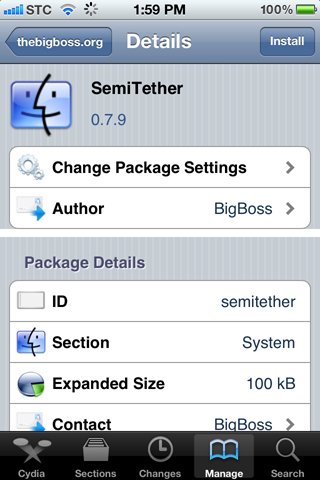
semitether
It’s not without it’s cons, but it’s a whole lot better than a normal tethered jailbreak.
How to get use Semitethered Jailbreak
Step 1: Tether Jailbreak your iOS 5 device with RedSn0w
Step 2: Add http://thebigboss.org/semitether to your Cydia sources.
Step 3: Install SemiTether and reboot!
That’s it. Now you can reboot your iPhone, even away from your computer!
As mentioned, there are a few cons though.
- Phone will reboot to Home screen
- Can use every stock app on iPhone except Mail and Safari until boot tether
- Can’t use Cydia, or any jailbreak apps and tweaks until boot tether
- Phone can take longer to boot
That’s a pretty good compromise, whenever you want to reboot while away from the computer.
Remember to get the full functionality back you have to boot the device back into a tethered jailbroken state using Redsn0w. To do this, start Redsn0w, go into “Extrasâ€, select “Just Boot†option and enter DFU mode. Redsn0w should now boot your device as tethered